3-14
Garmin GTR 225/225A/225B Pilot’s Guide
190-01182-00 Rev. B
6. Press ENT.
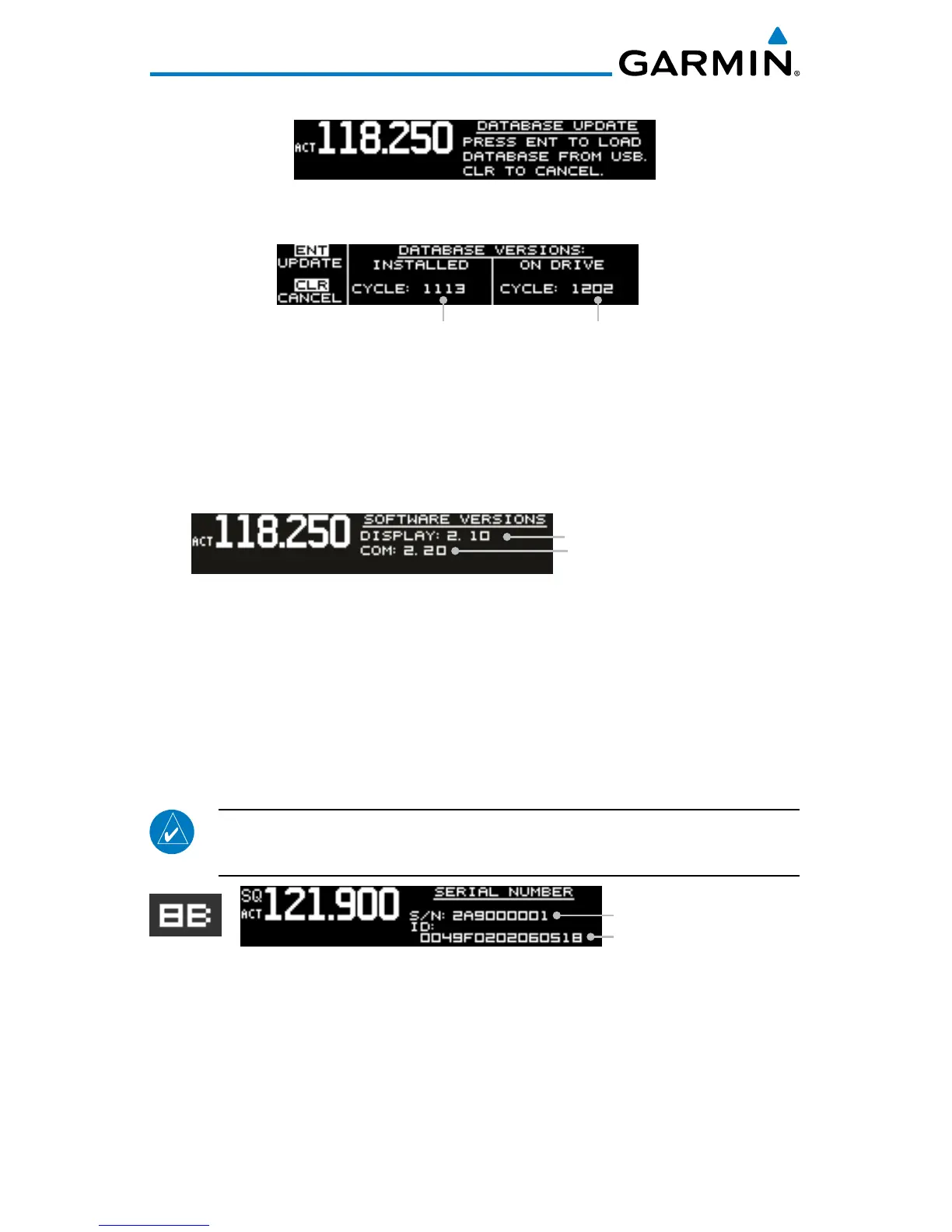
Database Update Page
7. Verify the database version on flash drive.
Version On Flash DriveVersion On Unit
Database Version Page
8. Press ENT to begin update.
9. Wait until the updating process is complete, then verify the correct
database is loaded onto the unit.
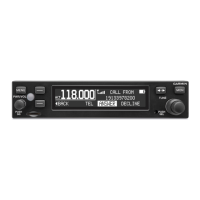
3.4.7 Software Version
COM Software Version
Display Software Version
Software Version Page
1. Press FUNC.
2. Turn the outer knob to SYS CONFIGURATION.
3. Turn the inner knob to SOFTWARE VER.
4. Press ENT.
5. Press FUNC to return to the main menu.
3.4.8 Serial Number
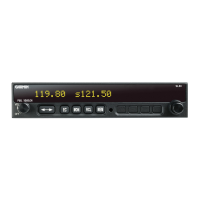
NOTE: The ID consists of a combination of numbers 0-9 and letters A-F. The number 8
and the letter B are distinguishable as depicted in the Serial Number screenshot.
ID Is Used With The
flyGarmin Services
Unit Serial Number
8
B
Serial Number Page
1. Press FUNC.
2. Turn the outer knob to SYS CONFIGURATION.
3. Turn the inner knob to SERIAL NUMBER.
4. Press ENT.
5. Press FUNC to return to the main menu.



 To Next Page