3-10
Garmin GTR 225/225A/225B Pilot’s Guide
190-01182-00 Rev. B
3.4 System Configuration
The System Configuration function displays the software version, database
information, and serial number. This information is helpful when contacting
customer support. It also allows setting the COM spacing, display brightness
and contrast, and to update databases.
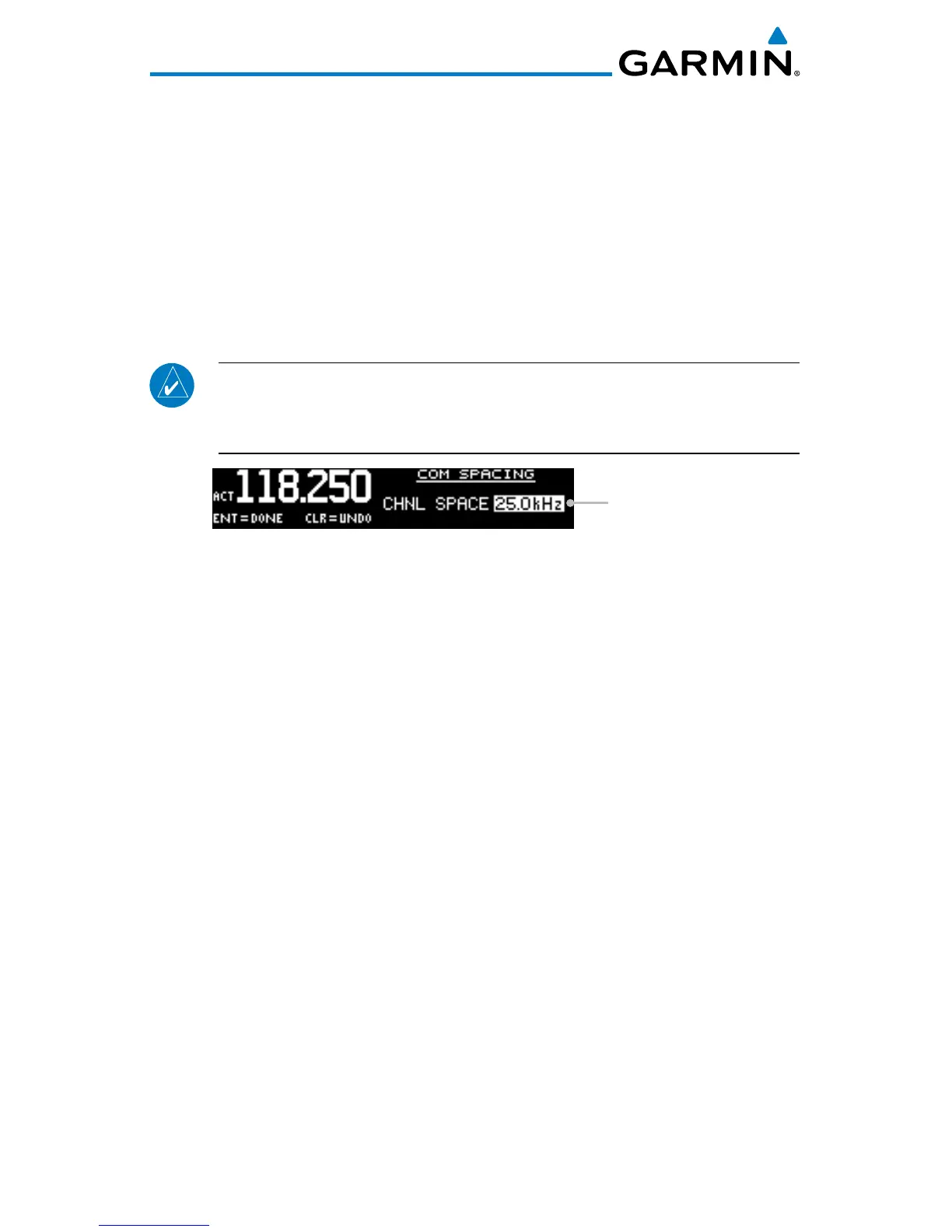
3.4.1 COM Spacing
COM spacing may be selected between 8.33 kHz and 25 kHz to allow for
regional requirements.
NOTE: When switching
from 8.33 kHz to 25 kHz mode, any 8.33 kHz-specific
user frequencies will be deleted from the user frequency list. This only
affects the user frequencies within the 8.33 kHz spectrum.
Channel Spacing
COM Spacing
1. Press FUNC.
2. Turn the outer knob to SYS CONFIGURATION.
3. Turn the inner knob to COM SPACING.
4. Press ENT.
5. Turn the inner knob to set the COM spacing.
6. Press ENT to save the selected value.
Press CLR to cancel the change.



 To Next Page