37
Tip: The buttons START/CANCEL und Portafilter execute exactly the same function. You can
operate the Portafilter button by pressing the button with the used vessel (e.g. Portafilter).
5. Take out the ground coffee after the milling works come to a standstill.
WARNING: Do not leave the appliance unattended, while it is connected to the power sup-
ply. Always unplug the appliance, when it is not in use.
6. If you have finished your work, always unplug the appliance.
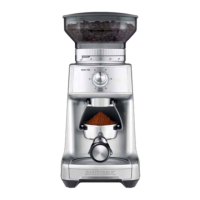
Grinding into Portafilter
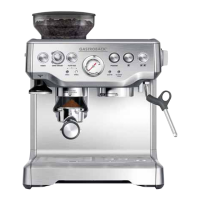
Portafilters are special filter inserts for semi-automatic and piston-driven espresso machines.
The ground coffee is tamped in the filter. Thus, the volume is reduced to approx. one third.
Because of this, it is quite normal for the correct amount of ground coffee to appear overfilled
in your portafilter.
1. Prepare the appliance as described in Preparing the ´Appliance for Use and Operating your
Design Coffee Grinder Advanced Pro`.
2. Choose the cradle size that fits your portafilter: 50 to 54 mm or 58 mm.
3. Slide the cradle into position under grind outlet. If installed correctly, the cradle is secured
in place via a magnet.
4. Insert the Portafilter into the cradle.
Tip: You can grind directly into your Portafilter even if it does not fit into the supplied cradles.
For this, without any cradle attached, hold the Portafilter with your hand under the grind outlet,
while starting the appliance.
5. Start the grinding operation using the START/CANCEL button or Portafilter button. You can
use the automatic mode: only shortly press the button and let the appliance operate
until the set amount is ground.
Alternatively control the grinding manually: hold the button pressed until the desired amount
is ground. The grinding will stop, as soon as you release the button.
Tip: You can press the Portafilter button with your finger or by pressing the Portafilter on it.
6. After grinding is finished, remove the Portafilter carefully to avoid spilling the coffee powder.
If you have used the cradle, simply pull the cradle out.
WARNING: Do not leave the appliance unattended, while it is connected to the power sup-
ply. Always unplug the appliance, when it is not in use.
7. If you have finished your work, unplug the appliance.
Grinding into the Grind Container
You can grind into the grind container without the lid. However, we recommend keeping the
lid on to prevent coffee grinds from escaping. Additionally, without the lid, the magnet at the
rear of the appliance cannot hold the grind container in place.
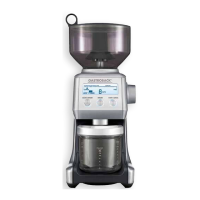
1. Prepare the appliance as described in Preparing the ´Appliance for Use and Operating your
Design Coffee Grinder Advanced Pro`.
2. Open the grey cap on the grind container lid. Do not attempt to completely remove the cap.
Simply turn the cap aside and place it in the well in the lid.


 To Next Page