70
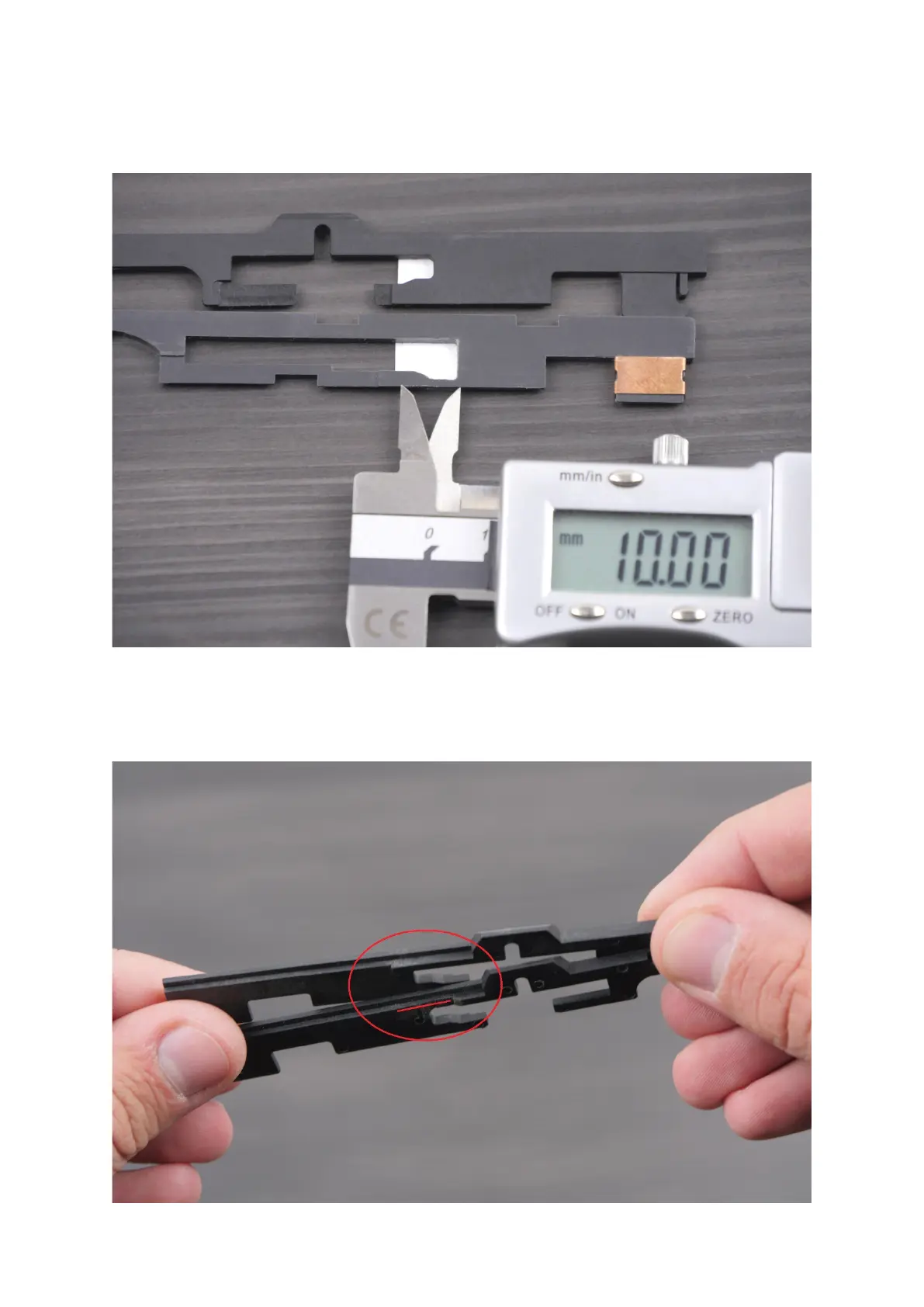
25. Prepare the selector plate following the steps below. If the plate is a standard one (AK,
most of G36, etc.), paste the sticker like in the picture below. If necessary, enlarge the hole
in the plate - space between the selector plate border and the sticker border should be
approximately 10mm [0.4 in].
26. If there are any issues with the sticker adhesion, modify the selector plate.



 To Next Page