- 42 -
Retrieving Captured Data.
Retrieving Captured Data.Retrieving Captured Data.
Retrieving Captured Data.
SD Card Extraction.
SD Card Extraction.SD Card Extraction.
SD Card Extraction.
When there is a need to review captured video, essential steps need to be performed to
ensure that the captured video files are not corrupted, and thereby, made unreadable.
1. Turn Ignition off.
2. Wait until Record Extend has completed, (the only two LED’s still active should be 1:
Power Indicator; 2: Run Indicator), or, press the Stop button on the front of the
NiTRO or NiTRO-X recorder.
3. Carefully push the SD card into the NiTRO or NiTRO-X 400 series DVR and listen
for a click, this is the release mechanism.
4. Once the card is released, slowly pullout the SD card ensuring that it is extracted
without introducing an angle to the extraction as this could cause the card to flex.
Inserting
Inserting Inserting
Inserting the
thethe
the Card Into A Reader.
Card Into A Reader. Card Into A Reader.
Card Into A Reader.
It is essential that the SD Card is inserted into the reader in the correct orientation or
permanent damage may occur to the SD card, the Card reader, or both.
1. Select the slot on the reader. Please check the documentation which came with your
SD Card reader as to where the SD Card slot can be found.
2. If your personal computer has an integral reader, select the appropriate slot on that
system.
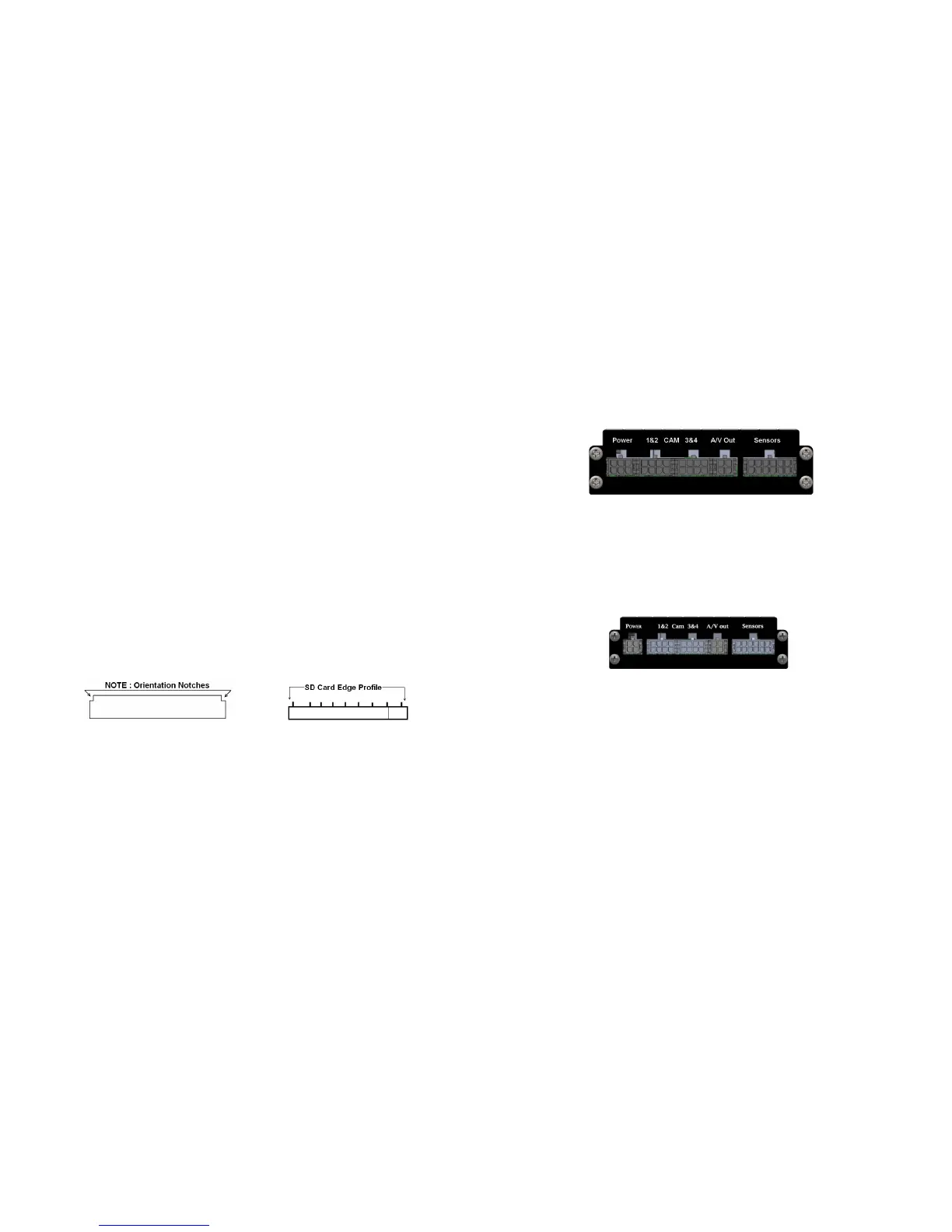
3. Carefully push the card into the slot, check the orientation (Figure 22). The edge
which has this profile is the edge which must be inserted into the reader.
4. Ensure that the SD Card is fully inserted.
SD Card Reader Slot
SD Card Edge View
Figure 22 : SD Card Orientation.
Opening Captured Video Files.
Opening Captured Video Files.Opening Captured Video Files.
Opening Captured Video Files.
Once the SD Card has been correctly inserted into the reader accessing the files should be
done using MaxVIEW400.
- 27 -
N
NN
NiTRO
iTROiTRO
iTRO-
--
-X
XX
X
400
400400
400 Rear View.
Rear View. Rear View.
Rear View.
The image in Figure 6 is viewed from directly behind the NiTRO-X 400 and from left to right.
Figure 6 : Rear View Connections.
NOTE: The Power connector (6 Pin) on the NiTRO-X 400 series is NOT compatible with the
NiTRO 400 series. Attempting to utilize the in-correct connector will void the warranty.
When installing a NiTRO-X 400 in an existing NiTRO 400 installation a 4 pin to 6pin
power adapter cable is available, CAB000268.
NiTRO
NiTRONiTRO
NiTRO
401 / 404 Rear View.
401 / 404 Rear View. 401 / 404 Rear View.
401 / 404 Rear View.
The image in Figure 7 is viewed from directly behind the NiTRO 400 and from left to right.
Figure 7: Rear View Connections
NOTE: The Power connector (4 Pin) on the NiTRO 400 series is NOT compatible with the
NiTRO-X 400 series. Attempting to utilize the in-correct connector will void the warranty.
When installing a NiTRO-X 400 in an existing NiTRO 400 installation a 4 pin to 6pin
power adapter cable is available, CAB000268, see Appendix for more information.



 To Next Page