44
Replacing Components in Your Gateway 600YG2
www.gateway.com
Replacing the cooling assembly
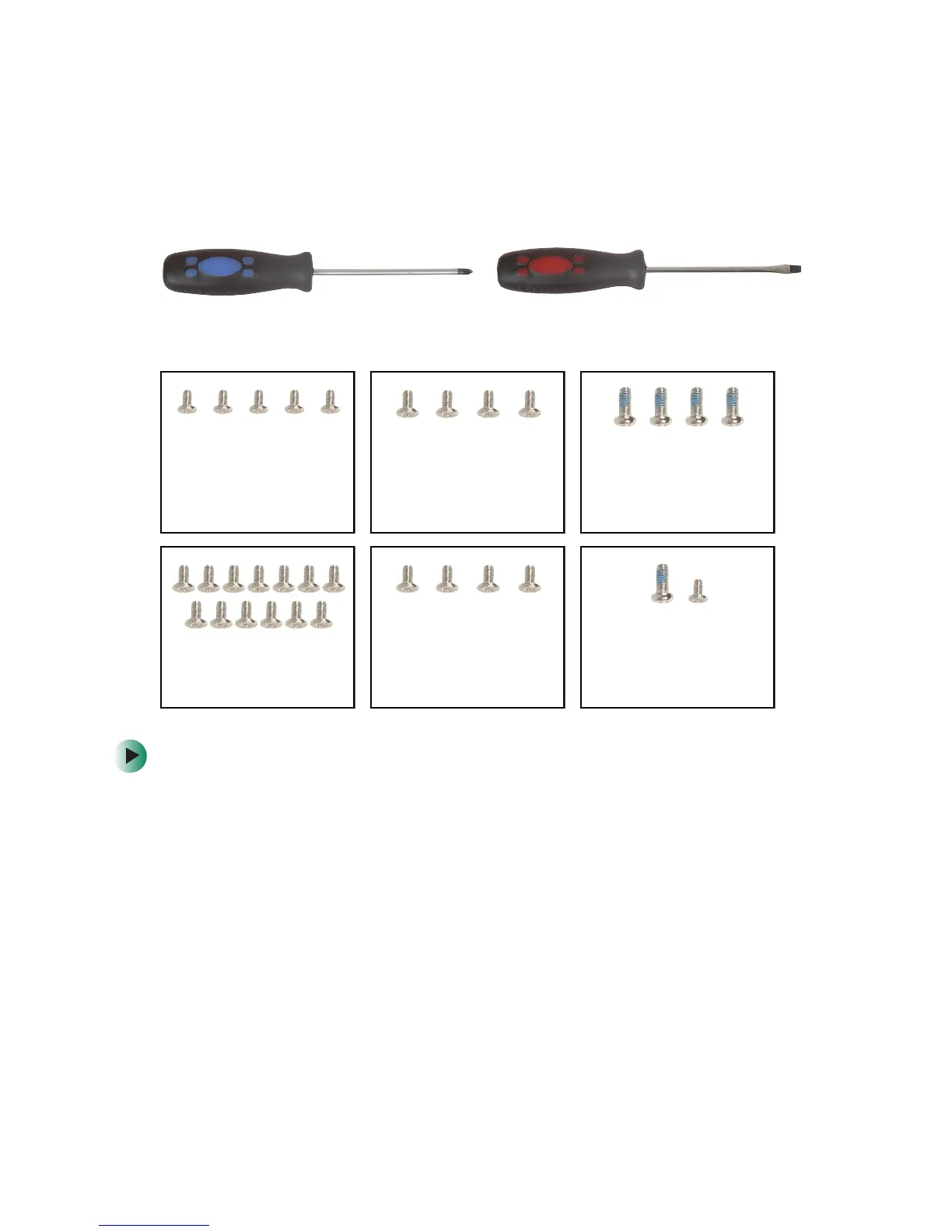
Tools you need to complete this task:
Screws removed during this task:
To replace the cooling assembly:
1 Disconnect the power cord, remove the main and optional secondary
battery, and prepare your notebook by following the instructions in
“Preparing your work space” on page 3.
2 If your notebook has 802.11 wireless networking built in, remove the
Mini PCI module by following the instructions in “Replacing the 802.11
Mini PCI card” on page 13.
3 Remove the keyboard cover by following the instructions in “Replacing
the keyboard cover” on page 24.
4 Remove the keyboard by following the instructions in “Replacing the
keyboard” on page 26.
Flat-blade screwdriverPhillips #0 screwdriver
1 chrome 2.5 × 7 mm
(near touchpad)
1 chrome 2.5 × 4 mm
(near multifunction
buttons) (palm rest)
4 chrome 2.5×5mm
(back)
13 chrome 2.5 × 5 mm
(bottom)
5 chrome 2.5×4mm
(keyboard)
4 chrome 2.5×5mm
(hinge covers)
4 or 6 chrome 2.5 × 7 mm
(LCD panel hinges)



 To Next Page
 Loading...






