2
Replacing Components in Your Gateway 600YG2
www.gateway.com
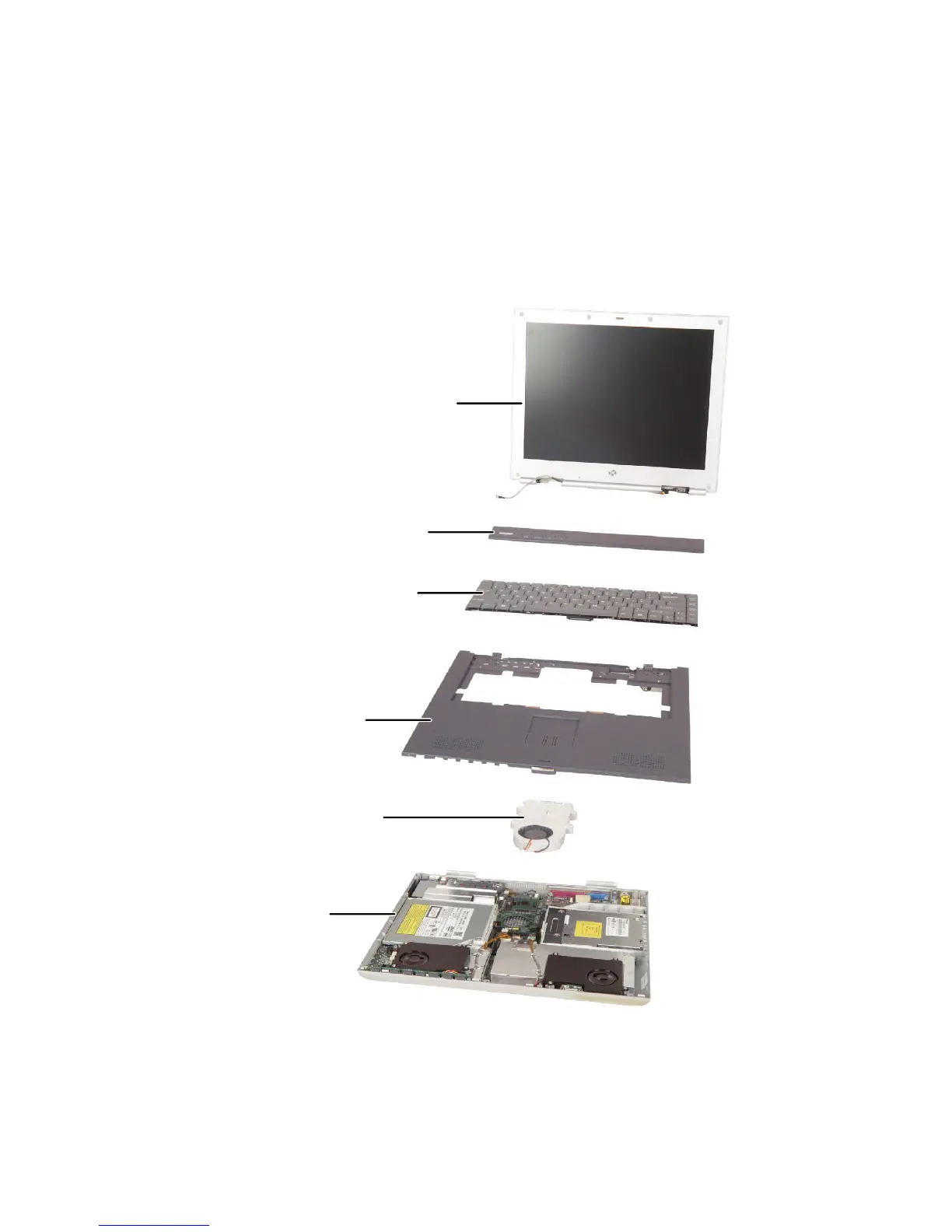
Identifying components
Where screw measurements are shown, the first number indicates screw head
width, and the second number indicates screw length.
Use this chart to identify the main components of your notebook. For a
complete list of replaceable parts, see the Contents.
LCD panel assembly
(see page 33)
Keyboard
(see page 26)
Palm rest assembly
(see page 39)
Cooling assembly
(see page 44)
System board
(see page 59)
Keyboard cover
(see page 24)



 To Next Page
 Loading...






