62
232001240G(08)
Air (Pen Page) [DEFAULT SETTING: Unselected]
This checkbox controls the SmartAIR air-assist function (if you have the optional air compressor
installed). By selecting a pen color and checking this box will enable the SmartAIR air-assist
function for that particular pen color. As an example, if you are performing a combination of both
surface raster engraving job and deep vector cutting on a material such as acrylic, you may want to
enable the SmartAIR air-assist for the vector cutting sections to get the cleanest cuts. To do this,
you would simply need to select the pen color that you have assigned to the sections to be cut and
select the Air checkbox for those particular pen colors.
NOTE
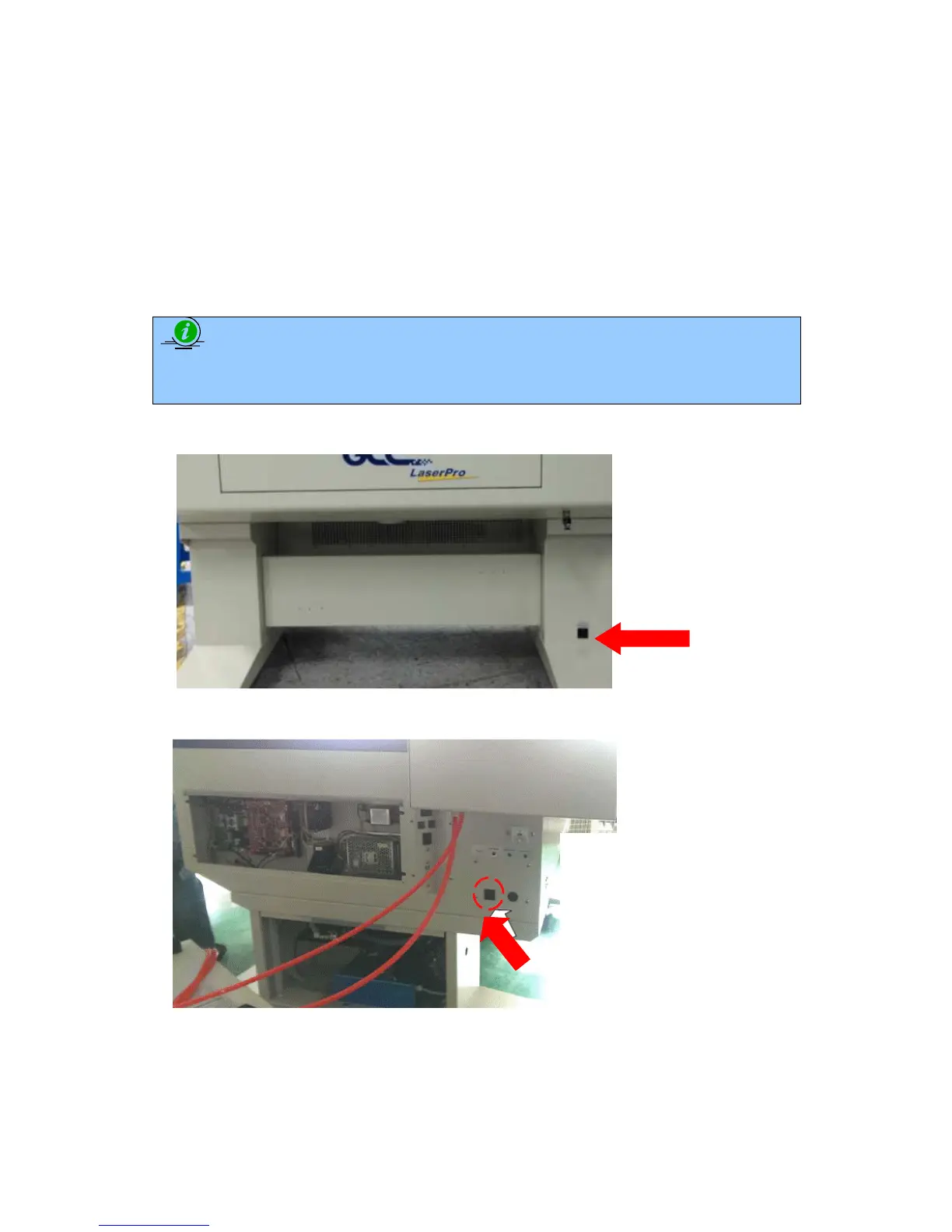
In order to use the Air Delay function under the firmware or the Air by Pen function in the driver,
make sure that the optional air compressor is connected to the power outlet located in the lower
machine cabinet.
<X252 Air Compressor Connection Power Outlet>
<X380 Air Compressor Connection Power Outlet>
Plug the external



 To Next Page