SX-2000 Installation Manual
11/8/2010
GDC Technology Ltd. Page 12 of 42
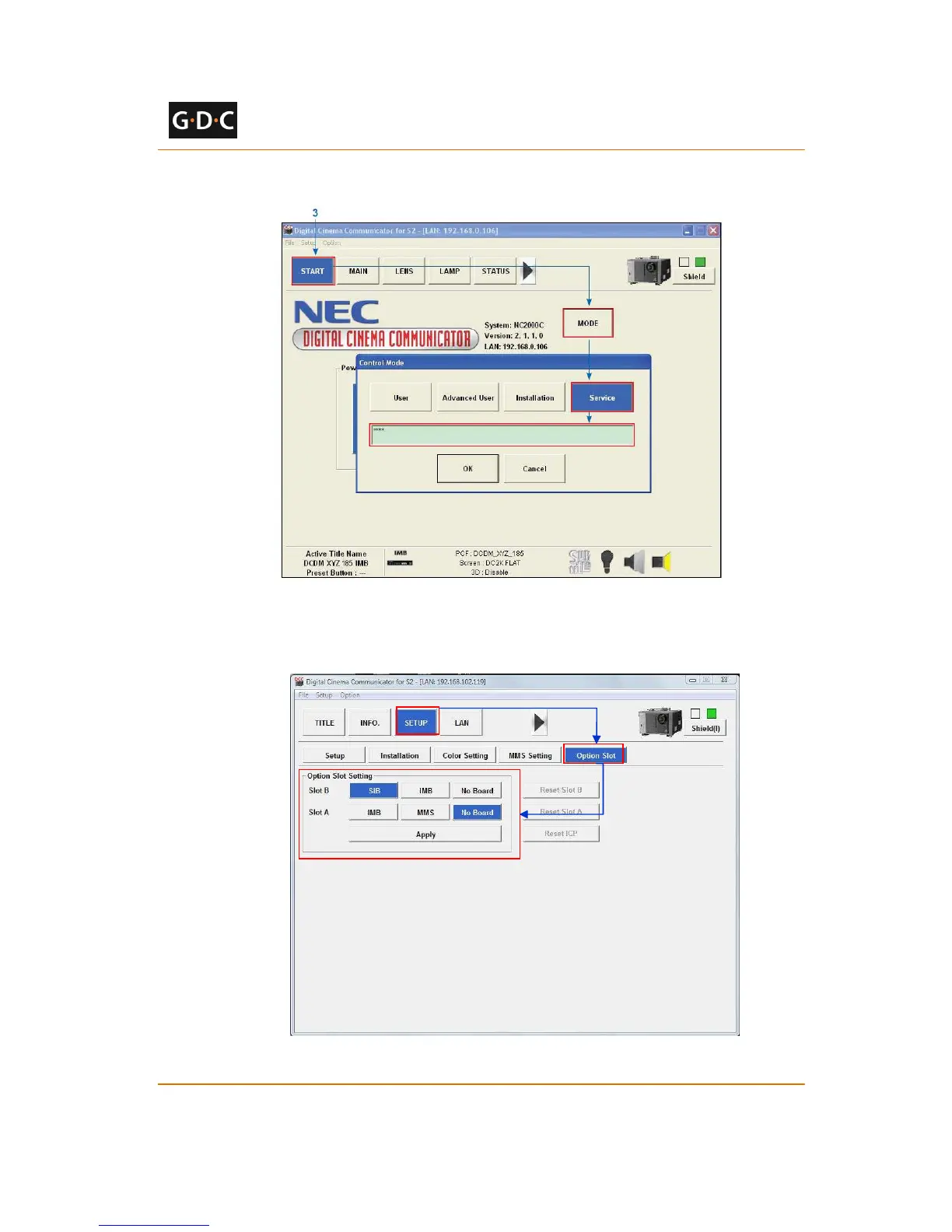
3. Select [Start] ->[Mode] ->[Service] and enter the Service password to activate
service mode operation. (See Figure 14)
Figure 14 Service mode on NEC Digital Cinema Communicator
4. Select [Setup] ->[Option Slot] on the Digital Cinema Communicator and select IMB
for Slot A in Option Slot Setting. (See Figure 15)
Figure 15 Option slot settings on NEC Digital Cinema Communicator



 To Next Page