SX-2000 Installation Manual
11/8/2010
GDC Technology Ltd. Page 31 of 42
3.3.3 Automation Scheduling
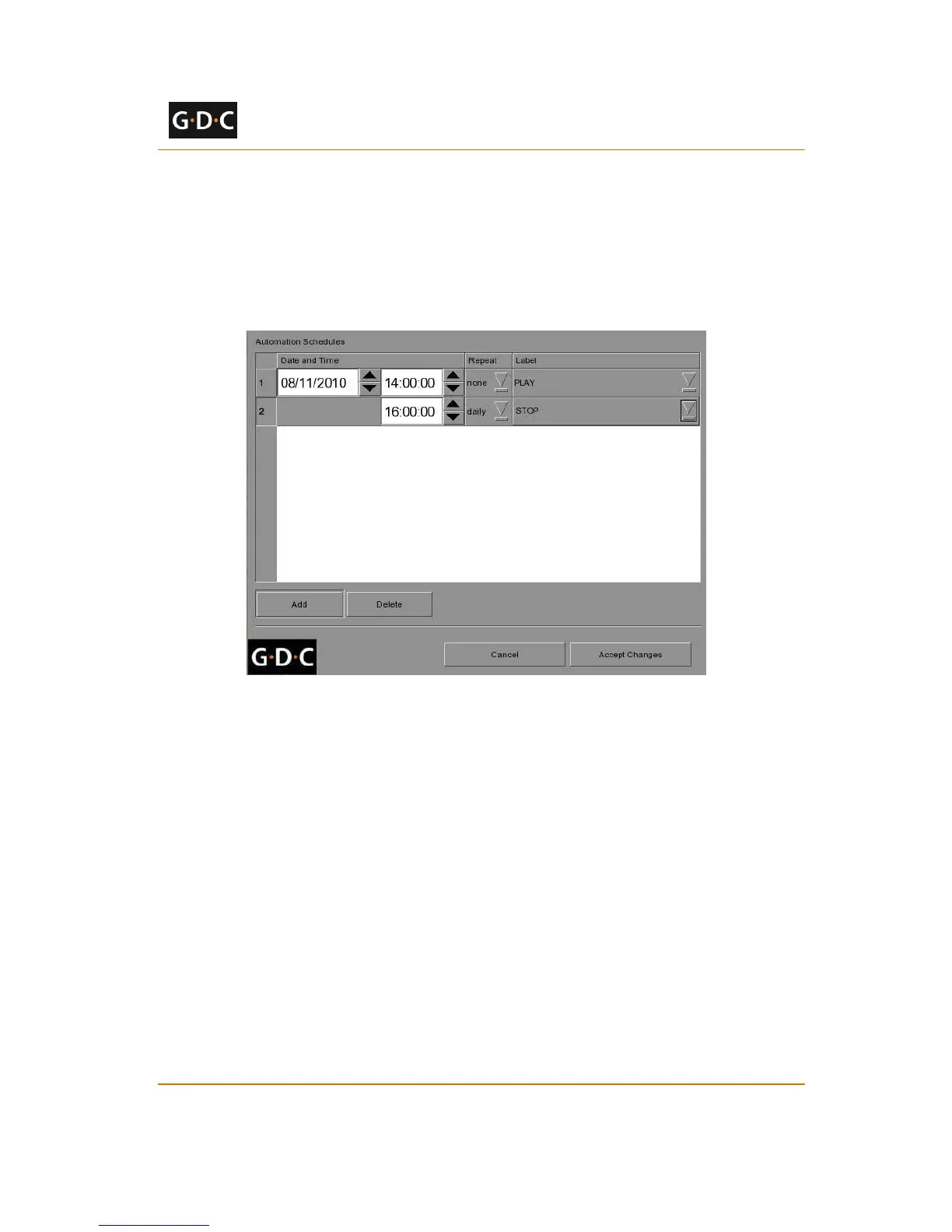
Automation event labels can be scheduled to be executed at a pre-arranged date and time, or
repeated daily at a pre-arranged time. To access the automation schedule select the [Schedule]
button on the [Actions] tab on the automation interface. This will bring you the automation
schedule configuration screen (see Figure 32).
Figure 32 Schedule automation events
To add a scheduled automation event, select the [Add] button. Set the date and time of the
automation event, the repeat interval, and the event label to be executed. Click [Accept
Changes] to save created schedules.
3.3.4 Automation setup for server GPIO
If the SX-2000 server has a GPIO card installed, the ‘GPIO’ automation device will be available
for configuration. It is not possible to add a ‘GPIO’ automation device if the GPIO card is not
installed.
The GPIO automation device settings can be configured from the [Devices] tab after selecting
the ‘GPIO’ device name (see Figure 33).



 To Next Page