SX-2000 Installation Manual
11/8/2010
GDC Technology Ltd. Page 3 of 42
1 Introduction
This document is a guide through the process of setting up the SX-2000 server with the
projector, audio system and automation devices used in cinema theatres.
2 SX-2000 and Integrated Media Block (IMB) physical setup
This section describes the physical setup of the SX-2000 server in order to ensure proper
operation.
2.1 Server Presentation
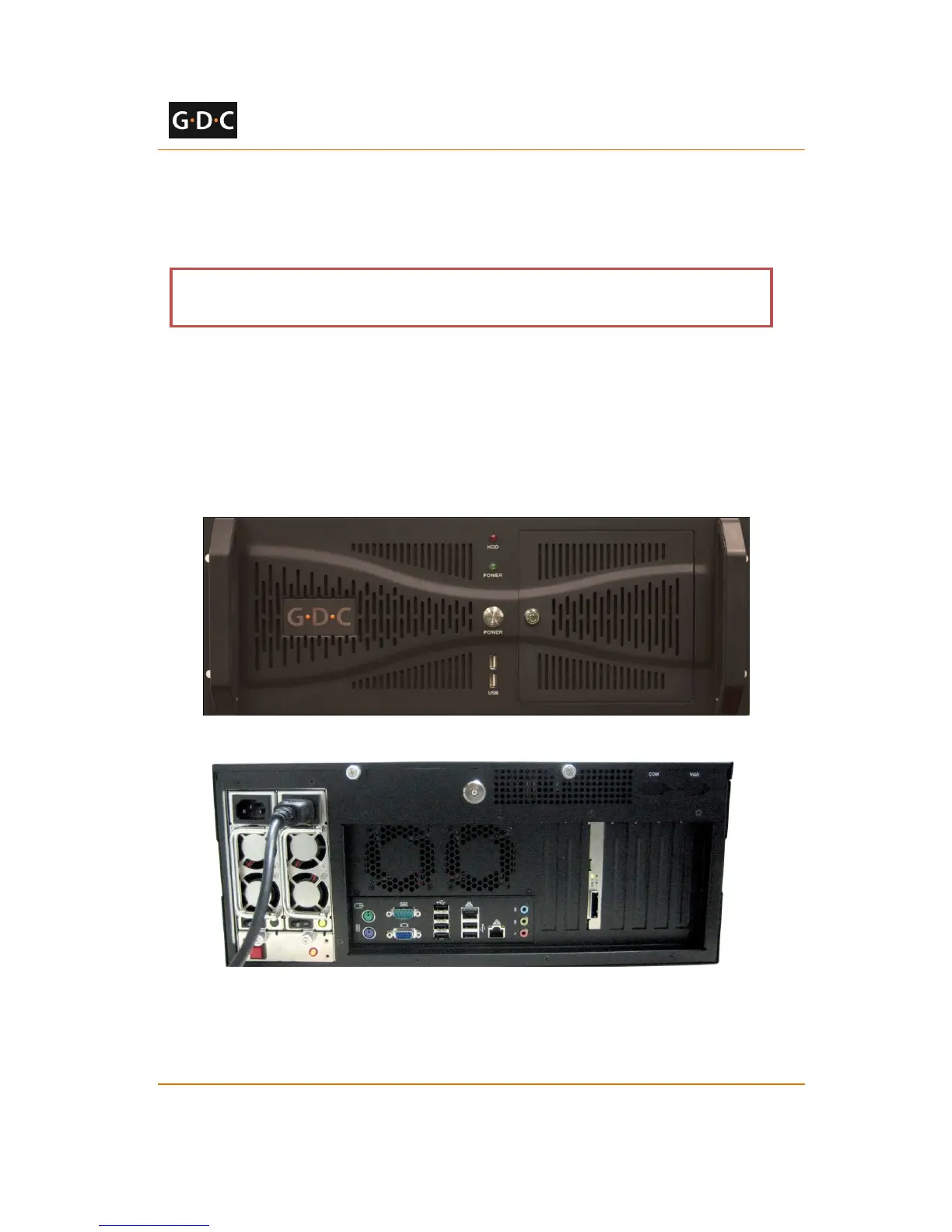
The front and rear panel of the SX-2000 server is shown in Figure 1 and Figure 2.
Figure 1 SX-2000 server front panel
Figure 2 SX-2000 server rear panel
The SX-2000 can be set up with an external touchscreen LCD, as shown in Figure 3.



 To Next Page