EasyManua.ls Logo

GE BiliSoft - Service Manual

GE BiliSoft
56 pages
Print Icon
To Next Page IconTo Next Page
Loading...
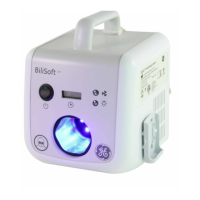
BiliSoft™ LED
Phototherapy System
Service Manual
GE Healthcare
M1110150 006
Copyright 2007 by General Electric Company.
All rights reserved.

Other manuals for GE BiliSoft

Questions and Answers

  • P
    Phillip WeaverAug 20, 2025
    What to do if light output measurement is out of specification for GE BiliSoft Medical Equipment?
    • D
      Diana LewisAug 20, 2025
      If the light output measurement of your GE Medical Equipment is out of specification, first, make sure the fiberoptic cable is fully inserted into the light box. Then, check the fiberoptic light pad and lenses for damage or discoloration. Ensure you're taking the irradiance measurement on a flat surface without any pad covers. Use a properly calibrated Ohmeda Medical BiliBlanket Meter II and perform a 6 or 9-point check. If the light output remains out of specification, remove the unit from service and seek assistance from service personnel.
  • T
    Taylor MillerAug 21, 2025
    How to fix GE BiliSoft when the Unit Overheated Indicator light is on?
    • D
      David NortonAug 21, 2025
      If the Unit Overheated indicator light is on for your GE Medical Equipment, turn off the standby switch, disconnect the power cord, and wait up to 10 minutes for the thermal cutout switch to reset. Ensure the air filter and vents are unobstructed. After plugging the power cord back in and turning the standby switch on, verify that the fan is running. If the fan isn't running or the light turns on again, remove the unit from service and seek assistance from service personnel.
  • C
    Christopher RamirezAug 25, 2025
    What to do if my GE BiliSoft Medical Equipment has no light output?
    • L
      Laura FrancisAug 25, 2025
      If your GE Medical Equipment shows no light output, ensure the fiberoptic cable is fully inserted into the light box. If it's not fully inserted, the LEDs will automatically shut off. If the standby switch is on (green LED lit) and there's still no light, remove the unit from service and seek assistance from trained service personnel. If the green LED isn't lit, check that the unit is plugged into a powered outlet.
  • B
    Benjamin CummingsAug 26, 2025
    Why is the hour meter not working on my GE BiliSoft Medical Equipment?
    • K
      Kevin BooneAug 27, 2025
      If the hour meter on your GE Medical Equipment isn't working, first ensure the fiberoptic cable is fully inserted into the light box. The hour meter only runs when the fiberoptic light pad is illuminated. If the cable is fully inserted and it still doesn't work, remove the unit from service and seek assistance from service personnel.
  • D
    david28Aug 28, 2025
    What to do if the main unit cover is damaged on GE BiliSoft?
    • D
      Derek HancockAug 28, 2025
      If the main unit cover, handle, or back plate of your GE Medical Equipment is cracked or damaged due to being dropped or impacted, remove the unit from service and seek assistance from service personnel. All damaged parts must be replaced, and the unit should be checked to ensure no internal damage has occurred.
  • K
    Karen BatesAug 30, 2025
    Why is the fiberoptic light pad connection too loose on my GE BiliSoft?
    • A
      angelmartinezAug 30, 2025
      If the fiberoptic light pad connection on your GE Medical Equipment is too loose, it may be due to the “breakaway” feature designed to protect the unit if the fiberoptic cable is pulled. If the fiberoptic cable has slack and the connector won't stay connected, remove the unit from service and seek assistance from trained service personnel.
  • J
    Julie GriffinAug 31, 2025
    What does it mean when the LED failure indicator light is blinking on GE BiliSoft?
    • J
      jennifer17Aug 31, 2025
      If the LED failure indicator light is blinking on your GE Medical Equipment, it means at least one of the three LED pairs is not operating. The LED module needs to be replaced by service personnel. The system may still be used until the LED module is replaced, but the intensity will be lower than the specification.
  • T
    Tracy PriceSep 2, 2025
    What to do if the fiberoptic light pad is damaged on GE BiliSoft Medical Equipment?
    • K
      kjimenezSep 3, 2025
      If the fiberoptic light pad, cable, or connector of your GE Medical Equipment is ripped, punctured, or otherwise damaged, the damaged fiberoptic light pad, cable, or connector must be replaced.
  • J
    Jacob DavisSep 7, 2025
    Why is the green indicator light off on my GE Medical Equipment standby switch?
    • K
      Kyle WareSep 7, 2025
      If the standby switch on your GE Medical Equipment is on but the green indicator light isn't lit, start by checking the power cord. Make sure it's in good condition and properly connected at both the light source and the power outlet. Then, check the fuses and replace them if necessary. Remove the cover and check the AC input to the Power Supply at connector J1. If there's no AC voltage present, replace the EMI filter or the AC harness as needed. Next, check the 12V DC output of the Power Supply at connector J3 (pins 1 and 4). If there's no output, replace the Power Supply. If there is output, replace the power supply harness or Control PCB as needed.
  • N
    Nicole OneillSep 9, 2025
    What does it mean if the LED failure indicator light is blinking on my GE BiliSoft Medical Equipment?
    • A
      Amy MoralesSep 9, 2025
      If the LED failure indicator light is blinking on your GE Medical Equipment, remove the cover and check the connections on both the Control PCB and LED PCB. Check the voltage (typically 5V, but it can vary) at pin 1 on U2 on the Control PCB and ground on pin 4 on J2 on the Power Supply. Repeat this check on U8 and U11 on the main control board. If voltage is present at all three test points, replace the LED module. If voltage is not present, replace the Control PCB.

Summary

About this Manual

Conventions

Explains symbols used to alert to potential safety hazards.

Repair Policy

Outlines requirements for service personnel and use of genuine parts.

Service Manual Language

States the manual is only in English and responsibilities for translation.

Chapter 1: Safety Information

Symbol Definitions

Identifies symbols displayed on the BiliSoft unit and their meanings.

General Safety Information

Provides warnings and cautions regarding phototherapy side effects and equipment use.

Chapter 2: Functional Description

System Overview

Describes how AC power is converted and distributed to the system's components.

Chapter 3: Components and User Controls

BiliSoft Light Box Components

Details the light box's contents and external controls like standby switch and indicators.

Fiberoptic Light Pad Assembly

Describes the light pad, its sizes, and its connection to the main unit.

Soft Cover Options (Disposables)

Presents disposable covers (Pad Cover, Nest) for patient comfort and hygiene.

Chapter 4: Troubleshooting

Troubleshooting Guide

Provides a step-by-step guide to diagnose and resolve common system issues.

Chapter 5: Replacement;Checkout Procedures

Fuse Replacement

Step-by-step instructions for replacing fuses in the unit.

LED Module Replacement

Procedure for replacing the LED module, including recording hours.

Air Filter Cleaning;Replacement

Instructions for cleaning or replacing the unit's air filter for cooling.

Accessing Internal Components

Guide on how to access and replace internal parts of the unit.

Checkout Procedures

Outlines essential checks to ensure proper function after disassembly.

Electrical Safety Checkout

Procedure to test leakage current and ground continuity using approved equipment.

Light Intensity Checkout

Method to measure and verify the light output meets specified irradiance levels.

Chapter 6: Spare Parts

Part Numbers

Lists part numbers for various components and kits for the system.

Hardware Kits

Details hardware kits available, including screws, washers, and nuts.

Chapter 7: Accessories

Available Accessories

Lists compatible accessories like pads, covers, stands, and manuals.

Chapter 8: Specifications

Electrical Specifications

Details input power, fuses, leakage current, and ground impedance.

Environmental Operating Conditions

Specifies ambient temperature, humidity, and pressure for operation.

Storage Requirements

Outlines temperature, humidity, and pressure limits for storing the unit.

Performance Specifications

Details spectral irradiance, wavelength, LED life, sound level, and X-ray compatibility.

Physical Specifications

Provides dimensions and weights for the light box and fiberoptic components.

Regulatory Standards

Lists standards the product conforms to and relevant certifications.

Chapter 9: Technical Reference

EMC Guidance

Provides electromagnetic compatibility guidelines and immunity test levels.

Appendix: Additional Safety Information

Statements

Lists general statements on device operation, disposal, and servicing safety.

Symbols

Shows symbols appearing on the unit and their corresponding descriptions.

Checkout Procedures

Instructions to examine unit for missing or damaged labels.

Specifications

States the designed lifespan and conditions for service life extension.

Warranty

GE BiliSoft Specifications

General IconGeneral
BrandGE
ModelBiliSoft
CategoryMedical Equipment
LanguageEnglish

Related product manuals