EasyManua.ls Logo

GE BiliSoft - Service Manual

GE BiliSoft
56 pages
Print Icon
To Next Page IconTo Next Page
Loading...
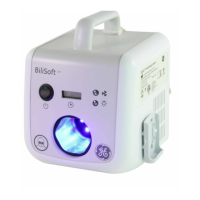
BiliSoft™ LED
Phototherapy System
Service Manual
GE Healthcare
M1110150 006
Copyright 2007 by General Electric Company.
All rights reserved.

Other manuals for GE BiliSoft

Questions and Answers

  • J
    jrodriguezSep 12, 2025
    Why are the indicator lights not working on my GE BiliSoft Medical Equipment?
    • C
      cassidy84Sep 12, 2025
      If the indicator lights on your GE Medical Equipment are not working, first, confirm the failure. Remove the cover and check all the connections. Check the voltage across the affected indicator LED pins on the Display PCB. If voltage is present, replace the Display PCB. If no voltage is present, replace the Control PCB.
  • A
    Amanda KaneSep 13, 2025
    What to do if the light output measurement is out of specification on GE Medical Equipment?
    • S
      Steve AllenSep 13, 2025
      If the light output measurement of your GE Medical Equipment is out of specification, check if the LED failure indicator is blinking. Ensure that the fiberoptic pad connector is fully inserted and that nothing is obstructing the port. Inspect the LED lenses inside the fiberoptic pad connector port and the fiberoptic light pad and lenses on the connector for any discoloration or damage. Verify that the irradiance measurement is being performed according to the procedure detailed in the Operation and Maintenance Manual. If issues persist, try replacing the LED module, and if that doesn't resolve the problem, replace the fiberoptic light pad. As a last step, replace the Control PCB if necessary.
  • M
    Mary ClaytonSep 15, 2025
    Why is there excessive fan noise coming from my GE BiliSoft?
    • K
      Kelly RubioSep 15, 2025
      If your GE Medical Equipment is producing excessive fan noise, check the air filter for any obstructions. Also, inspect the fan itself to ensure nothing is blocking it. If the noise persists, replace the fan.
  • A
    Angela WagnerSep 17, 2025
    What to do if the fiberoptic pad connector switch is not working on my GE Medical Equipment?
    • T
      Tristan GomezSep 17, 2025
      If the fiberoptic pad connector switch isn't working on your GE Medical Equipment, first check that the fiberoptic pad connector is fully inserted, the standby switch is in the on position, and the green indicator light is illuminated. Remove the cover and inspect the connections on both the Control PCB and the fiberoptic pad connector switch. Check the continuity through the switch. If the switch is working, replace the Control PCB. If the switch is not working, replace the switch.

Summary

About this Manual

Conventions

Explains symbols used to alert to potential safety hazards.

Repair Policy

Outlines requirements for service personnel and use of genuine parts.

Service Manual Language

States the manual is only in English and responsibilities for translation.

Chapter 1: Safety Information

Symbol Definitions

Identifies symbols displayed on the BiliSoft unit and their meanings.

General Safety Information

Provides warnings and cautions regarding phototherapy side effects and equipment use.

Chapter 2: Functional Description

System Overview

Describes how AC power is converted and distributed to the system's components.

Chapter 3: Components and User Controls

BiliSoft Light Box Components

Details the light box's contents and external controls like standby switch and indicators.

Fiberoptic Light Pad Assembly

Describes the light pad, its sizes, and its connection to the main unit.

Soft Cover Options (Disposables)

Presents disposable covers (Pad Cover, Nest) for patient comfort and hygiene.

Chapter 4: Troubleshooting

Troubleshooting Guide

Provides a step-by-step guide to diagnose and resolve common system issues.

Chapter 5: Replacement;Checkout Procedures

Fuse Replacement

Step-by-step instructions for replacing fuses in the unit.

LED Module Replacement

Procedure for replacing the LED module, including recording hours.

Air Filter Cleaning;Replacement

Instructions for cleaning or replacing the unit's air filter for cooling.

Accessing Internal Components

Guide on how to access and replace internal parts of the unit.

Checkout Procedures

Outlines essential checks to ensure proper function after disassembly.

Electrical Safety Checkout

Procedure to test leakage current and ground continuity using approved equipment.

Light Intensity Checkout

Method to measure and verify the light output meets specified irradiance levels.

Chapter 6: Spare Parts

Part Numbers

Lists part numbers for various components and kits for the system.

Hardware Kits

Details hardware kits available, including screws, washers, and nuts.

Chapter 7: Accessories

Available Accessories

Lists compatible accessories like pads, covers, stands, and manuals.

Chapter 8: Specifications

Electrical Specifications

Details input power, fuses, leakage current, and ground impedance.

Environmental Operating Conditions

Specifies ambient temperature, humidity, and pressure for operation.

Storage Requirements

Outlines temperature, humidity, and pressure limits for storing the unit.

Performance Specifications

Details spectral irradiance, wavelength, LED life, sound level, and X-ray compatibility.

Physical Specifications

Provides dimensions and weights for the light box and fiberoptic components.

Regulatory Standards

Lists standards the product conforms to and relevant certifications.

Chapter 9: Technical Reference

EMC Guidance

Provides electromagnetic compatibility guidelines and immunity test levels.

Appendix: Additional Safety Information

Statements

Lists general statements on device operation, disposal, and servicing safety.

Symbols

Shows symbols appearing on the unit and their corresponding descriptions.

Checkout Procedures

Instructions to examine unit for missing or damaged labels.

Specifications

States the designed lifespan and conditions for service life extension.

Warranty

GE BiliSoft Specifications

General IconGeneral
BrandGE
ModelBiliSoft
CategoryMedical Equipment
LanguageEnglish

Related product manuals