12 M1110150 006 © 2007 by General Electric Company. All rights reserved.
Chapter 4: Troubleshooting
Symptom Troubleshooting Steps
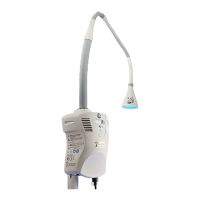
H Fiberoptic light pad, cable or connector is
damaged.
1. Replace the beroptic light pad.
NOTE: See Operation and Maintenance Manual for approved
cleaning procedure.
J Fiberoptic pad connector switch not
working
1. Check that the beroptic pad connector is fully inserted,
and the standby switch is in the on position and the green
indicator light is on. If indicator light is not lit, see C.
2. Remove cover and check the Control PCB and beroptic pad
connector switch connections.
3. Check the continuity through the switch. If the switch is
working, replace the Control PCB. If the switch is not working,
replace the switch.
K Hour meter is not working.
1. If there is no light output, see B.
2. Check the connections on the Display PCB and the Control
PCB.
3. Check pin 3 on the Display PCB ribbon cable for voltage. if
voltage is present, replace the Display PCB. if no voltage is
present, replace the Control PCB.
WARNING:
When handling the beroptic cable connector (during insertion, removal or positioning of the
beroptic light pad) use caution to prevent the beroptic cable connector from dropping, which can
damage the beroptic cable connector and/or injure the patient or caregiver.





 To Next Page
