Need help?
Do you have a question about the GE Cync CSWONBLBWF1NN and is the answer not in the manual?
Critical safety warning regarding 120V wiring and professional installation.
Outline of the three main steps for setting up the smart switch.
Lists included parts and necessary tools for installing the smart switch.
Specific instructions for installations involving multiple switches.
Verifying power is off by testing the switch and lights.
Alternatives if the bulb adaptor does not fit the bulb or fixture.
Emphasizes the necessity of a ground wire for switch compatibility.
Instructions for capping traveler wires in multi-way switch setups.
Instructions for mounting the switch and attaching the faceplate.
Steps to diagnose and fix issues where lights do not illuminate.
Guidance for resolving flickering lights or power loss issues.
Instructions for connecting the smart switch with Amazon Alexa or Google Assistant.
This document provides an installation guide for the Cync Smart Wall Switch, a 3-wire smart switch and dimmer designed for simple DIY setup. The guide covers models CSWONBLBWFINN, CSWONBLPWFINN, CSWONBLTWFINN, CSWDMOCBWFINN, and CSWDMBLBWFINN.
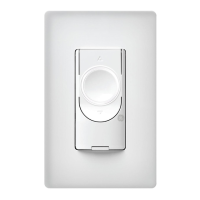
The Cync Smart Wall Switch is designed to replace existing wall switches, allowing for smart control of lighting. It enables users to turn lights on and off, and for dimmer models, to adjust light intensity. The switch integrates with the Cync App, powered by Savant, which facilitates setup, control, and connectivity with other Cync devices. It also supports integration with voice assistants like Amazon Alexa and Hey Google, offering hands-free control of your lighting. The switch is compatible with various bulb types, including halogen, incandescent, and LED bulbs, including C by GE and Cync Smart Bulbs. It operates on a 120V AC 60Hz electrical system and requires a ground wire for installation. A neutral wire is not required for operation.
The installation process is structured into simple steps, starting with turning off power at the circuit breaker. A key feature is the potential need for a Bulb Adaptor, which is included with the switch. This adaptor is crucial for maintaining Wi-Fi connectivity and ensuring proper functionality, especially when using non-dimmable LED bulbs or Cync Smart Bulbs, or when the total load on the circuit is less than 15 Watts. The guide provides a clear table to help users determine if an adaptor is required based on their bulb type and circuit load. If the Bulb Adaptor doesn't fit, alternative solutions are offered, such as replacing bulbs with compatible types that meet the minimum load requirement or using an optional Fixture Adaptor (sold separately).
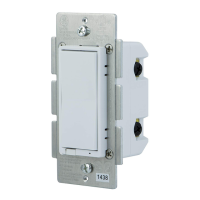
Wiring the switch involves connecting the line/load wires and the ground wire. The black wires on the switch are interchangeable for line or load connections. The guide emphasizes the importance of correctly connecting the ground wire to prevent damage to the product. It also advises capping any unused 3-way/multi-way traveler wires and neutral wires, as a neutral wire is not required for this switch's operation. For 3-way switch setups, specific instructions are available online. Once wired, the switch is secured into the wall box, and the faceplate is attached.
After installation, power is restored, and the switch enters setup mode, indicated by a flashing blue light ring. This light ring also serves as an LED indicator, flashing blue until the switch is added to the Cync App. If the light ring does not illuminate, it suggests incorrect wiring or unmet load requirements.
The Cync App is central to the switch's smart features. Users download the app, add their Smart Switch, and then connect it to their preferred voice assistant. The app allows for comprehensive control and management of the switch, enabling users to unlock full features and connect to other Cync devices. Voice commands can then be used to control lights, such as "Alexa, turn off the living room" or "Hey Google, turn on the lights."
The guide includes a troubleshooting section to address common issues. If lights do not turn on, users are advised to check the power at the breaker and re-verify wiring connections. For flickering lights, intermittent power loss, or lights that won't completely turn off, the guide suggests ensuring the correct bulb type is selected in the Cync App and considering the use of a Bulb/Fixture Adaptor or a different bulb type. This highlights the importance of proper bulb compatibility and load management for optimal performance.
The document also provides important warnings and compliance information. It stresses the risk of electric shock during installation due to handling 120-volt wiring and recommends hiring a qualified electrician if there are any concerns. It also notes that the control must be installed with an external isolating wall control/switch in series with the ungrounded conductor, providing an air gap as per electrical codes. For supply connections, only copper wire rated at 75°C should be used. The device is for indoor use only and has an IP20 enclosure rating.
FCC and Industry Canada compliance statements are included, emphasizing that the device must not cause harmful interference and must accept any interference received. Users are advised on measures to correct interference, such as reorienting antennas or increasing separation between equipment. Changes or modifications not expressly approved by the manufacturer could void the user's authority to operate the equipment. RF exposure information specifies a minimum separation distance of 8 inches from the antenna during normal operation.
Overall, the Cync Smart Wall Switch offers a user-friendly approach to smart lighting, with clear installation steps, app-based control, voice assistant integration, and comprehensive troubleshooting support to ensure a smooth experience.
 General
| Brand | GE |
|---|---|
| Model | CSWONBLBWF1NN |
| Type | Smart Switch |
| Wireless Protocol | Wi-Fi |
| Voltage | 120V |
| Maximum Load | 15A |
| Color | White |
| Warranty | 1 Year |
| Control Method | Voice, App, Manual |
| Wi-Fi Requirement | 2.4 GHz |
| Compatibility | Google Assistant, Amazon Alexa |

 To Next Page