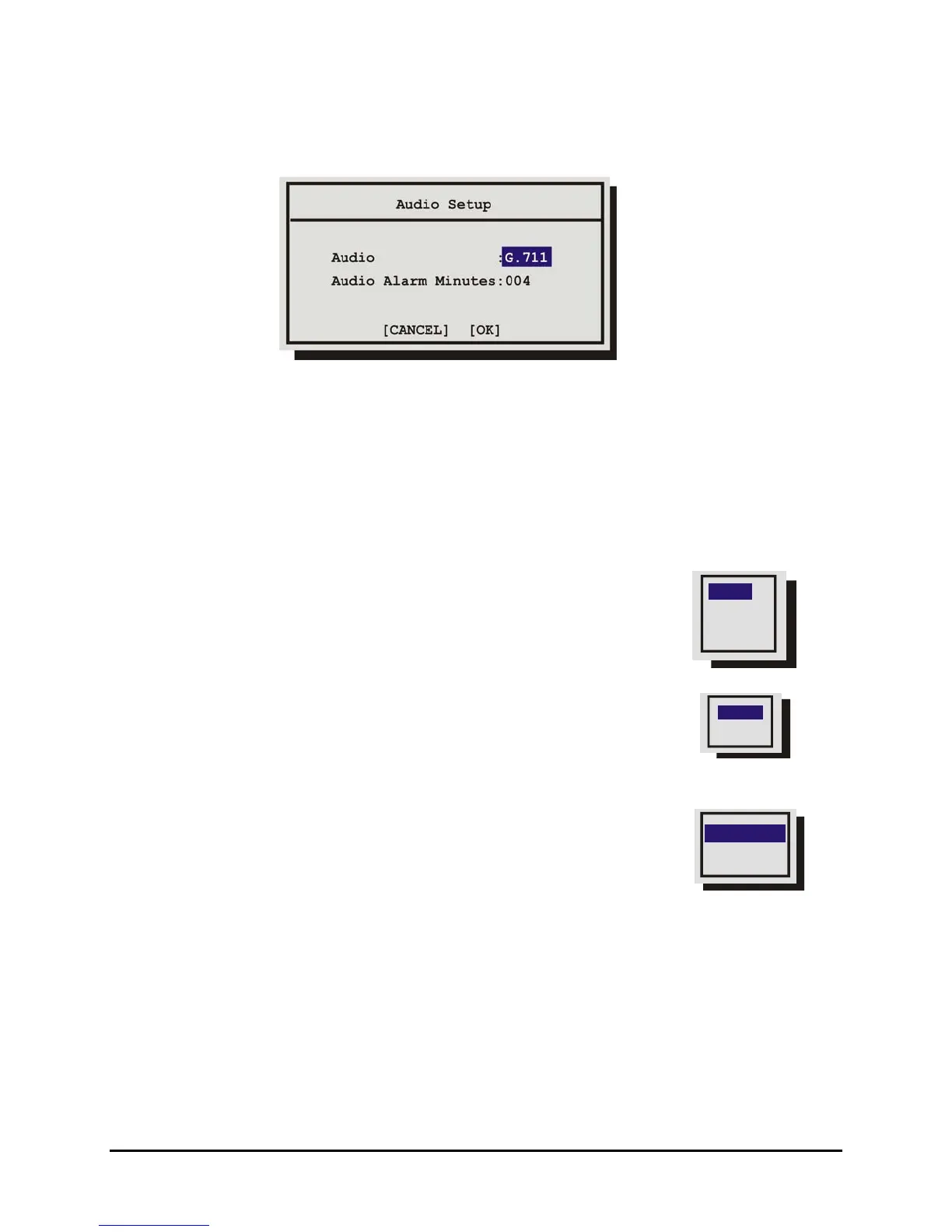
3.16 Audio Setup
Use this menu to enable or disable the audio feature of the CT II. You can also select the audio alarm
duration in minutes in this menu.
Audio Limitations:
1. To record audio at least one the unit’s video inputs must be set to record video at a rate of 1pps
or faster.
2. If all the cameras are set to EVENT mode and no events are occurring, no audio will be recorded
regardless of the event recording speed.
3.17 Communications
Use this menu to:
• Configure the baud rates and settings for the RS232 ports.
RS485
Ethernet
RS232
• Configure the network address for the RS485 network.
• Configure the Ethernet address and networks settings.
Main Menu → Communications → RS232
Select the Port you wish to configure and press the ENTER button.
Port 1
Use this menu to:
Port 2
Port 1
Baud Rate
POTS Setup
• Enable/Disable POTS and configure the Modem initialization
string (POTS Setup).
• Adjust the Baud rate.
POTS Setup
The default modem string (shown below) is for use with Hayes Accura 56k, Diamond Supra Express
56k, and 5686 US Robotics modems in their default conditions. Consult with the modem manual
before attempting to make any changes. It is strongly recommended that the modem initialization
string only be modified by a qualified technician.
0150-0313B 57 DVMRe CT II


 To Next Page