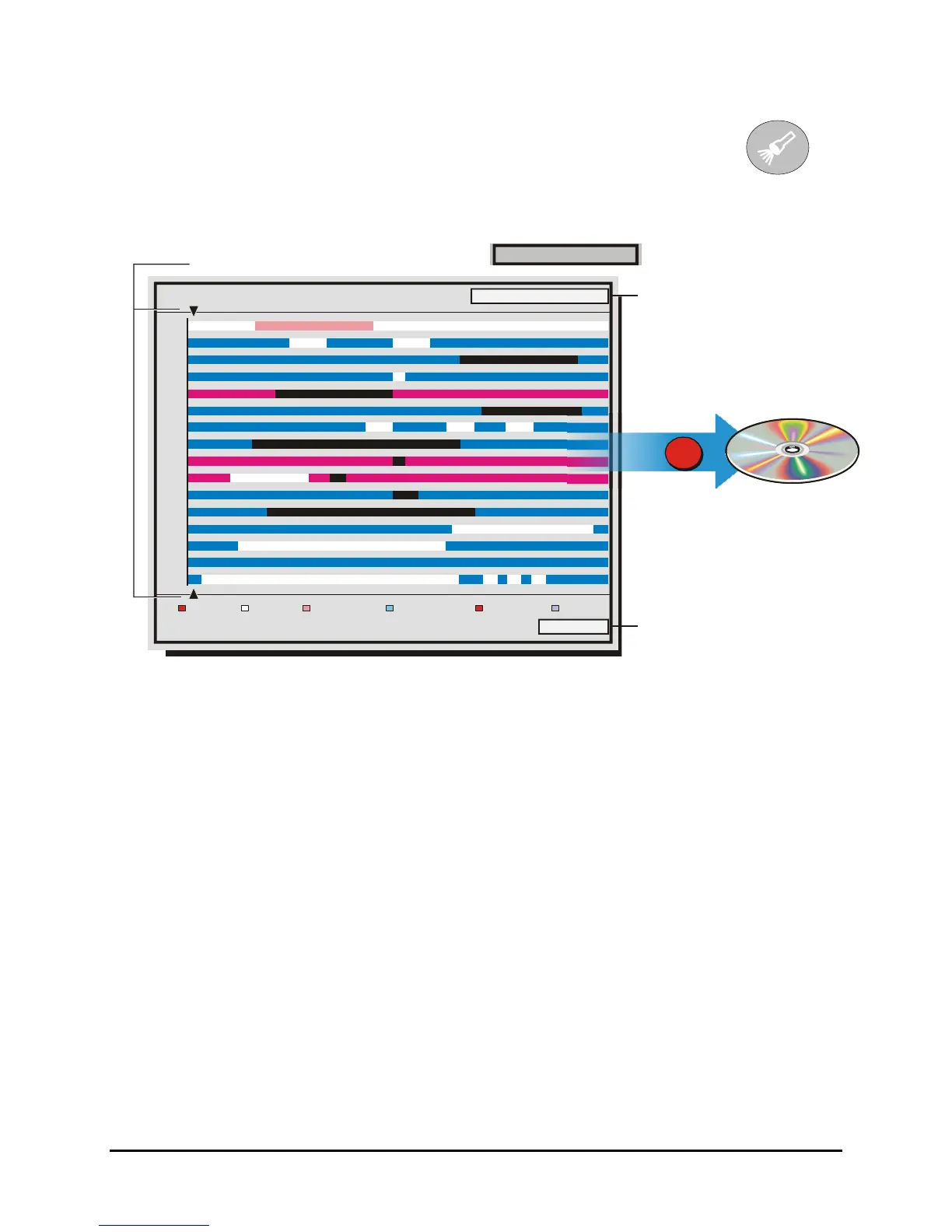
5.1 Disk Analysis Screen
Begin by pressing the Search button. The Disk Analysis Screen will appear.
This screen shows a graphical representation of the recorded video stored on the
internal hard disk.
Search Button
Disk Analysis Screen
Alarm Event Activity Videoloss Present Absent
Hit SEARCH again to enter Advanced Search Level 1
1
2
3
4
5
6
7
8
9
10
11
12
13
14
15
16
01/21/2002 20:17:01
02/28/2002 20:45:00
01/21/2002 20:17:01
evel 1
Disk Time
and Date
at cursor
location.
Arrow Cursors
Zoom
Level
Write to CD
Record
Button
Rotating the Jog moves the two arrow cursors across the representation of the recorded video. As the
cursors move across the screen the corresponding disk time is indicated in the upper right of the screen.
The video representations are color-coded by category. Rotating the Shuttle expands (Zooms) the
display. The Lowest level (most detail) is indicated on screen with an (L). Pressing the Enter button will
start Playback from the cursor location.
0150-0313B 73 DVMRe CT II



 To Next Page