Search Filters
Operation: Play from Disk
DATE (MM/DD/YY) TIME (HH:MM)
Start Stop Start Stop
01/27/04 01/27/04 20:57 20:59
Activity Event Alarm Text
Retail
Camera
1 2 3 4 5 6 7 8 9 10 11 12 13 14 15 16
Hit ‘ZOOM’ to edit retail text list
Hit ‘ENTER’ to toggle EDIT Mode
X
X
X
XXXXXXXXXXXXXXX
[CANCEL]
[START SEARCH]
EDIT MODE
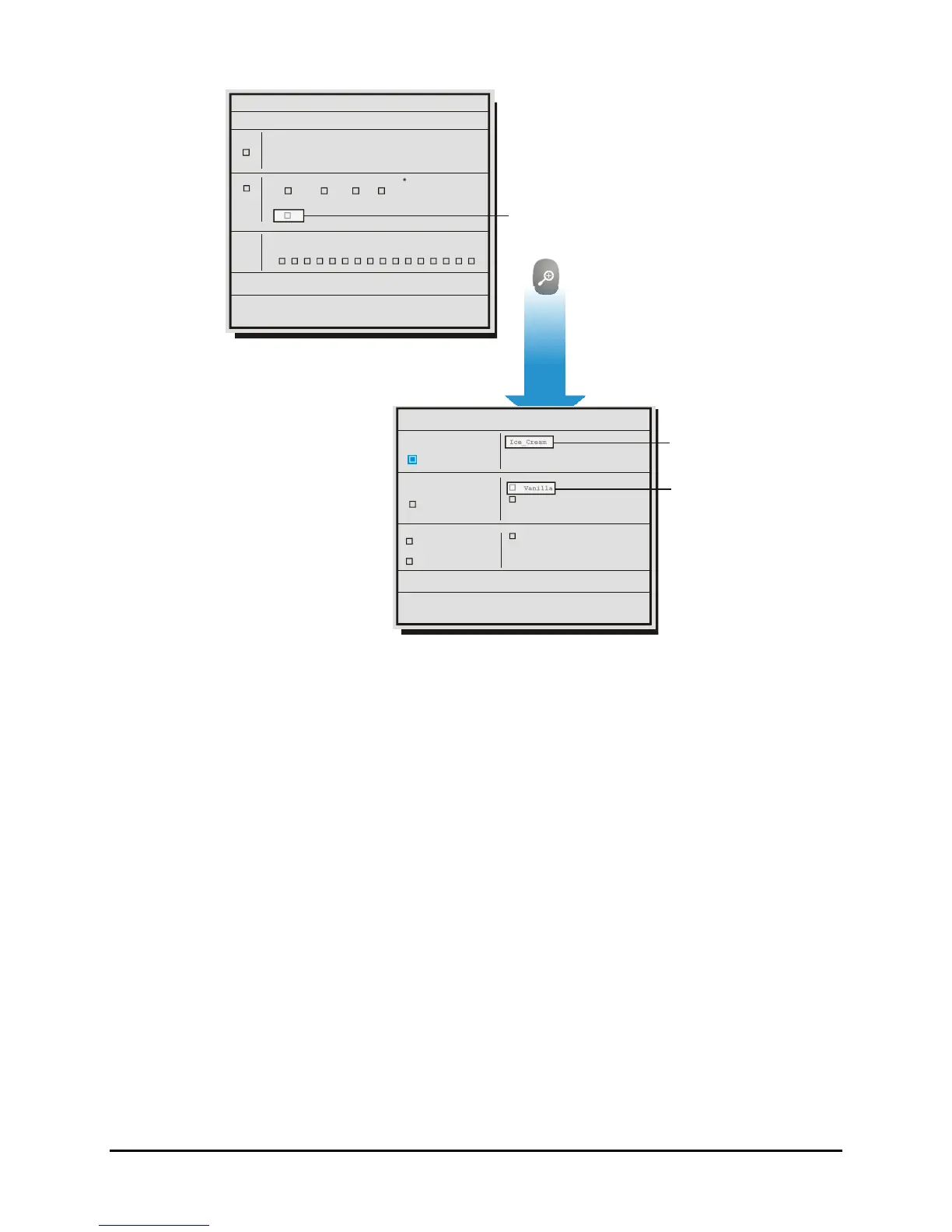
To access the Retail Search
Menu select ‘RETAIL’
and press the ‘ZOOM’ key.
X
etup Retail Search
Catagories
Sub Level
Selected Strings
Clear Individual
(1)
Clear All
Ice_Cream
Soda
Beer
Vanilla
Chocolate_Chip
Vanilla
(3)
(2)
it ‘ENTER’ to toggle EDIT Mode
X
X
CANCEL]
[OK]
Ice Cream selecte
from Category List
Vanilla selected
from Sub Level
The following operations can be performed on this screen:
• Select category in the categories list.
• Select and deselect sub levels of the currently highlighted category.
• Clear individual or all selected sub levels.
3 categories, 5 sub levels, and 5 selected sub levels can be displayed on screen at one time. Up/down
keys will scroll the screen backward and forward. The user can select sub levels from different categories
by first selecting the category, then going to sub level frame and highlighting the selection. The user
selections are kept in non-volatile memory so they survive a reboot. The user selections will be cleared
when the user uploads a new retail text file. Like the other text searches, the results will display in
thumbnail pictures and can be viewed through full screen playback with text.
Restrictions and Limitations
• The limit of the search strings is 1000. For example there might be 50 categories and 950 sub
levels.
• It is not possible to have a second sub level (e.g. Soda>Diet Soda>Root _Beer).
• It is not possible to do a normal text search and a retail search at the same time.
• The characters #, *, and @ are meta characters and are not to be used in the text string.
0150-0313B 78 DVMRe CT II


 To Next Page
 Loading...



