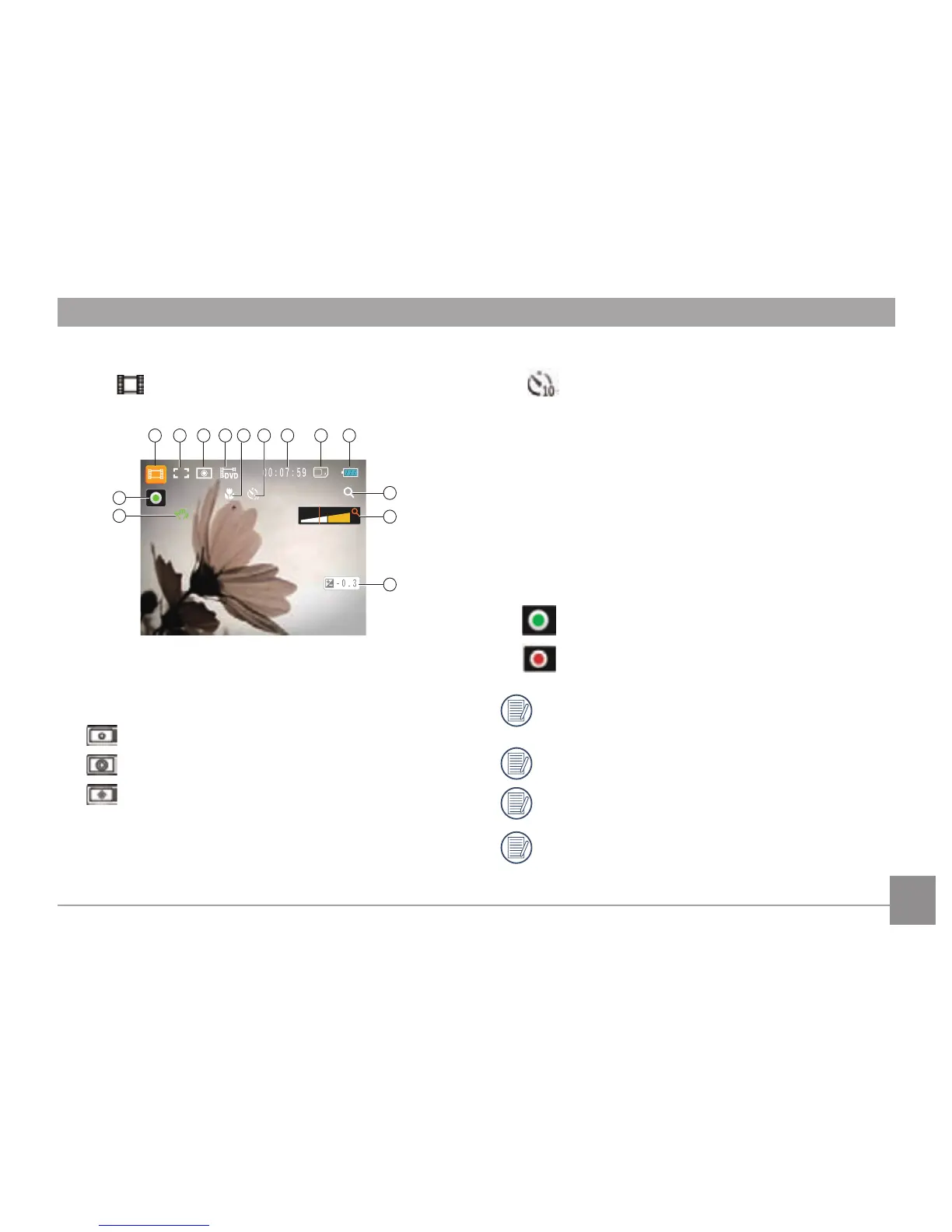
1 Video Mode icon
2 Continuous AF
3 Metering
Spot
Center
AiAE
4 Image Size
5 Focus Frame
6 Self-timer
Self-timer: 10 sec
7
Remaining Time for Video Recording
8 Memory Card/Built-in Memory
9
Battery Status
10 WT Ratio (Displayed only when zoom is activated)
11 Zoom
12
Exposure
13 OIS
14
Recording Status Icon
Recording standby
Recording
In order to shoot video, it is recommended that an SD
card be used.
When shooting video, the optical zoom is disabled.
HD recording time is limited to below 29min.
OIS is a function which is enabled by default unless
deactivated by the user in either shooting or recording
mode.



 To Next Page