EasyManua.ls Logo

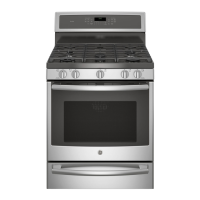
GE PC2B940SEJSS - User Manual

GE PC2B940SEJSS
72 pages
Print Icon
To Next Page IconTo Next Page
Loading...
49-85222 07-15 GE
Safety Information ............2
Warranty ........................8
Assistance / Accessories ......9
Using The Cooktop
In Case of a Power Failure .........10
Surface Burners ...................10
Griddle ............................12
Using The Oven
Oven Controls .....................14
Special Features ..................16
Sabbath Mode ....................17
Cookware Guidelines ..............18
Cooking Modes ...................18
Oven Racks .......................19
Oven Air Vents ....................19
Probe .............................20
Cooking Guide ....................21
Warming Drawer Guide ...........22
Aluminum Foil and Oven Liners ....22
WiFi Connect ......................23
Care and Cleaning
Cleaning the Oven ................24
Cleaning The Cooktop .............25
Cleaning The Door and Drawer ....29
Maintenance ......................30
Troubleshooting Tips .........34
Ranges
Gas Dual Fuel
Write the model and serial
numbers here:
Model # __________________
Serial # ___________________
You can find the rating label on the
front behind the range drawer.
In Canada contact us at:
www.GEAppliances.ca
For a Spanish version of this
manual, visit our Website at
GEAppliances.com.
Para consultar una version
en español de este manual
de instrucciones, visite
nuestro sitio de internet
GEAppliances.com.
Owner’s Manual

Questions and Answers

  • J
    John HerreraAug 21, 2025
    What to do if my GE PC2B940SEJSS Ranges burners do not light?
    • J
      Joseph SnyderAug 21, 2025
      If the burners on your GE Ranges do not light, there are several potential causes. First, ensure the range is fully plugged into a properly grounded electrical outlet. If it is, check that the gas supply is connected and turned on, referring to the installation instructions. Also, check your home's fuse box or circuit breaker and replace the fuse or reset the breaker if necessary. Ensure burner parts are correctly replaced after cleaning, consulting the Care and Cleaning section. Finally, inspect burner slots near the electrode for clogs; remove and clean the burners, checking for any food or grease buildup.
  • J
    juliekellySep 3, 2025
    What to do if my GE PC2B940SEJSS food does not bake properly?
    • A
      Angela MillerSep 3, 2025
      If your food isn't baking properly in your GE Ranges, several factors could be the cause. First, ensure that the oven controls are set correctly. Second, check that the rack position is correct and the rack is level. Third, verify that you are using the correct cookware of the proper size. Finally, the oven temperature may need adjustment.
  • K
    Kevin SmithSep 1, 2025
    What does “LOCK DOOR” flashes in the display mean on my GE Ranges?
    • C
      Carl ClaytonSep 1, 2025
      If “LOCK DOOR” flashes in the display of your GE Ranges, it means the self-clean cycle has been selected but the door is not closed. Ensure the oven door is fully closed.
  • J
    Jeffrey EvansAug 31, 2025
    Why is there excessive smoking during broiling with my GE PC2B940SEJSS?
    • S
      Sara ClarkAug 31, 2025
      Excessive smoking during broiling with your GE Ranges is often caused by the food being too close to the burner element. To reduce smoking, lower the rack position of the food.
  • O
    ohenryAug 29, 2025
    Why is there excessive smoking during the clean cycle of my GE PC2B940SEJSS Ranges?
    • R
      russonicholasAug 29, 2025
      Excessive smoking during the clean cycle of your GE Ranges is often due to excessive soil or grease. To address this, press the Cancel/Off pad, open the windows to ventilate the room, and wait until the LOCKED light turns off. Then, wipe up the excess soil and reset the clean cycle.
  • C
    Cynthia AdamsAug 27, 2025
    Why is my GE Ranges oven temperature too hot or too cold?
    • S
      sellisAug 28, 2025
      If your GE Ranges oven temperature is too hot or too cold, it may need adjustment. See the Special Features section for instructions on how to adjust the oven temperature.
  • C
    Carla LongAug 27, 2025
    How to reset clock after power outage on GE PC2B940SEJSS?
    • J
      John PageAug 27, 2025
      After a power outage or surge, your GE Ranges clock may flash. Reset the clock. If the oven was in use, you must reset it by pressing the Cancel/Off pad, setting the clock, and resetting any cooking function.
  • S
    Stephanie GomezAug 25, 2025
    What to do if my GE PC2B940SEJSS Ranges oven door will not open or the LOCKED light is on?
    • Z
      Zachary JacksonAug 25, 2025
      If your GE Ranges oven door will not open or the LOCKED light is on when you want to cook, it's likely because the oven door is locked. This happens because the temperature inside the oven hasn't dropped below the locking temperature. To resolve this, press the Cancel/Off pad and allow the oven to cool until the temperature is below the locking threshold.
  • F
    fhancockAug 23, 2025
    What to do if my GE PC2B940SEJSS oven and/or display appears not to work?
    • L
      lhowellAug 23, 2025
      If your GE Ranges oven and/or display appears not to work, check the following: First, verify that a fuse in your home hasn't blown or a circuit breaker hasn't tripped; replace the fuse or reset the breaker if needed. Next, ensure the oven controls are properly set. Also, check if the oven is accidentally in Sabbath Mode. Finally, check if the clock is turned off and reset it if necessary.

Summary

Safety Information

Important Safety Information

Crucial safety guidelines and warnings for operating the appliance.

Anti-Tip Device

Instructions for securing the range to prevent tipping hazards.

General Safety Instructions

Essential safety practices for using the appliance.

Flammable Materials and Fire Safety

Precautions against flammable items and fire safety procedures.

Cooktop and Oven Safety

Specific safety guidelines for operating the cooktop and oven surfaces.

Using The Cooktop

Using The Oven

Care and Cleaning

Troubleshooting Tips

Common Oven and Burner Issues

Solutions for problems like incorrect cooking, temperature issues, and sounds.

Oven, Self-Clean, and Power Issues

Troubleshooting guide for oven not working, self-clean, and power issues.

GE PC2B940SEJSS Specifications

General IconGeneral
BrandGE
ModelPC2B940SEJSS
Fuel TypeGas
Number of Burners4
Self-CleaningYes
Wi-Fi ConnectivityNo
ColorStainless Steel
Burners4
ConvectionYes
Width30 in
TypeSlide-In

Related product manuals