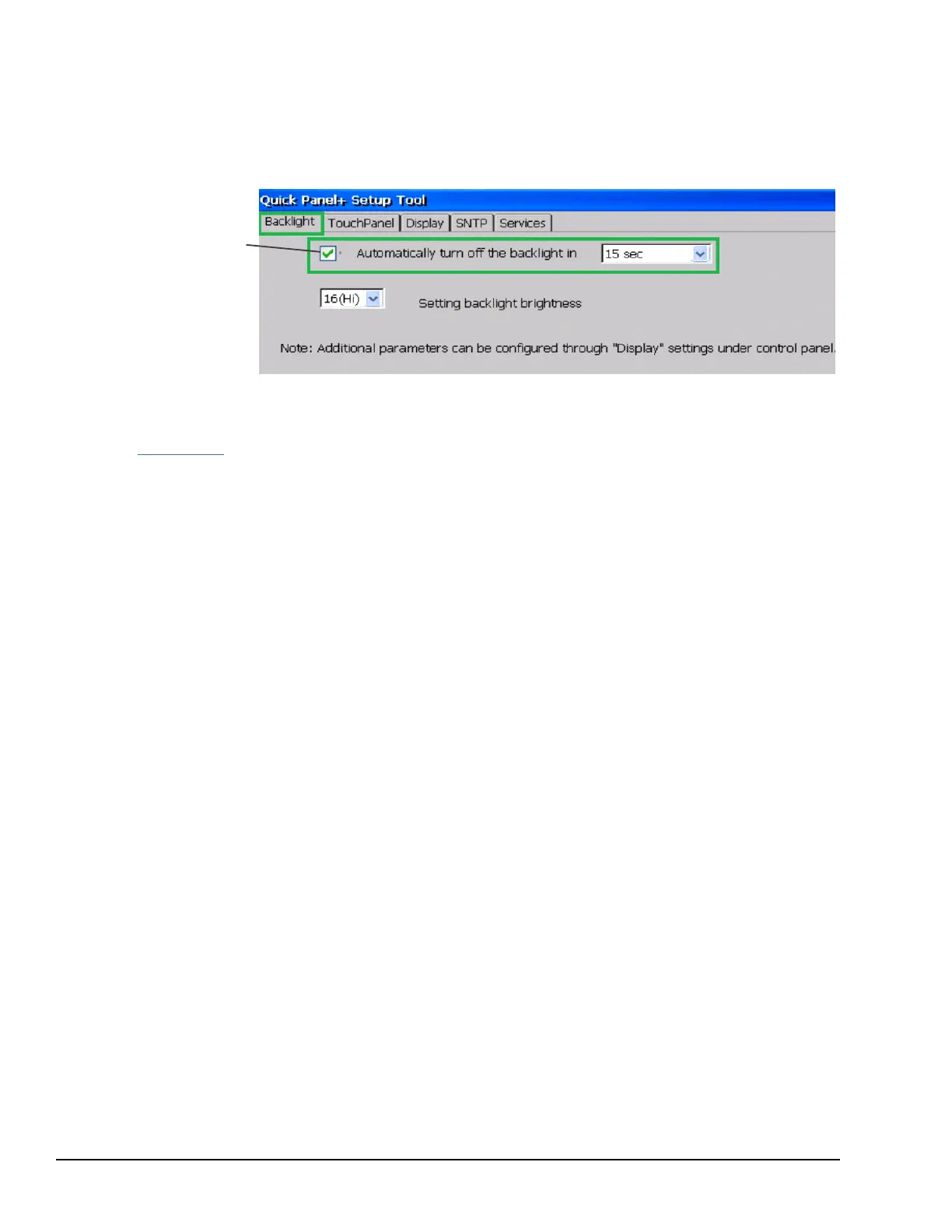
6.1.2 Display Backlight Configuration
➢ To configure the display backlight
1. Open the QuickPanel
+
Setup Tool and select the Backlight tab to display the Backlight Display Properties window.
2. Set the backlight to automatically turn off in a specific amount of time.
Select Automatically turn off
the backlight . From the drop-
down menu, select a time
between 15 sec to 2 hr.
3. Tap OK to exit the QuickPanel
+
Setup Tool.
4. Run the Backup Utility to save the settings.



 To Next Page