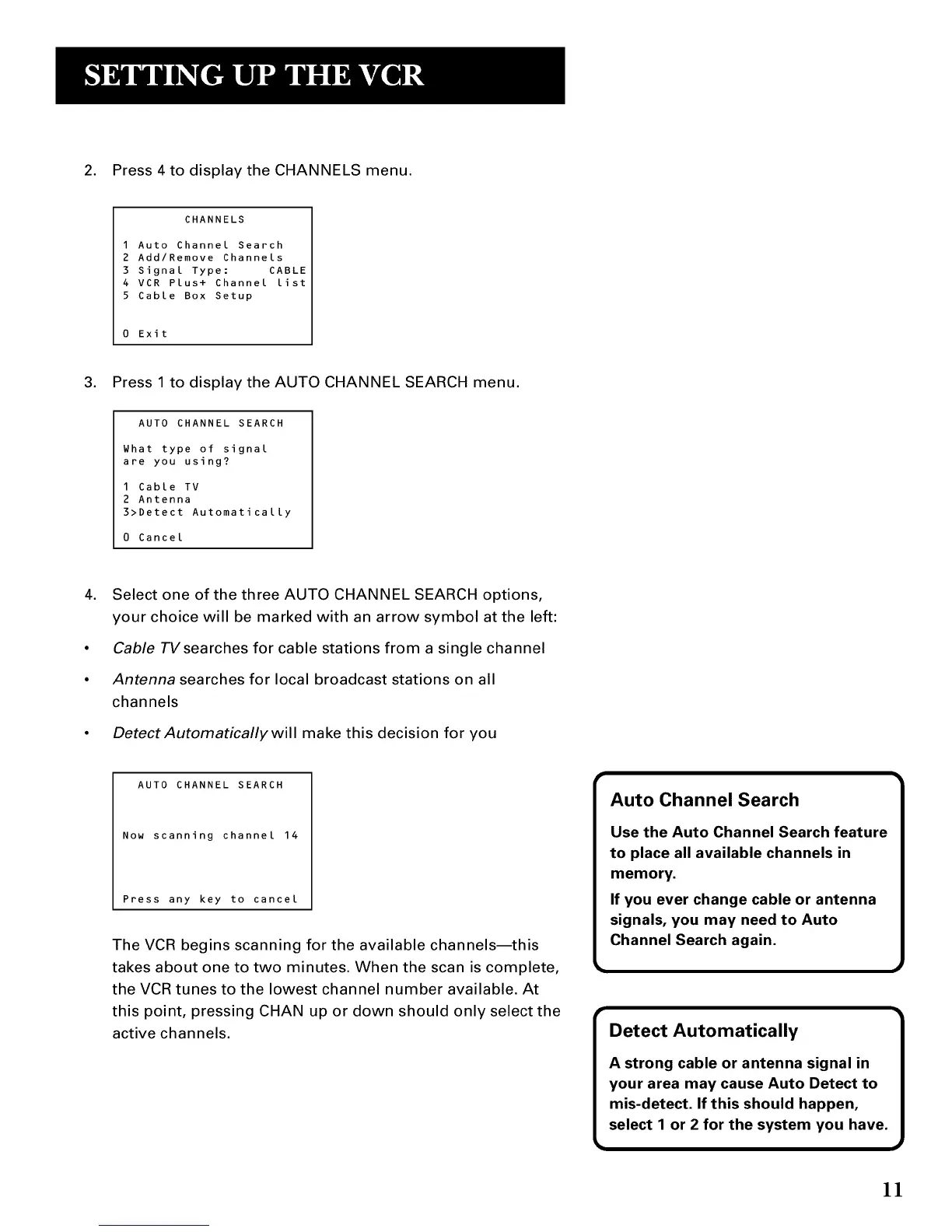
2. Press 4 to display the CHANNELS menu.
CHANNELS
1 Auto Channel Search
2 Add/Remove Channels
3 Signal Type: CABLE
4 VCR Plus+ Channel List
5 Cable Box Setup
Exit
3. Press 1 to display the AUTO CHANNEL SEARCH menu.
AUTO CHANNEL SEARCH
What type of signal
are you using?
1 Cable TV
2 Antenna
3>Detect Automatically
0 Cancel
4. Select one of the three AUTO CHANNEL SEARCH options,
your choice will be marked with an arrow symbol at the left:
• Cable TVsearches for cable stations from a single channel
• Antenna searches for local broadcast stations on all
channels
• Detect Automatically will make this decision for you
AUTO CHANNEL SEARCH
Now scanning channel 14
Press any key to cancel
The VCR begins scanning for the available channels--this
takes about one to two minutes. When the scan is complete,
the VCR tunes to the lowest channel number available. At
this point, pressing CHAN up or down should only select the
active channels.
11



 To Next Page