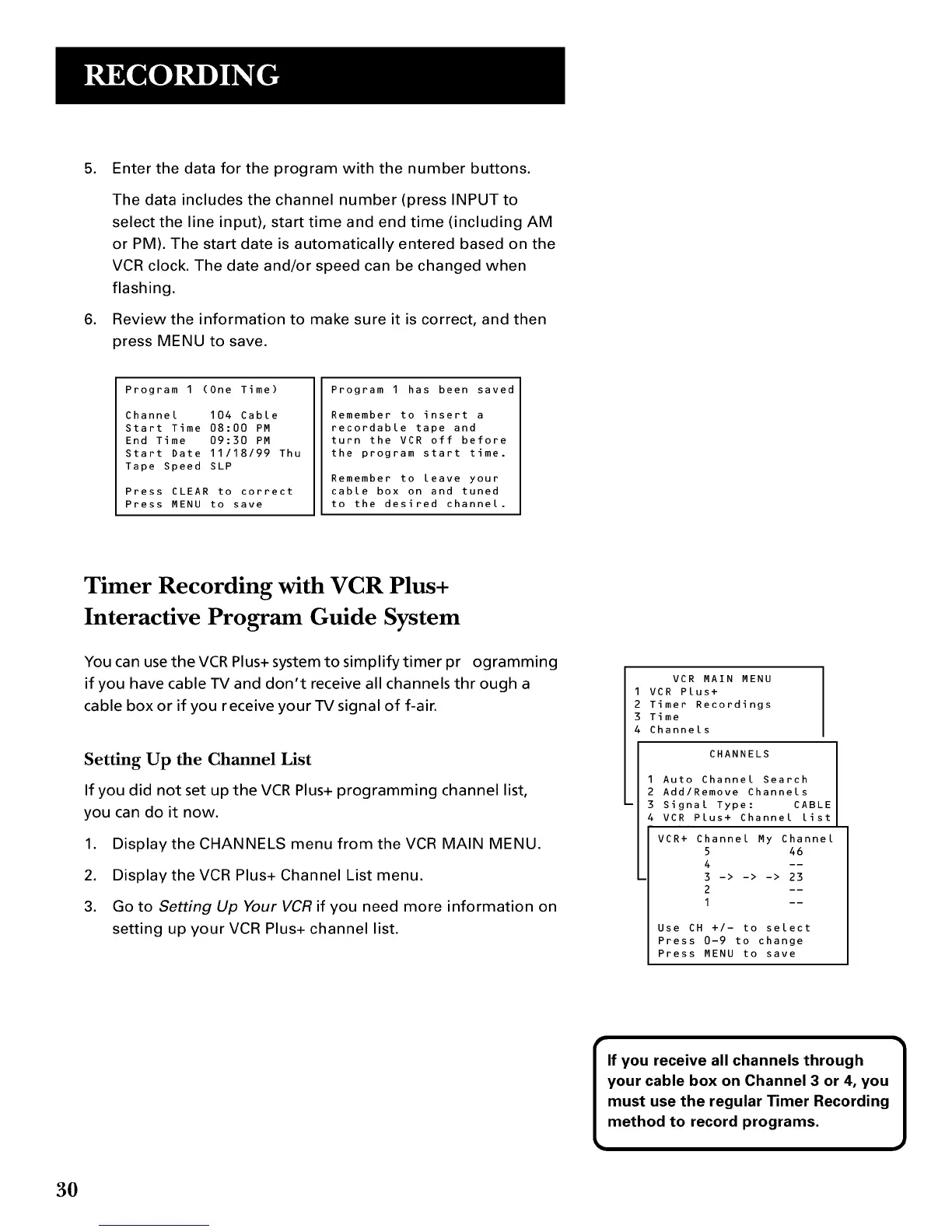
5. Enter the data for the program with the number buttons.
The data includes the channel number (press INPUT to
select the line input), start time and end time (including AM
or PM). The start date is automatically entered based on the
VCR clock. The date and/or speed can be changed when
flashing.
6. Review the information to make sure it is correct, and then
press MENU to save.
Program 1 (One Time)
Channel 104 Cable
Start Time 08:00 PM
End Time 09:30 PM
Start Date 11/18/99 Thu
Tape Speed SLP
Press CLEAR to correct
Press MENU to save
Program I has been saved
Remember to insert a
recordable tape and
turn the VCR off before
the program start time.
Remember to leave your
cable box on and tuned
to the desired channel.
Timer Recording with VCR Plus+
Interactive Program Guide System
You can use the VCR Plus+ system to simplify timer programming
if you have cable TV and don't receive all channels through a
cable box or if you receive your TV signal of f-air.
Setting Up the Channel List
If you did not set up the VCR Plus+ programming channel list,
you can do it now.
1. Display the CHANNELS menu from the VCR MAIN MENU.
2. Display the VCR Plus+ Channel List menu.
3. Go to Setting Up Your VCR if you need more information on
setting up your VCR Plus+ channel list.
VCR MAIN MENU
1 VCR Plus+
2 Timer Recordings
3 Time
4 Channels
CHANNELS
Auto Channel Search
Add/Remove Channels
Signal Type: CABLE
VCR Plus+ Channel list
VCR+ Channel My Channel
5 46
4 --
3 -> -> -> 23
2 --
I --
Use CH +/- to select
Press 0-9 to change
Press MENU to save
I f you receive all channels through 1
your cable box on Channel 3 or 4, you
must use the regular _mer Recording
method to record programs.
3O



 To Next Page