Using the VCR Plus+ Programming System
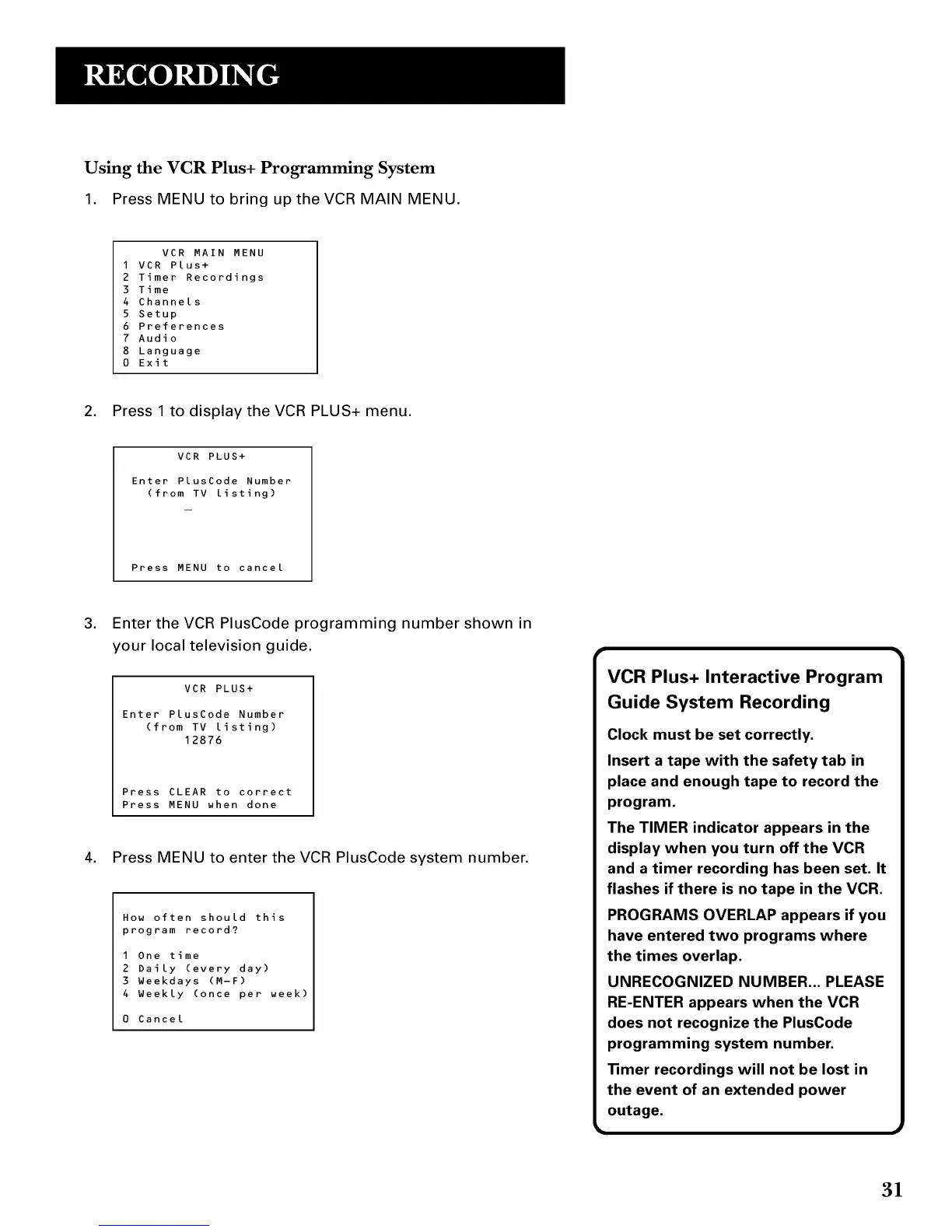
1. Press MENU to bring up the VCR MAIN MENU.
VCR MAIN MENU
I VCR Plus+
2 Timer Recordings
3 Time
4 Channels
5 Setup
6 Preferences
7 Audio
8 Language
0 Exit
2. Press 1 to display the VCR PLUS+ menu.
VCR PLUS+
Enter PlusCode Number
(from TV listing)
Press MENU to cancel
3. Enter the VCR PlusCode programming number shown in
your local television guide.
VCR PLUS+
Enter PlusCode Number
(from TV listing)
12876
Press CLEAR to correct
Press MENU when done
4. Press MENU to enter the VCR PlusCode system number.
How often should this
program record?
1 One time
2 Daily (every day)
3 Weekdays (M-F)
4 Weekly (once per week)
0 Cancel
VCR Plus+ Interactive Program
Guide System Recording
Clock must be set correctly.
Insert a tape with the safety tab in
place and enough tape to record the
program.
The TIMER indicator appears in the
display when you turn off the VCR
and a timer recording has been set. It
flashes if there is no tape in the VCR.
PROGRAMS OVERLAP appears if you
have entered two programs where
the times overlap.
UNRECOGNIZED NUMBER... PLEASE
RE-ENTER appears when the VCR
does not recognize the PlusCode
programming system number.
• mer recordings will not be lost in
the event of an extended power
outage.
31



 To Next Page