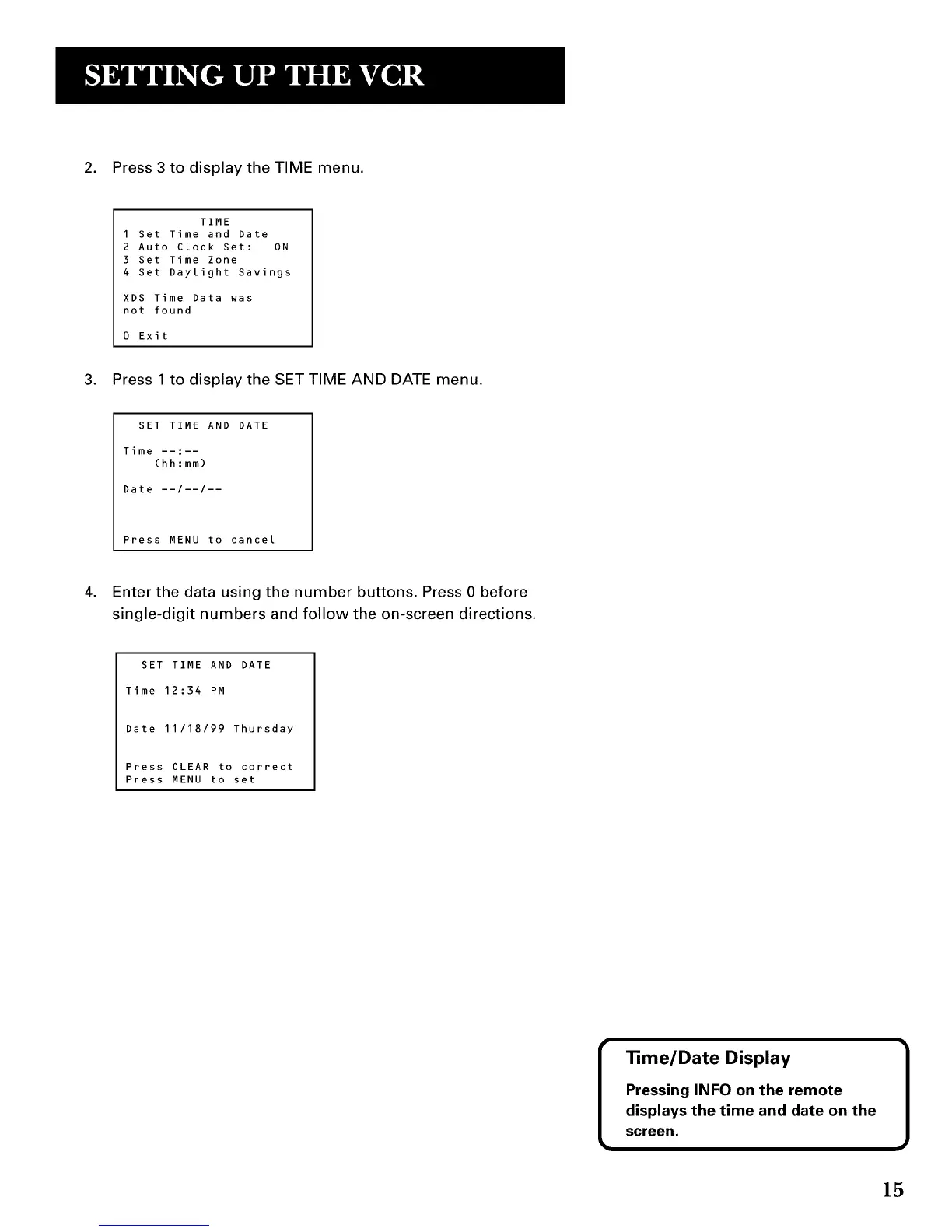
2. Press 3 to display the TIME menu.
TIME
1 Set Time and Date
2 Auto Clock Set: ON
3 Set Time Zone
4 Set Daylight Savings
XDS Time Data was
not found
0 Exit
3. Press 1 to display the SET TIME AND DATE menu.
SET TIME AND DATE
Time --:--
(hh:mm)
Date --/--/--
Press MENU to cancel
4. Enter the data using the number buttons. Press 0 before
single-digit numbers and follow the on-screen directions.
SET TIME AND DATE
Time 12:34 PM
Date 11/18/99 Thursday
Press CLEAR to correct
Press MENU to set
I _me/Date Display 1
Pressing INFO on the remote
displays the time and date on the
screen.
15



 To Next Page