26
PULL MODE
To be activated, the Pull mode requires specifi c actions. In this section and its
subsections we document specifi cally this mode.
The Pull mode of Content Access
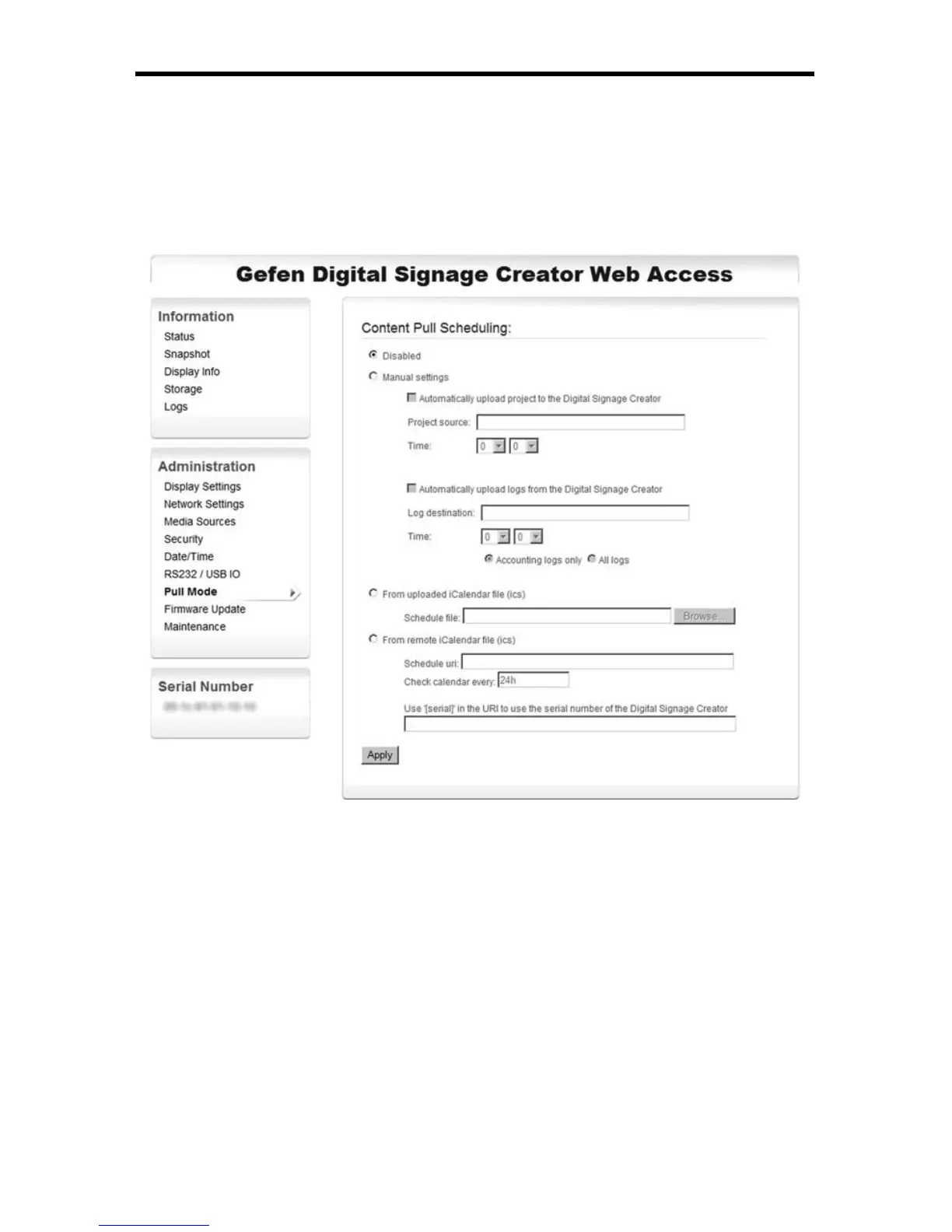
The Pull mode is confi gured through the HTTP confi guration interface, under
Administration/Pull mode.
The Pull mode can be used bidirectional to:
► Automatically publish fi les to the EXT-DSC.
Each time the EXT-DSC has been scheduled to update the content of its
local storage, it will connect to the specifi ed server, check for changes, and
download all modifi ed fi les.
► Upload logs and previews to a remote WebDAV server.
The publish action of the Pull mode can be used with WebDAV server or with
standard HTTP servers. In this last case an XML fi les describing the content of
the server must be available. The Pull mode timings can be confi gured either
directly from the HTTP interface or using iCalendar fi les.
There are two ways to confi gure the Pull mode on a EXT-DSC unit:



 To Next Page