28
CONFIGURING RS-232
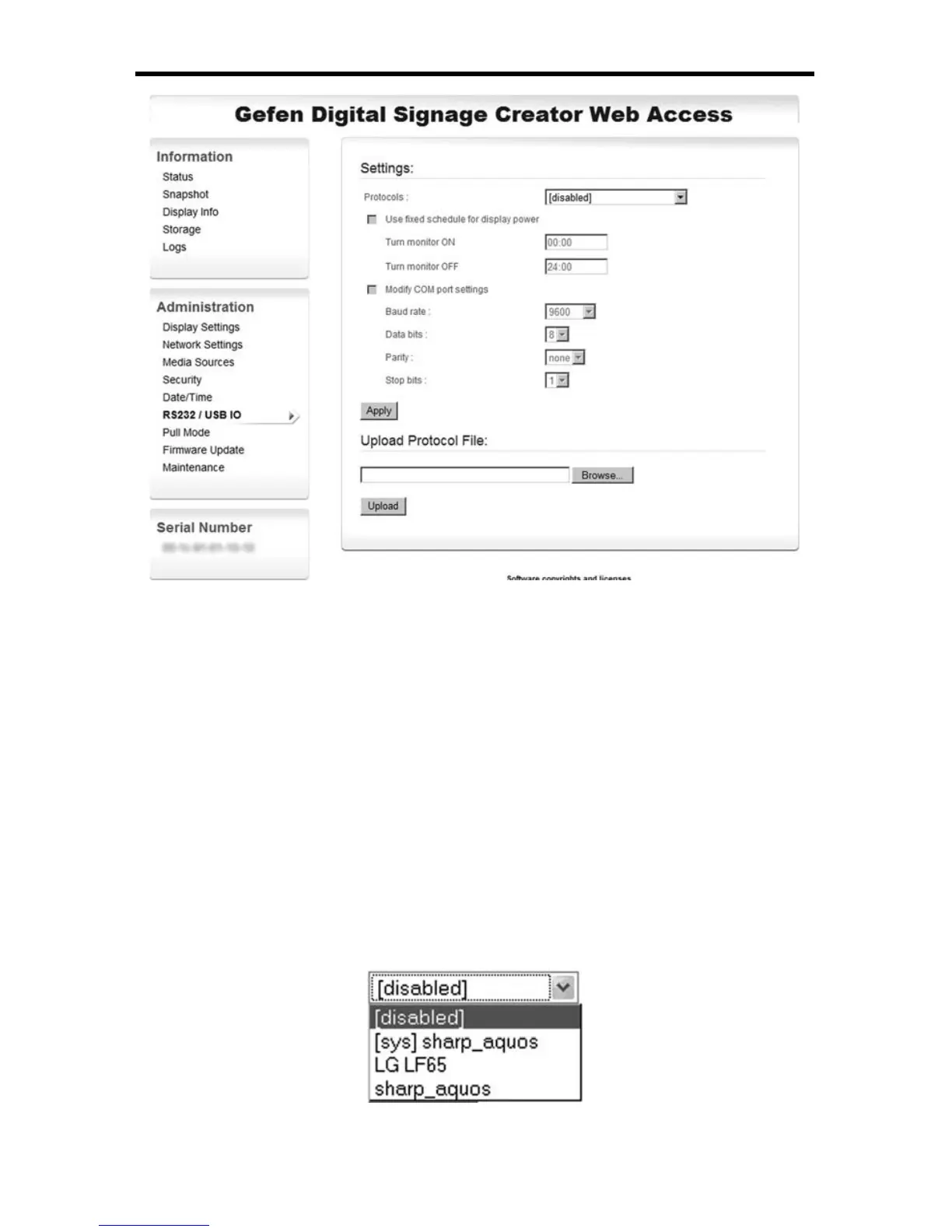
By default the serial port control is disabled. It is enabled by selecting a protocol
fi le in the Protocols drop-box. Choose either pre-loaded fi les designed by Gefen
(identifi ed by the prefi x [sys] before the name of the protocol), or fi les that you
have uploaded using the Upload function.
Confi guring RS-232
The drop down menu below shows an EXT-DSC’s confi guration where the follow-
ing protocol fi les can be selected:
► No protocol fi les, the RS-232 interface is disabled ([disabled])
► A system version of the Sharp Aquos protocol ([sys]sharp_aquos)
► An uploaded protocol fi le for the LG LF65 screen (LG LF65)
► An uploaded protocol fi le for the Sharp Aquos monitors (sharp_aquos)



 To Next Page