page | 2
Getting Started
Front
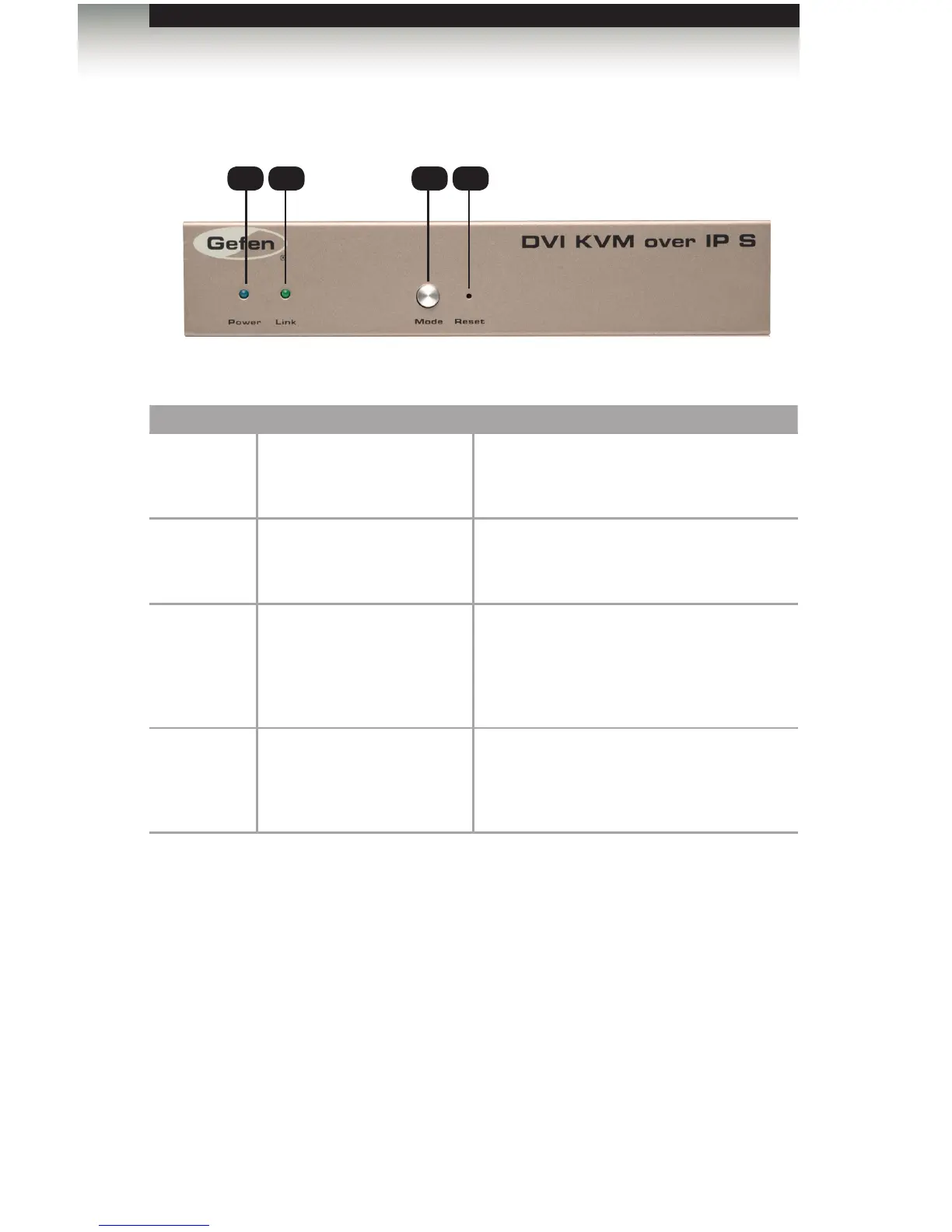
ID Name Description
1 Power This LED glows steady blue when the unit
is connected to an AC outlet and the unit is
powered ON.
2 Link This LED glows steady green when the
Sender unit and Receiver unit are connected
and passing video.
3 Mode Press this button to switch between Graphic
Mode and Video Mode. Graphic Mode
optimizes still images. Video Mode is best
used for optimizing video. See Setting the
Video Mode for details.
4 Reset Press this button to reset the unit.
See Performing a Factory Reset for
instructions on restoring the Sender unit to
factory-default settings.
Sender Unit Layout
1 2 3 4














 To Next Page