page | 44
Appendix
Upgrading the Firmware
The following items are required to upgrade the rmware:
• Gefen DVI KVM over IP
• Computer (Mac or PC)
• Firmware les
1. Download the rmware for the DVI KVM over IP from the Gefen Web site.
2. Extract both rmware les from the .ZIP le. The .ZIP le contains two les:
► TX_host_kernel_A511_webfwh_v[version]d.bin (Sender unit)
► RX_client_kernel_A511_webfwc_v[version]d.bin (Receiver unit)
3. Access the Web interface by entering the IP address of the Sender or Receiver unit.
The order in which the Sender and Receiver units is upgraded does not matter.
Refer to Displaying the IP Address if necessary.
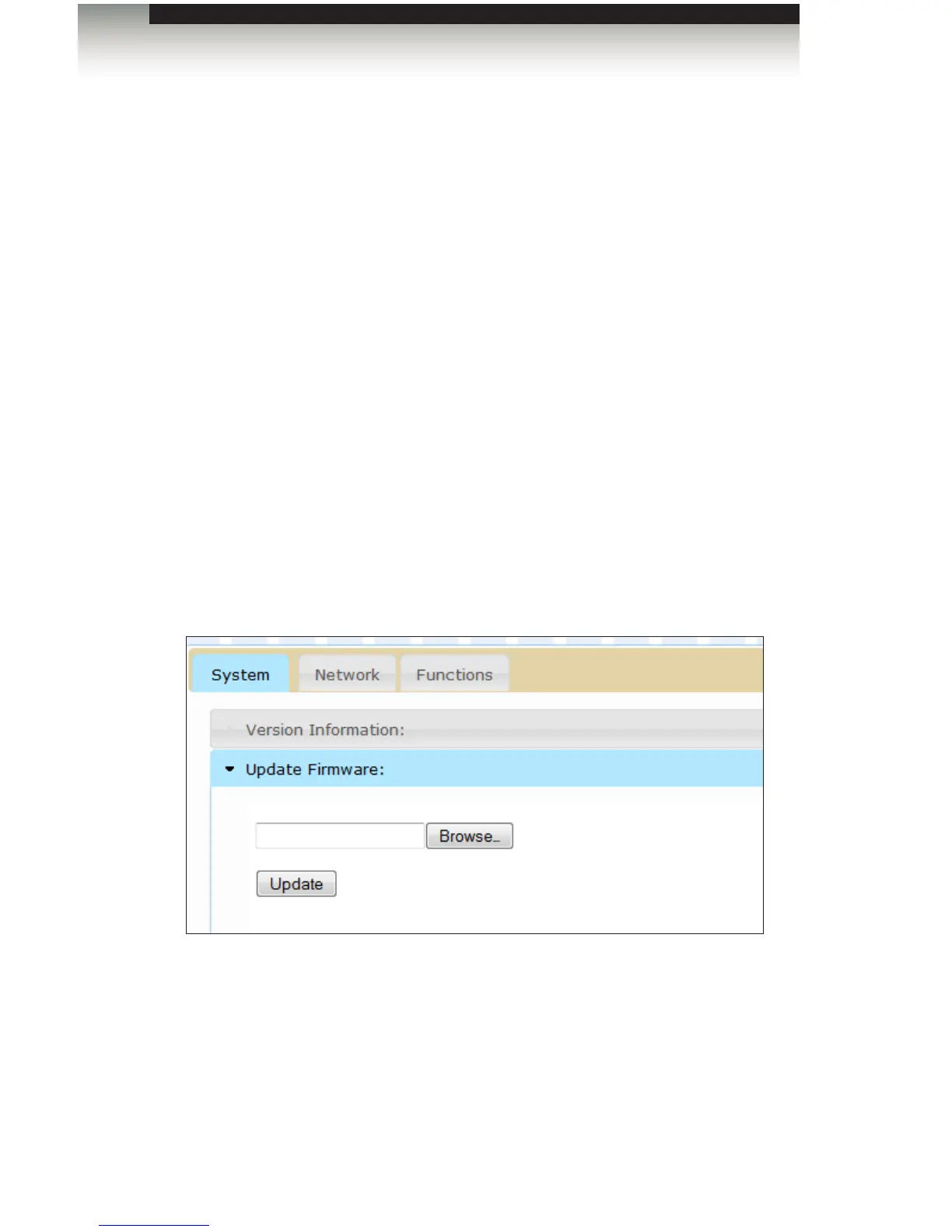
4. Under the System tab, click the Update Firmware frame.
5. Click the Browse... button and select the rmware for the unit that is being upgraded:
If upgrading the Sender unit, select the lename beginning with “TX”. If upgrading the
Receiver unit, select the lename beginning with “RX”.
6. Click the Update button.
7. After a few moments, the Web interface will indicate that the upgrade process has
been started.














 To Next Page