owners manual
ps1600
Page6
FUNCTION
+
FUNCTION
-
ALBUM
STYLE
ABC
SPLIT
DUAL
PORTA
TOUCH
SUSTAIN
MELODY OFF
PORTAMENTO
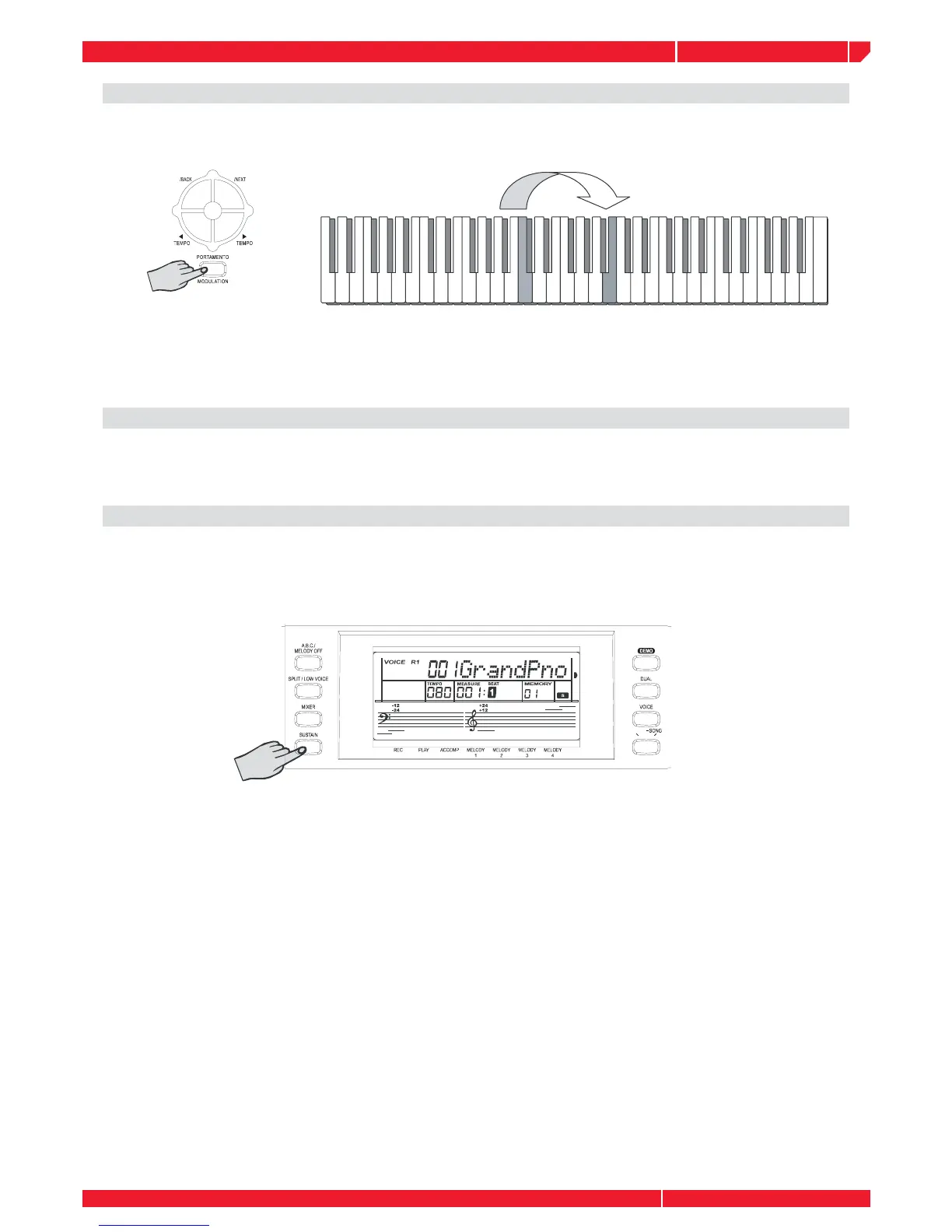
To have portamento effect,press and hold [PORTAMENTO] button and play the keyboard.
There are four types of portamento time (0-3). The default time setting is 2. (You can modify the
portamento time with FUNCTION menu). Holding down the [PORTAMENTO] button before play-
ing the keyboard. The note will have modulation effect.
PITCH CHANGE
You can also adjust the tuning, octave , and change the transposition (key) of the entire sound
with the Transpose and Tuning, Octave functions. (see FUNCTION menu ).
SUSTAIN
Press the [SUSTAIN] button to enable the SUSTAIN effect (the SUSTAIN icon will appear on the
display). All played notes on the keyboard will have a sustained effect. To turn off the SUSTAIN
effect, press the [SUSTAIN] button again.



 To Next Page