owners manual
ps1600
Page5
ALBUM
STYLE
ABC
SPLIT
DUAL
PORTA
TOUCH
SUSTAIN
MELODY OFF
SHIFT
DE
L
E
TE
BDE
GIKLNPQSUWXZ124689#
%
&( -@{-
AC FH
J
MO RTV Y0 3
5
71
$
,
)
LOWER VOICE
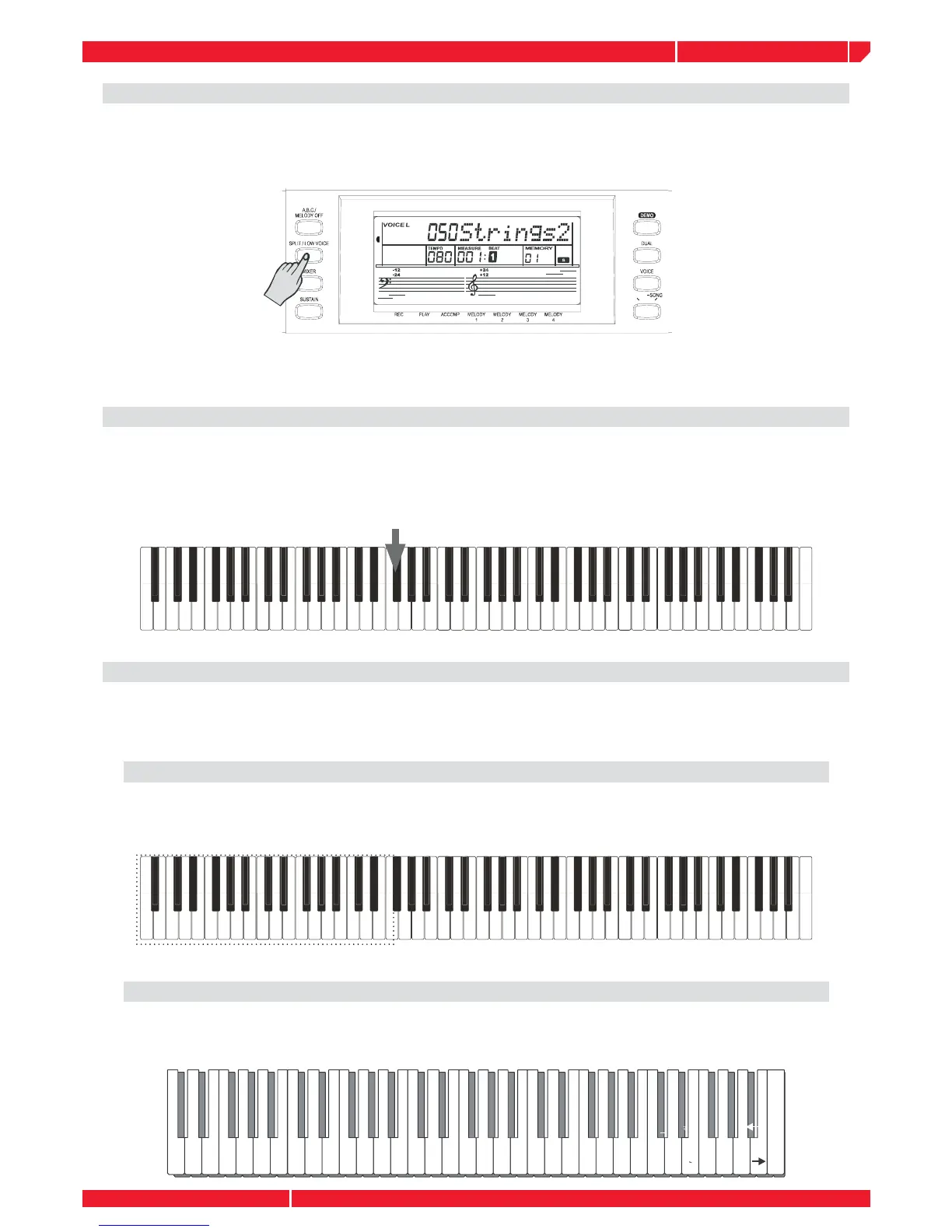
This function allows to SPLIT the ps1600 keyboard in two parts: left and right area.
Press the SPLIT/LOW VOICE button to enable the LOWER VOICE. The LCD lights the lower voice
fl ag and displays “VOICE L” and the relative lower voice name.
Press the SPLIT/LOW VOICE button, or use the wheel or the keypad to select the lower voice
number. The default lower voice number is No. 50: Strings2. Press the button again to disable
the lower voice.
THE SPLIT POINT
In the SPLIT Voice mode, you can assign two different Voices to the keyboard sections, and play
one Voice with your left hand while your right hand plays another. The note F#3 is the default split
point. Any note may be set as the split point and stored in memory. (See function: SPLIT POINT
SELECT).
THE KEYBOARD FUNCTION
The keyboard not only plays three VOICES section (VOICE R1-R2-LOWER) at the same time,
but also has other necessary functions.
ACCOMP ON
The left area below the split point is the chord area by pressing the “A.B.C” button. The bass
and the chord voice will sound when playing the chord.
SPLIT POINT(#F3)
VOICE R1/R2VOICE L (LOWER)
NAMING
When you save a midi fi le, you can name this fi le with the keyboard. (See the following)



 To Next Page