owners manual
ps1600
Page16
ALBUM
STYLE
ABC
SPLIT
DUAL
PORTA
TOUCH
SUSTAIN
MELODY OFF
METRONOME
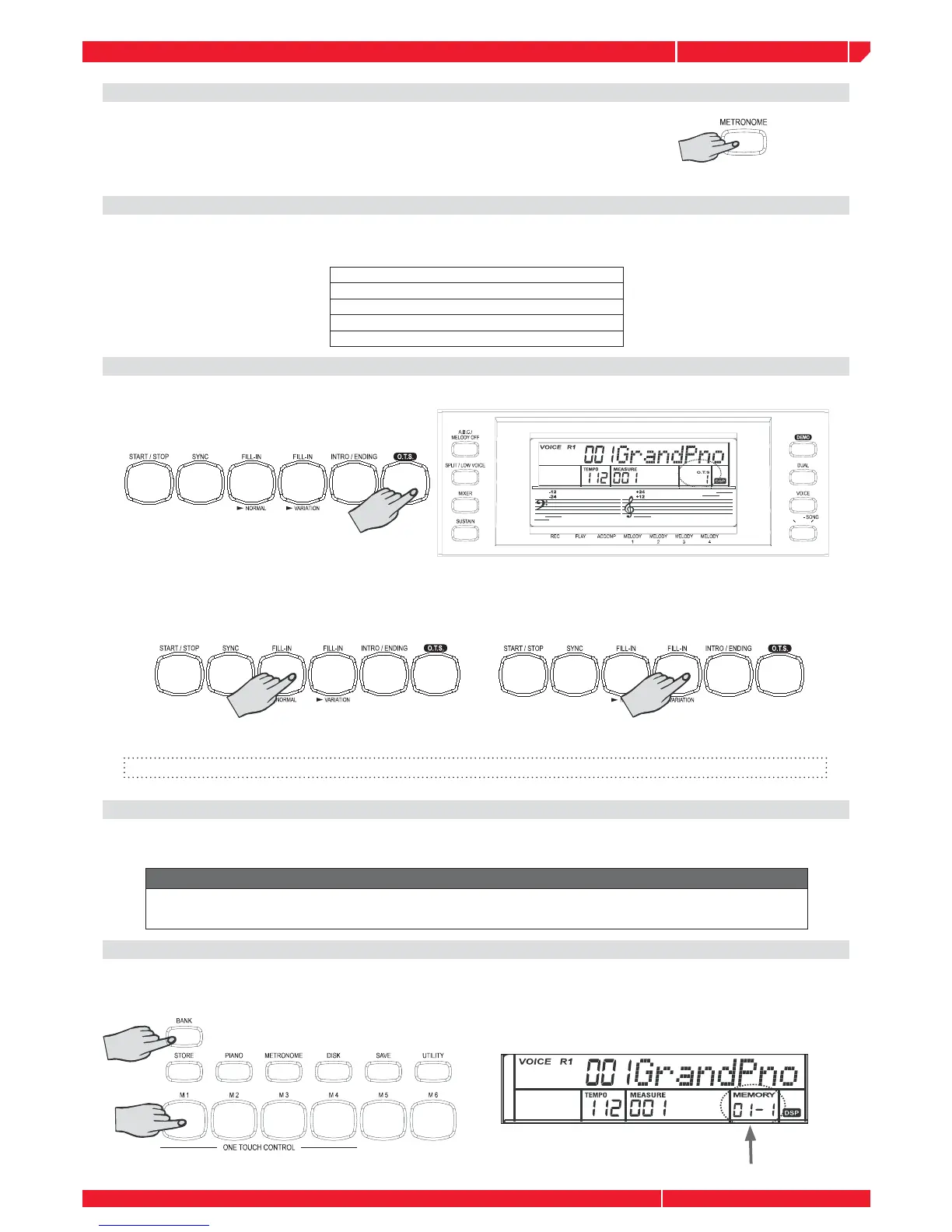
You can turn the metronome ON/OFF by pressing the button on the panel.
When you turn on the metronome, the metronome sound and style will
play at the same time.
Note: the time signature changes automatically when a style is selected.
One Touch Setting
One Touch Setting is powerful and convenient Style mode function that lets you instantly
reconfi gure virtually all setting of the instrument by touching of a single button.
Voice R1 number and volume
Dual function.
Voice R2 number and volume
REVERB and CHORUS type and level
Octave
HOW TO RECALL A ONE TOUCH SETTING
Recall any styles. Each style has four desired settings. Press the button. LCD displays O.T.S. and
turn A.B.C on automatically.
Press the [M1/M4] button, corresponding to the desired setting. LCD displays O.T.S.1-4. When
the style is playing, press [O.T.S.] to turn on the O.T.S. mode. It will insert a “Fill in” automatically.
Insert “FILL A” or “FILL B” according to the memory number.
Note: Pressing the [O.T.S.] key again the O.T.S. mode is switched OFF. The LCD displays “MEMORY”.
MEMORY
Memory feature can be used to memorize 32 complete control-panel setups (8 banks, 4 setups
each) that you can recall whenever needed.
Data stored in the Memory
Voice Right 1, Voice Right 2, Voice Left, Sustain, Style, Tempo, Function parameter, Mixer
parameter, ACCOMP volume, Octave.
SELECT A MEMORY
Press the [BANK] button to display: ” XXX MEM BANK”. Press the [M1] [M4] button to display 1-1
or 1-4.
Select the desired memory bank with the control you prefer: DIAL, [+/YES] [-/NO].



 To Next Page