owners manual
ps1600
Page25
FUNCTION
+
FUNCTION
-
FUNCTION
+
FUNCTION
-
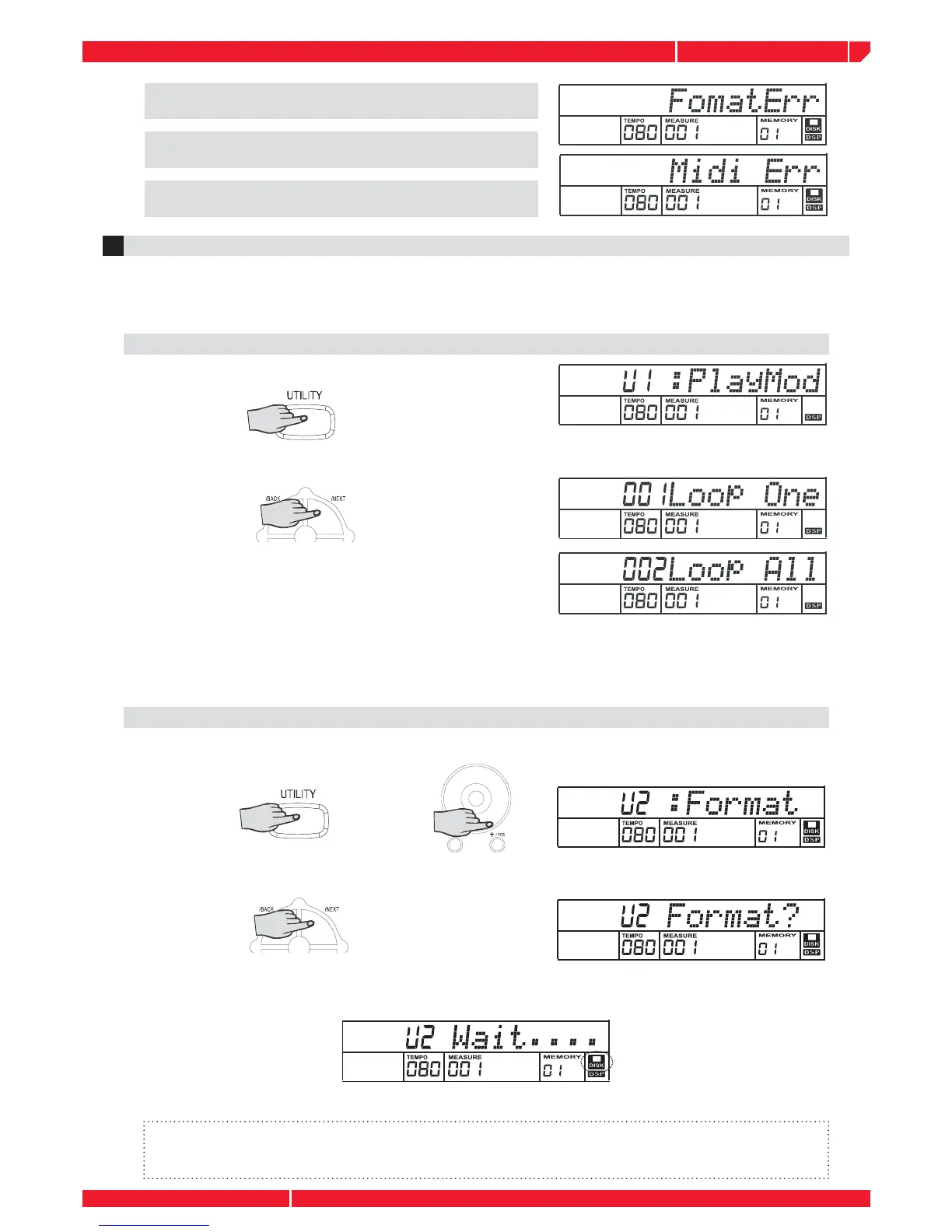
If the midi format of a playing song is format2,the
LCD will display :”Format Err”.
If the ticks in one beat of a playing song is greater than
1024 or less than 24, the LCD displays “Midi Err”.
If midi data is irregular, the LCD will display :”Midi
Err” or “Track Err”.
2
DISK UTILITY
Press the UTILITY button, the “Play Mode”,”Format” and “Delete” functions will be selected by the
+/- button and the DIAL. If you want to enter these disk functions, you can press the NEXT button.
If you want to exit, press the BACK button.
Press UTILITY button, the LCD will display
PLAY MODE
Press the NEXT button to enter Play mode: ”Loop One” appearing on the LCD indicates the disk
songs will playback repeatedly.
Press the [+] button or the DIAL, the “Loop All” indicates
the disk songs will playback from the fi rst songs to the
end and then return to start fi rst song again. Press the
the [-] button or the DIAL will appear “Loop One”.
Note: You can still receive MIDI data through the MIDI IN connector when the disk song is playing,
but it may cause unexpected errors . We suggest you do not playback disk songs and receive MIDI
data at the same time.
DISK FORMAT
Press the UTILITY button and then press the [+] button or rotate the DIAL, the LCD will display:
U2: FORMAT.
Press the NEXT button. The message ”FORMAT?” appears on the display.
Press the [+] button to execute the format operation (or press the [-] button to cancel ). The
message “WAIT..” appears and disk icon will fl ash on the display when format is in process.
Once the disk has been formatted,the message ”Format OK”will display on the LCD.
Note:
1.There will not be any action if you press any buttons when the disk is formatting.
2.When a write-protected disk is loading, ”Protect!” Will be displayed.



 To Next Page