owners manual
ps1600
Page27
FUNCTION
+
FUNCTION
-
FUNCTION
+
FUNCTION
-
FUNCTION
+
FUNCTION
-
FUNCTION
+
FUNCTION
-
LOAD MIDI
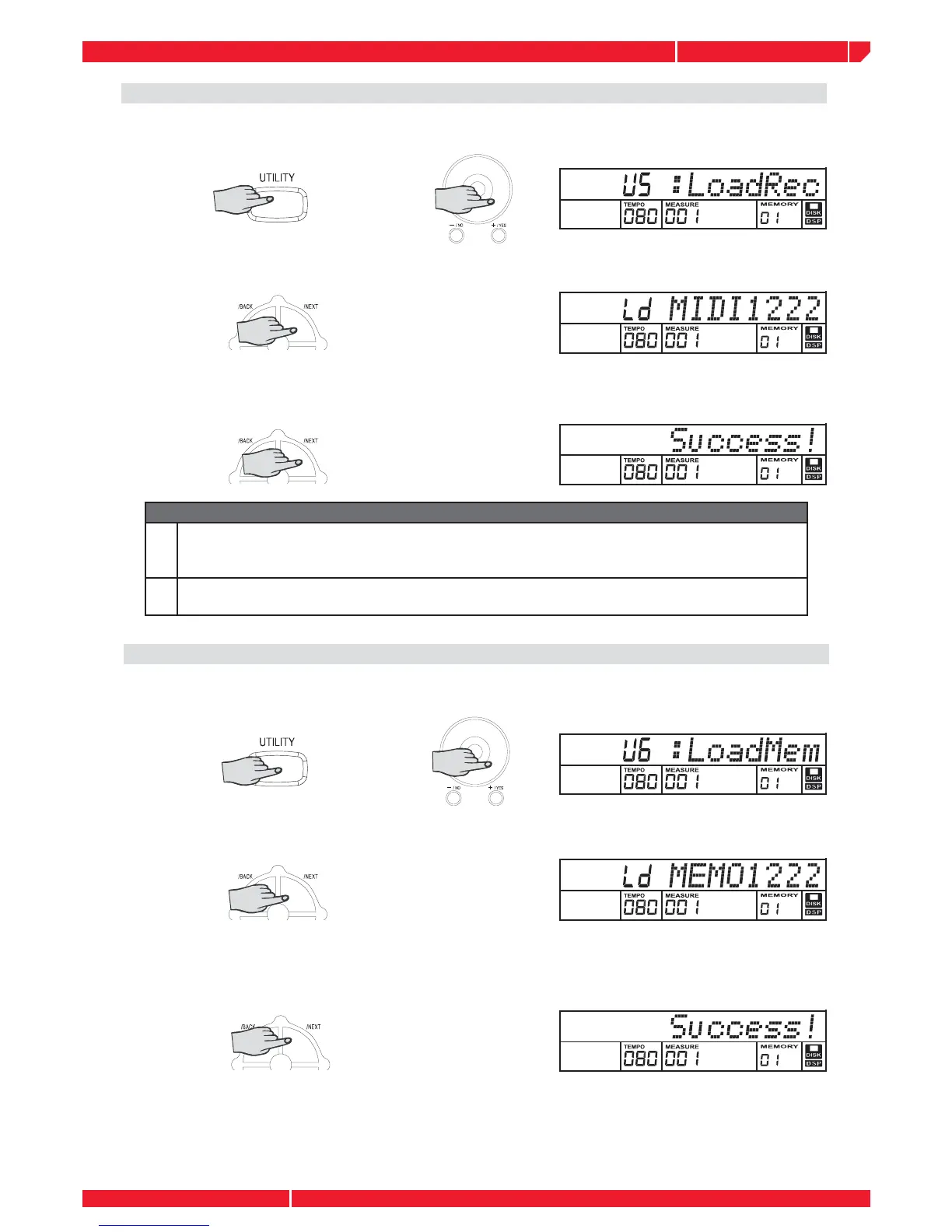
Select the load disk mid function by pressing the UTILITY button or rotate the DIAL ”.
The message "LoadRec" will appear on the display.
Press the [+] button and the saved disk mid name (*.mid) is displayed.
Press the [+] button or rotate the DIAL to select the mid you want to load. Press the NEXT button
and the LCD will display the message : ”Wait...” LCD will display as below when the MIDI song
is loading at the end.
Note
1
The Load MIDI function can be only used for the midi fi les saved directly by the keyboard. If
the midi fi les are saved from a PC or other midi devices, their names will be not displayed on
LCD and this function is disabled .
2
If you have loaded a MIDI fi le by this function, the recorded memory data will be overwirt-
ten. you can continue to edit recorded data by step record or realtime record.
LOAD MEMO
Select the load disk memory function by pressing the UTILITY or [+] button or rotate the DIAL,
the message ”LoadMem” will appear on the display.
Press the NEXT button and the disk memory name (.mem) will be display.
Press the [+] button or rotate the DIAL to select the mem you want to load. Press the NEXT
button and LCD will display the message :”Wait...”. Once the loading is over the LCD will
display the message "SUCCESS1"
Note: This function is only used for the memory fi les



 To Next Page