18 / 48
1435
e
Pos
10 System mode ADVANCED
If the parameter "SYSTEMMODE" is set to "ADVANCED" the menu confi guration is diff erent, as are a certain number of new
parameters.
To activate the system mode "ADVANCED" the parameter "SYSTEMMODE“ must be changed to "ADVANCED" and
then the supply voltage interrupted for more than 3 seconds.
10.1 Menu level
10.1.1 Automatic operation ( AUTO)
Automatic operation is the normal operating mode. The initialised positioner responds to set value changes and adjusts the valve
accordingly.The
+
-
or
ـ
keys have no function in this operating mode.
The current position (x) is shown in the top right of the display and in the middle is the applied set value signal (w) as a percentage.
In the bottom line a help text is shown describing the currently selected parameter.
The SETUP menu is reached by pressing the
key.
By pressing the
key again the "Mode" parameter is reached.
A: W 50.0 : X 50.0 SETUP MODE Auto
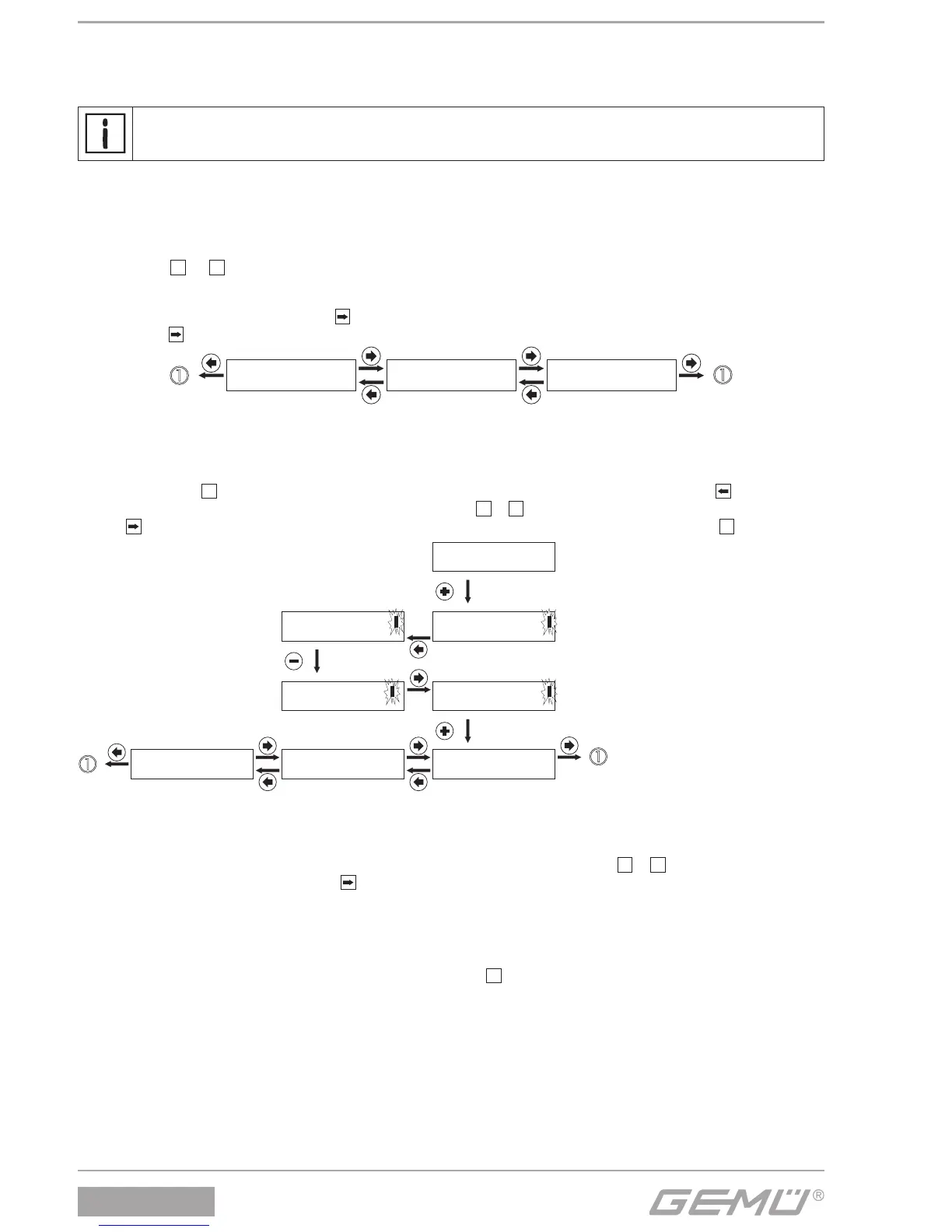
10.1.2 Select operating mode (Mode)
In this parameter the "AUTO" or "MANUAL operating mode is selected.
For this, pressing the
+
key takes it to changing the set value, this is displayed with two brackets. Then use the key to place the
cursor under the value to be changed which is then changed with the
+
or
ـ
key. Then the cursor is placed under the last bracket
with the
key. The message "OK" now appears in the bottom line of the display. This is now confi rmed with the
+
key.
Mode [ Manual]
<-
OK ESC
Mode Manual
Mode [ Manual]
<-
-> + -
Mode [ Auto ]
<- -
> + -
Mode [ Auto ]
<-
OK ESC
Mode Auto
A: W 50.0 : X 50.0 SETUP
10.1.3 Manual operation ( MANUAL)
With manual mode the valve can be adjusted manually. The required set value is set using the
+
or
ـ
key.
The SETUP menu is reached by pressing the
key.
10.1.4 Confi guration (SETUP)
Various parameter values of the positioner can be changed in the confi guration menu. To reach the confi guration menu the
parameter "SETUP" must be selected in the working level and then the
+
key must be pressed.


 To Next Page