23
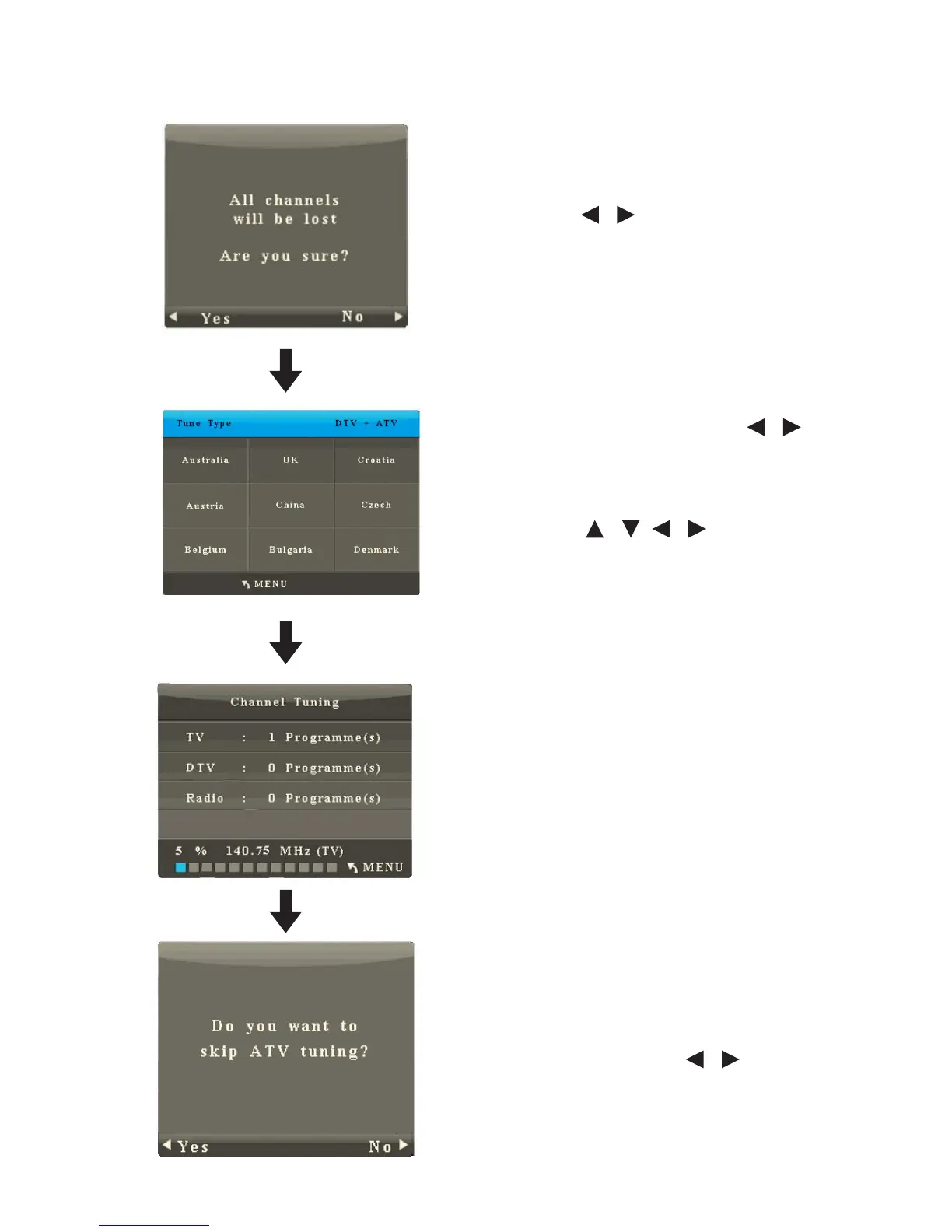
1. Auto Search
• Press OK to start auto search.
• Press / to select Yes or No.
• After you press Yes, press / to
select the type of channels to
search (Digital, Analogue, Digital
+Analogue);
• Press / / / to select a
country.
• Press OK to start auto search. It will
complete in several minutes.
• If you need to cease the search,
press Menu and / to choose
Yes or No.



 To Next Page