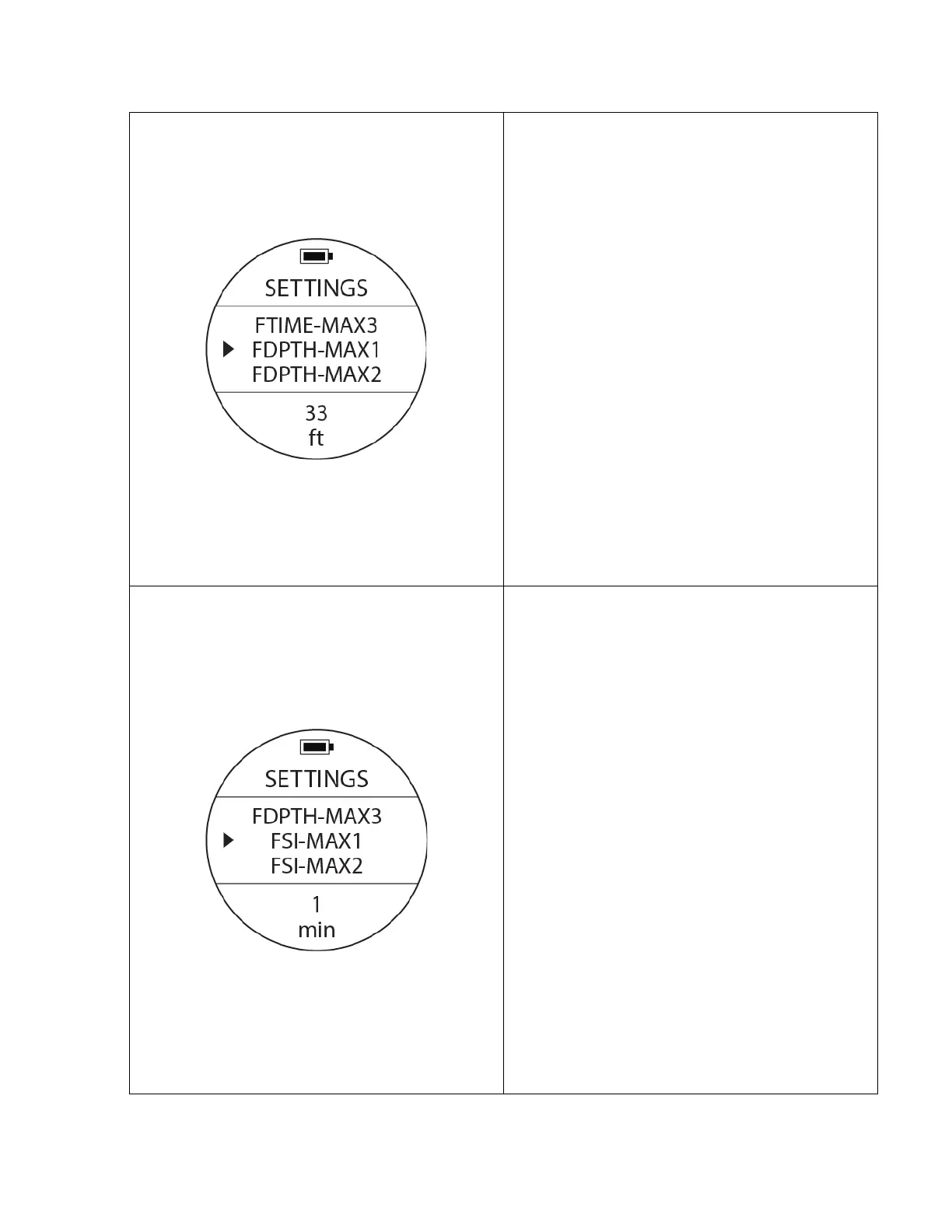
Free Dive Depth Alarm Setting
To access: From SETTINGS, press the UP or DOWN
buttons until the pointer aligns with FDPTH-MAX1.
Press the MODE button once.
To change values: When you see a blinking option
at the bottom of the screen, use UP or DOWN
buttons to select a different option, then press the
MODE button to confirm and finish the settings.
If you reach the FDPTH-MAX1 - Depth, the alarm
will activate. There are 3 alarm setting options:
33ft. 66ft. & 99ft.
FTIME-MAX
F: Free Dive
DPTH: Depth
MAX1: Maximum preset value at which the alarm
will activate.
Free Diving Surface Interval Setting
To access: From SETTINGS, press the UP or DOWN
buttons until the pointer aligns with FSI-MAX1.
Press the MODE button once.
To change values: When you see a blinking option
at the bottom of the screen, use UP or DOWN
buttons to select a different option, then press the
MODE button to confirm and finish the settings.
If you reach the FSI-MAX1 – Surface Interval, the
alarm will activate. There are 3 alarm setting
options: 1min, 3min & 5min.
FSI-MAX1
F: Free Dive
SI: Surface Interval
MAX1: Maximum value of a particular setting for
the alarm to activate.



 To Next Page