EasyManua.ls Logo

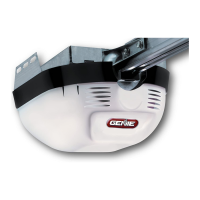
Genie Excelerator 3531835447 - User Manual

Genie Excelerator 3531835447
32 pages
Print Icon
To Next Page IconTo Next Page
Loading...
3531835447
_BLE OF (IION]_ENT$
Safety Information ...................... 2
Important Installation Instructions ...... 2
Safety Features ......................... 2
Pre-installation Checklist ................ 3
Garage Door Opener Assembly ......... 9
Record Data (for Service) .............. 11
Garage Door Opener Installation ....... 12
Accessories ........................... 22
Maintenance .......................... 25
Troubleshooting ...................... 26
Wiring Diagram ....................... 29
Warranty information .................. 30
wm-I IB_]:ELLIC I .....' .... ,.Os_E
BI_:0o0o0,.o1_:t0BOLy..,.o°0.s,SEI/_:::_
For 7' 6" Doors, Extension Kit is available for 8' Doors
included Wall Control MUST be installed prior to Operation
of this Garage Door Operator,
Safe-T-Beam ® Safety Reverse System Must be installed and
the Force Controls MUST be Properly Set to close door.
This Equipment meets or exceeds all Federal, State and UL325
Safety Requirements.
Will not operate twice as fast on a one-piece door,
Please call us: 1-800-35-GENiE (354-3643)
www.geniecompany, com
Please have Model information ready when calling.

Table of Contents

Other manuals for Genie Excelerator 3531835447

Question and Answer IconNeed help?

Do you have a question about the Genie Excelerator 3531835447 and is the answer not in the manual?

Summary

COMPLETE WITH INTELLICODE REMOTE CONTROL AND SERIES II ELECTRONICS

SAFETY INFORMATION

IMPORTANT INSTALLATION INSTRUCTIONS

Detailed instructions and warnings for safe installation of the garage door opener.

SAFETY FEATURES

Explanation of built-in safety mechanisms like Safe-T-Beam, Safe-T-Reverse, and Force Guard.

PRE-INSTALLATION CHECKLIST

CHECK DOOR CONDITION AND THICKNESS

Assesses the garage door's structural integrity, frame, and thickness for opener compatibility.

CHECK GARAGE DOOR ALIGNMENT, OPERATION, AND BALANCE

Verifies the door's smooth movement, alignment, and balance for safe and proper opener function.

MEASURE GARAGE DOOR HEIGHT

Guides on measuring the garage door's height to ensure compatibility with the opener's rail.

CHECK DOOR HEADER AREA

Instructions for locating and preparing the header area for the header bracket mounting.

CHECK POWER HEAD MOUNTING AREA

Details on checking the ceiling or space above for mounting the opener's power head.

CHECK CEILING FOR GROUNDED POWER SOURCE

Verifies the availability and proximity of a grounded electrical outlet or wiring box for the opener.

CHECK SAFE-T-BEAM MOUNTING BRACKET LOCATION

Identifies suitable locations for mounting the Safe-T-Beam sensor brackets on the garage frame or wall.

RECOMMENDED TOOLS

Lists the necessary tools required for the installation process.

REMOVE EXISTING GARAGE DOOR LOCKS

Instructions for removing any existing locks or ropes from the garage door before installation.

Parts List

GARAGE DOOR OPENER ASSEMBLY

CONNECT RAIL TO POWER HEAD

Guides on connecting the opener rail assembly to the power head unit.

INSTALL REMAINING RAIL SECTIONS

Instructions for assembling multiple rail sections together for the opener.

INSTALL MAGNETIC CARRIAGE ASSEMBLY ONTO RAILS

Details on installing the magnetic carriage assembly onto the garage door opener rail.

ATTACH RAIL STRAP TO END RAIL SECTION

Instructions for attaching the rail strap to the end section of the opener rail.

ALIGN RAIL SECTIONS AND TIGHTEN ALL BOLTS

Guidance on aligning rail sections and securely tightening all fasteners.

INSTALL AND CONNECT LIMIT SWITCHES

Steps for installing and connecting the open and close limit switches to the rail.

ATTACH EMERGENCY RELEASE KNOB, CORD, AND TAG

Instructions for attaching the emergency release cord, knob, and tag to the carriage assembly.

RECORD OPENER MODEL AND SERIAL NUMBER

Prompts the user to record crucial model and serial number information for future reference.

GARAGE DOOR OPENER INSTALLATION

INSTALL HEADER BRACKET

Details on mounting the header bracket to the garage header for rail support.

INSTALL GARAGE DOOR BRACKET

Steps for attaching the door bracket to the garage door itself.

ATTACH RAIL TO HEADER BRACKET

Instructions for connecting the garage door opener rail to the previously installed header bracket.

ATTACH POWER HEAD TO GARAGE

Guidance on lifting and securing the power head assembly to the garage ceiling or support structure.

ASSEMBLE AND CONNECT DOOR ARMS

Steps for assembling and connecting the door arms to the door bracket and carriage assembly.

INSTALL SAFE-T-BEAM SYSTEM

Detailed instructions for mounting and aligning the Safe-T-Beam safety sensors.

Install Safe-T-Beam Wiring

Guides on routing and connecting the wiring for the Safe-T-Beam system.

WALL CONSOLE INSTALLATION

Wire Wall Console to Opener (Figure 32)

Instructions for wiring the wall console to the main opener unit.

CONNECTING POWER

Instructions for licensed electrician - connecting power with permanent wiring (Figure 33)

Guidance for electricians on permanently wiring the opener to the building's electrical system.

Connecting Power with Plug:

Steps for connecting the opener to a standard grounded electrical outlet.

SET LIMIT SWITCHES AND FORCE CONTROLS

Setting of Limit Switches

How to adjust the open and close limit switches for proper door travel.

Setting Force Controls and Final Adjustment of Limit Switches

Adjusting force controls and performing final adjustments to limit switches for optimal operation.

SETTING CONTACT REVERSE FUNCTION

Check Safe-T-Beam System operation

Verifies the Safe-T-Beam system's functionality to ensure safe door closing.

ACCESSORIES

PROGRAMMING THE REMOTE CONTROL

Instructions for programming Genie remote controls to operate the garage door opener.

To Erase All Remotes from Power Head Memory

Steps to clear all previously programmed remote controls from the opener's memory.

To Replace Remote Control Battery

Guidance on how to replace the battery in a Genie remote control.

OPERATING WIRELESS KEYPAD

Programming for 1 Door Opener

Steps to program a wireless keypad for controlling a single garage door opener.

Programming for 2 or 3 Door Openers

Instructions for programming a wireless keypad to control multiple garage door openers.

MOUNTING INSTRUCTIONS

Guidelines for mounting the wireless keypad securely in a suitable location.

BASIC ADDITIONAL INSTRUCTIONS

Provides instructions for forgotten PINs, changing PINs, and erasing old PINs.

INSTALL LIGHT BULBS AND LENS

MAINTENANCE

Routine maintenance tasks for the garage door opener, including lubrication and door balance checks.

IMPORTANT SAFETY INSTRUCTIONS

TROUBLESHOOTING GUIDE

A guide to diagnosing and resolving issues with the Safe-T-Beam® System using LED status indicators.

Opener System Self-Diagnostic Troubleshooting

Detailed troubleshooting steps based on LED status codes for the opener system.

WIRING DIAGRAM

THE GENIE COMPANY LIMITED WARRANTY

What is Covered

Outlines what defects in material and workmanship are covered by the Genie warranty.

How to Get Warranty Service

Provides instructions on how to obtain warranty service, including do-it-yourself and authorized dealer options.

Genie Garage Door Opener Accessories Order Form

Ordering Instructions

Information on how to place an order, including payment and delivery details.

Summary

COMPLETE WITH INTELLICODE REMOTE CONTROL AND SERIES II ELECTRONICS

SAFETY INFORMATION

IMPORTANT INSTALLATION INSTRUCTIONS

Detailed instructions and warnings for safe installation of the garage door opener.

SAFETY FEATURES

Explanation of built-in safety mechanisms like Safe-T-Beam, Safe-T-Reverse, and Force Guard.

PRE-INSTALLATION CHECKLIST

CHECK DOOR CONDITION AND THICKNESS

Assesses the garage door's structural integrity, frame, and thickness for opener compatibility.

CHECK GARAGE DOOR ALIGNMENT, OPERATION, AND BALANCE

Verifies the door's smooth movement, alignment, and balance for safe and proper opener function.

MEASURE GARAGE DOOR HEIGHT

Guides on measuring the garage door's height to ensure compatibility with the opener's rail.

CHECK DOOR HEADER AREA

Instructions for locating and preparing the header area for the header bracket mounting.

CHECK POWER HEAD MOUNTING AREA

Details on checking the ceiling or space above for mounting the opener's power head.

CHECK CEILING FOR GROUNDED POWER SOURCE

Verifies the availability and proximity of a grounded electrical outlet or wiring box for the opener.

CHECK SAFE-T-BEAM MOUNTING BRACKET LOCATION

Identifies suitable locations for mounting the Safe-T-Beam sensor brackets on the garage frame or wall.

RECOMMENDED TOOLS

Lists the necessary tools required for the installation process.

REMOVE EXISTING GARAGE DOOR LOCKS

Instructions for removing any existing locks or ropes from the garage door before installation.

Parts List

GARAGE DOOR OPENER ASSEMBLY

CONNECT RAIL TO POWER HEAD

Guides on connecting the opener rail assembly to the power head unit.

INSTALL REMAINING RAIL SECTIONS

Instructions for assembling multiple rail sections together for the opener.

INSTALL MAGNETIC CARRIAGE ASSEMBLY ONTO RAILS

Details on installing the magnetic carriage assembly onto the garage door opener rail.

ATTACH RAIL STRAP TO END RAIL SECTION

Instructions for attaching the rail strap to the end section of the opener rail.

ALIGN RAIL SECTIONS AND TIGHTEN ALL BOLTS

Guidance on aligning rail sections and securely tightening all fasteners.

INSTALL AND CONNECT LIMIT SWITCHES

Steps for installing and connecting the open and close limit switches to the rail.

ATTACH EMERGENCY RELEASE KNOB, CORD, AND TAG

Instructions for attaching the emergency release cord, knob, and tag to the carriage assembly.

RECORD OPENER MODEL AND SERIAL NUMBER

Prompts the user to record crucial model and serial number information for future reference.

GARAGE DOOR OPENER INSTALLATION

INSTALL HEADER BRACKET

Details on mounting the header bracket to the garage header for rail support.

INSTALL GARAGE DOOR BRACKET

Steps for attaching the door bracket to the garage door itself.

ATTACH RAIL TO HEADER BRACKET

Instructions for connecting the garage door opener rail to the previously installed header bracket.

ATTACH POWER HEAD TO GARAGE

Guidance on lifting and securing the power head assembly to the garage ceiling or support structure.

ASSEMBLE AND CONNECT DOOR ARMS

Steps for assembling and connecting the door arms to the door bracket and carriage assembly.

INSTALL SAFE-T-BEAM SYSTEM

Detailed instructions for mounting and aligning the Safe-T-Beam safety sensors.

Install Safe-T-Beam Wiring

Guides on routing and connecting the wiring for the Safe-T-Beam system.

WALL CONSOLE INSTALLATION

Wire Wall Console to Opener (Figure 32)

Instructions for wiring the wall console to the main opener unit.

CONNECTING POWER

Instructions for licensed electrician - connecting power with permanent wiring (Figure 33)

Guidance for electricians on permanently wiring the opener to the building's electrical system.

Connecting Power with Plug:

Steps for connecting the opener to a standard grounded electrical outlet.

SET LIMIT SWITCHES AND FORCE CONTROLS

Setting of Limit Switches

How to adjust the open and close limit switches for proper door travel.

Setting Force Controls and Final Adjustment of Limit Switches

Adjusting force controls and performing final adjustments to limit switches for optimal operation.

SETTING CONTACT REVERSE FUNCTION

Check Safe-T-Beam System operation

Verifies the Safe-T-Beam system's functionality to ensure safe door closing.

ACCESSORIES

PROGRAMMING THE REMOTE CONTROL

Instructions for programming Genie remote controls to operate the garage door opener.

To Erase All Remotes from Power Head Memory

Steps to clear all previously programmed remote controls from the opener's memory.

To Replace Remote Control Battery

Guidance on how to replace the battery in a Genie remote control.

OPERATING WIRELESS KEYPAD

Programming for 1 Door Opener

Steps to program a wireless keypad for controlling a single garage door opener.

Programming for 2 or 3 Door Openers

Instructions for programming a wireless keypad to control multiple garage door openers.

MOUNTING INSTRUCTIONS

Guidelines for mounting the wireless keypad securely in a suitable location.

BASIC ADDITIONAL INSTRUCTIONS

Provides instructions for forgotten PINs, changing PINs, and erasing old PINs.

INSTALL LIGHT BULBS AND LENS

MAINTENANCE

Routine maintenance tasks for the garage door opener, including lubrication and door balance checks.

IMPORTANT SAFETY INSTRUCTIONS

TROUBLESHOOTING GUIDE

A guide to diagnosing and resolving issues with the Safe-T-Beam® System using LED status indicators.

Opener System Self-Diagnostic Troubleshooting

Detailed troubleshooting steps based on LED status codes for the opener system.

WIRING DIAGRAM

THE GENIE COMPANY LIMITED WARRANTY

What is Covered

Outlines what defects in material and workmanship are covered by the Genie warranty.

How to Get Warranty Service

Provides instructions on how to obtain warranty service, including do-it-yourself and authorized dealer options.

Genie Garage Door Opener Accessories Order Form

Ordering Instructions

Information on how to place an order, including payment and delivery details.

Genie Excelerator 3531835447 Specifications

General IconGeneral
Model Number3531835447
TypeChain Drive
Remote Controls Included2
Battery BackupNo
Speed7 inches per second
Voltage120V
WarrantyLifetime

Related product manuals