English
-18-
1. Power on the camera. Make sure the camera is in Record mode.
2. Press the
button repeatedly until the desired flash mode appears.
3. Compose the image and press the shutter button.
NOTE
y If you will not be using the flash, turn it off. Turning the flash OFF will result in faster camera
startup and faster operation because the capacitor will not be charged needlessly. Turning the
flash OFF when not needed, will also improve battery life. Flash mode is disabled during
portrait mode to avoid over-exposed photos.
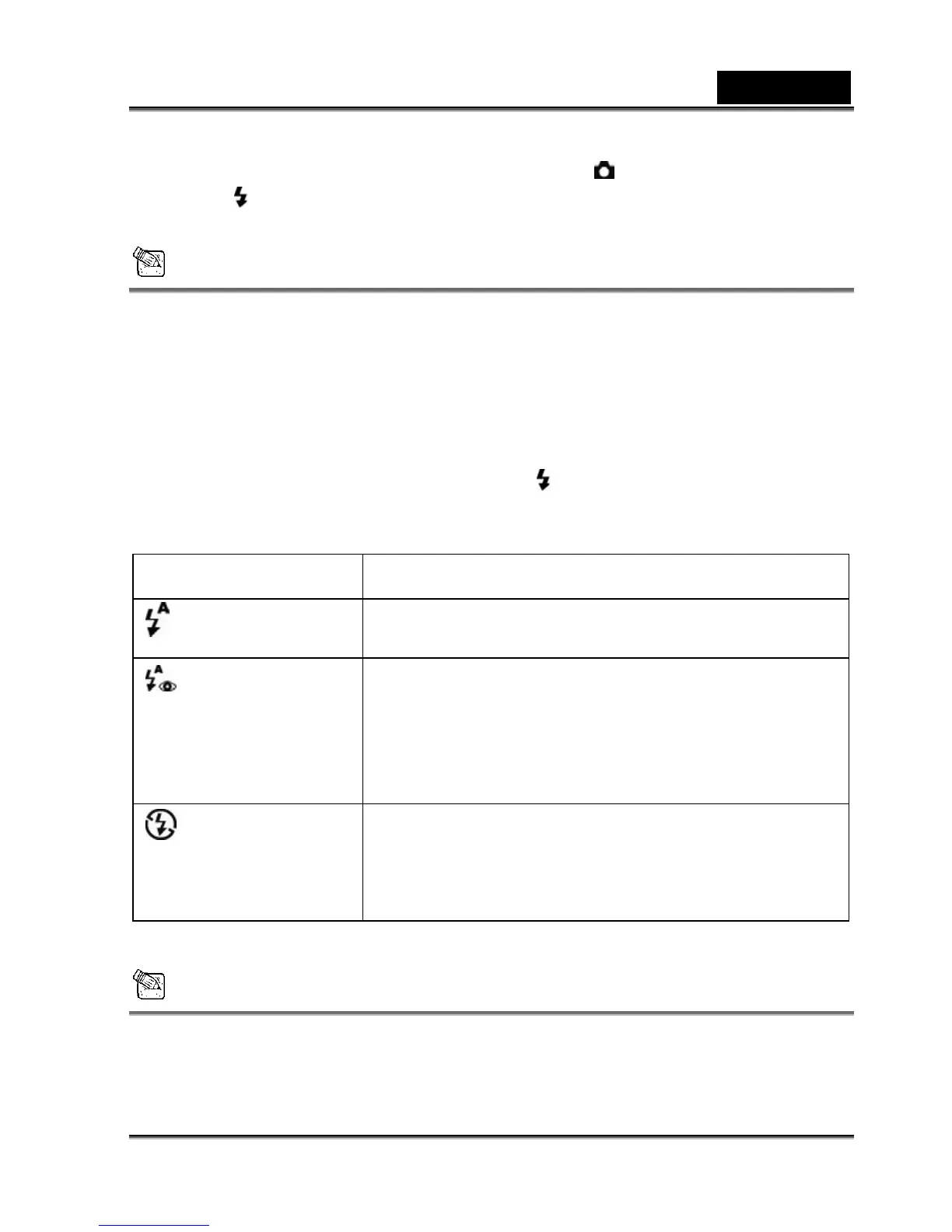
The camera has three flash modes: Automatic Flash (default), Red-Eye Reduction and Flash Off.
The modes appear, cyclically, when you press the
button. The table below will help you
choose the appropriate flash mode:
Flash mode
Description
Auto flash
The flash fires automatically according to the ambient lighting
conditions. Select this mode for general flash photography.
Red-eye reduction
The flash emits a precursor-flash before the main flash fires.
This Red-eye reduction causes the pupil in the human eye to
constrict, reducing the red-eye phenomenon. Select this
mode when taking images of people and animals in low-light
conditions.
Flash off
Flash off The flash will not fire. Select this mode when taking
images in a place where flash photography is prohibited, or
when the distance to the subject is beyond the effective range
of the flash.
NOTE
y The Flash mode is disabled in Portrait mode.



 To Next Page