English
-32-
y The video resolution for videoconferencing applications is generally 320 x 240.
y For more information about the operation of videoconference application software, refer to its
respective help documentation.
MENU OPTIONS
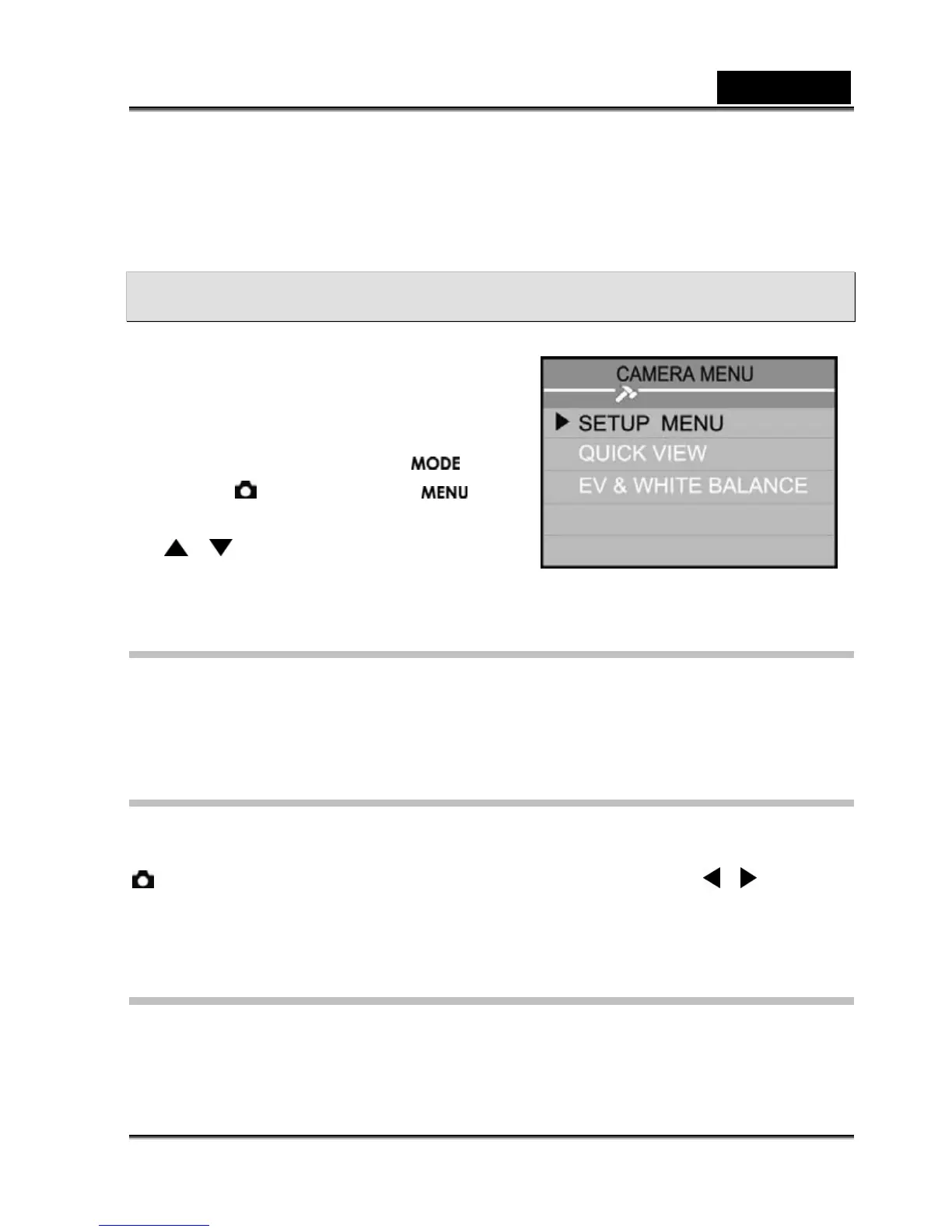
You can use the Record menu to adjust exposure
and white balance. The Record menu even
allows you to enable quick view. You can also
access the Setup menu in the Record menu. To
access the Record menu, toggle the
button to the
mode and press the
button. Scroll through the menu options by using
the
/ button.
SETUP MENU
Press the OK button to access the Setup Menu. For more information about Setup Menu, refer to
the Setup menu section.
QUICK VIEW
You can view each captured image on the LCD monitor immediately after capture by enabling
Quick View. Each captured image will be displayed briefly, after which the camera returns to the
mode automatically. To enable quick view, select [ON] by pressing the / button, and
then press the OK button.
EV & WHITE BALANCE
Exposure (EV)
Your camera adjusts the exposure of each scene automatically. However, if the subject is very



 To Next Page