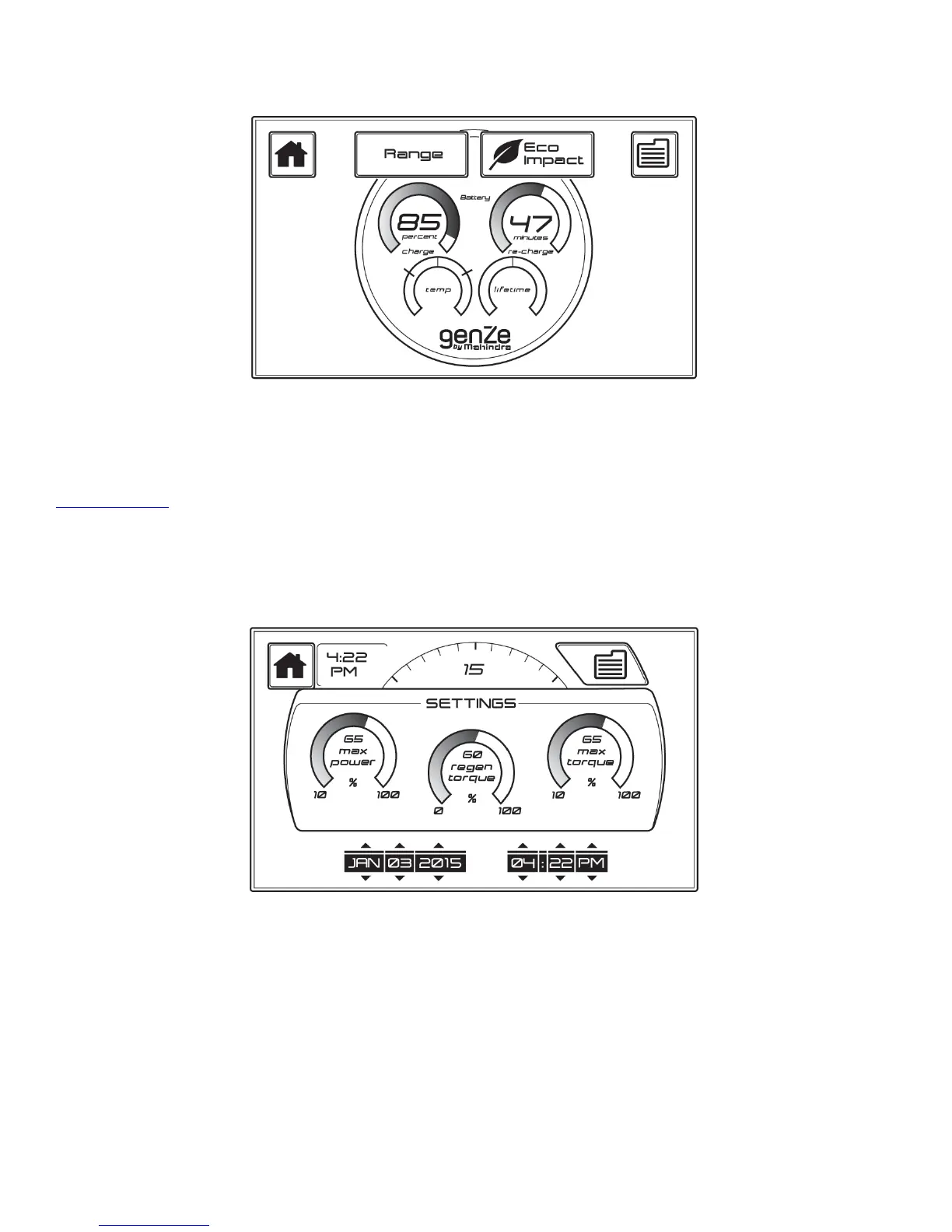
In this screen, you can view the state of charge, estimated amount of time it will take to recharge the battery, the
battery temperature, and the state of health (estimated life) of the battery. You also have options to navigate from
this screen to the Home, Menu, Range, or Eco Impact screens using the buttons on the top of the screen.
Back to Top
Settings Screen:
!
In this screen, you can set the time and date, as well as see the power settings. You can also view and customize the
performance settings for the GenZe 2.0. The performance settings can be changed by adjusting the gauges using a
finger to slide along the gauge graphic. The Mode Selection on the Main Screen will be blank if a custom mode is
set using the settings screen. The date and time can be changed using the small arrows on the top and bottom of the
date and time. You also have options to navigate from this screen to the Home or Menu screens using the buttons on
the top of the screen.


 To Next Page