last trip or lifetime. You also have options to navigate from this screen to the Home, Menu, Range, or Battery
screens using the buttons on the top of the screen.
Back to Top
Range Screen:
!
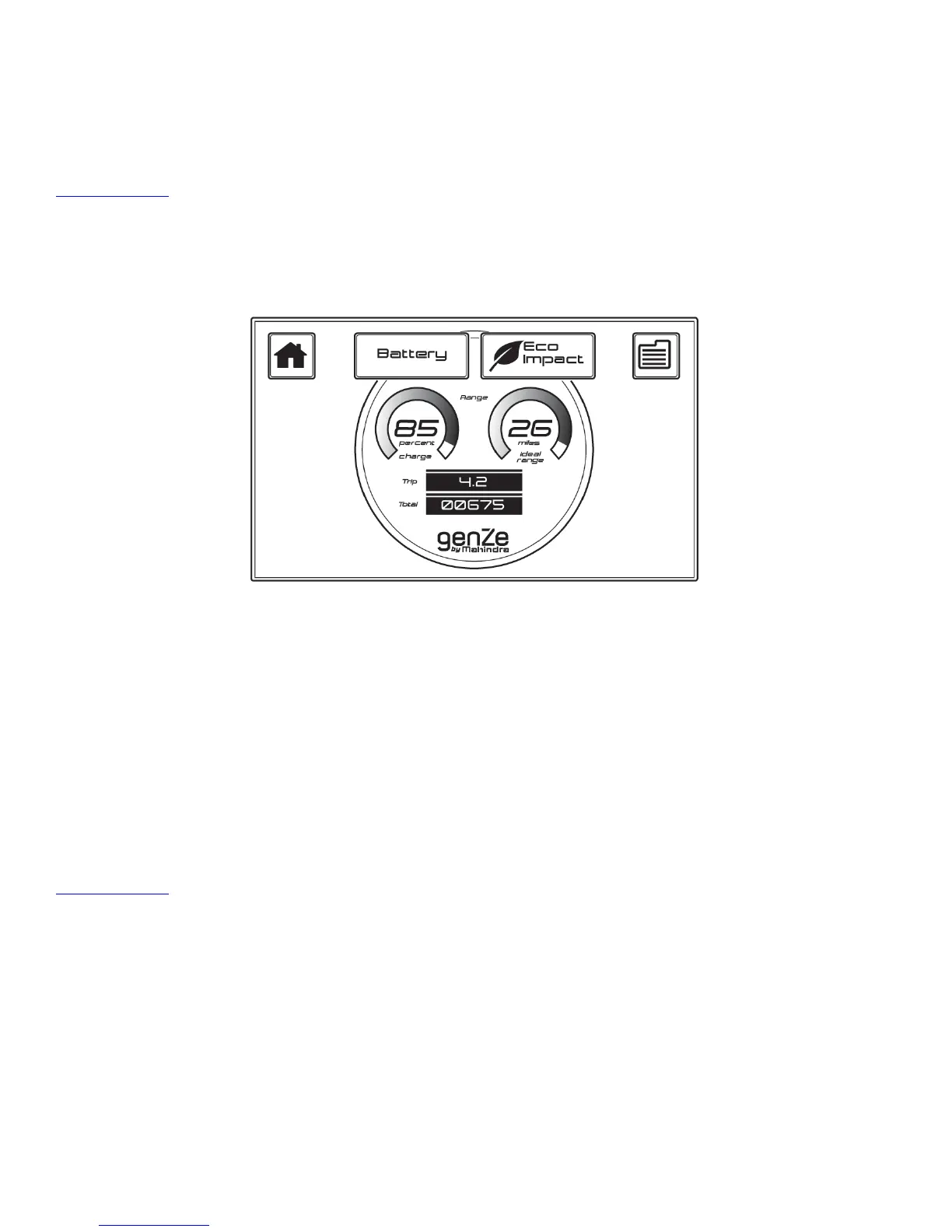
Touching the Range button on the menu screen or Range button on any other screen will allow you to view the
Range Screen. In this screen, you can view the state of charge, ideal range, trip odometer, and the total odometer.
You also have options to navigate from this screen to the Home, Menu, Eco Impact, or Battery screens using the
buttons on the top of the screen.
Ideal Range is calculated using your battery energy and an ideal energy efficiency. The Real Range (Home Screen)
uses your available battery energy and average energy efficiency based on your riding history.
Owner Manual
You enter this screen after touching the Book button on the Menu Screen. In this screen, you can view the GenZe
2.0 Owner Information.
Back to Top
!
PIN Screen
In addition to allowing you to enter your PIN number, this screen also provides important information at a glance.
!


 To Next Page