Back to Top
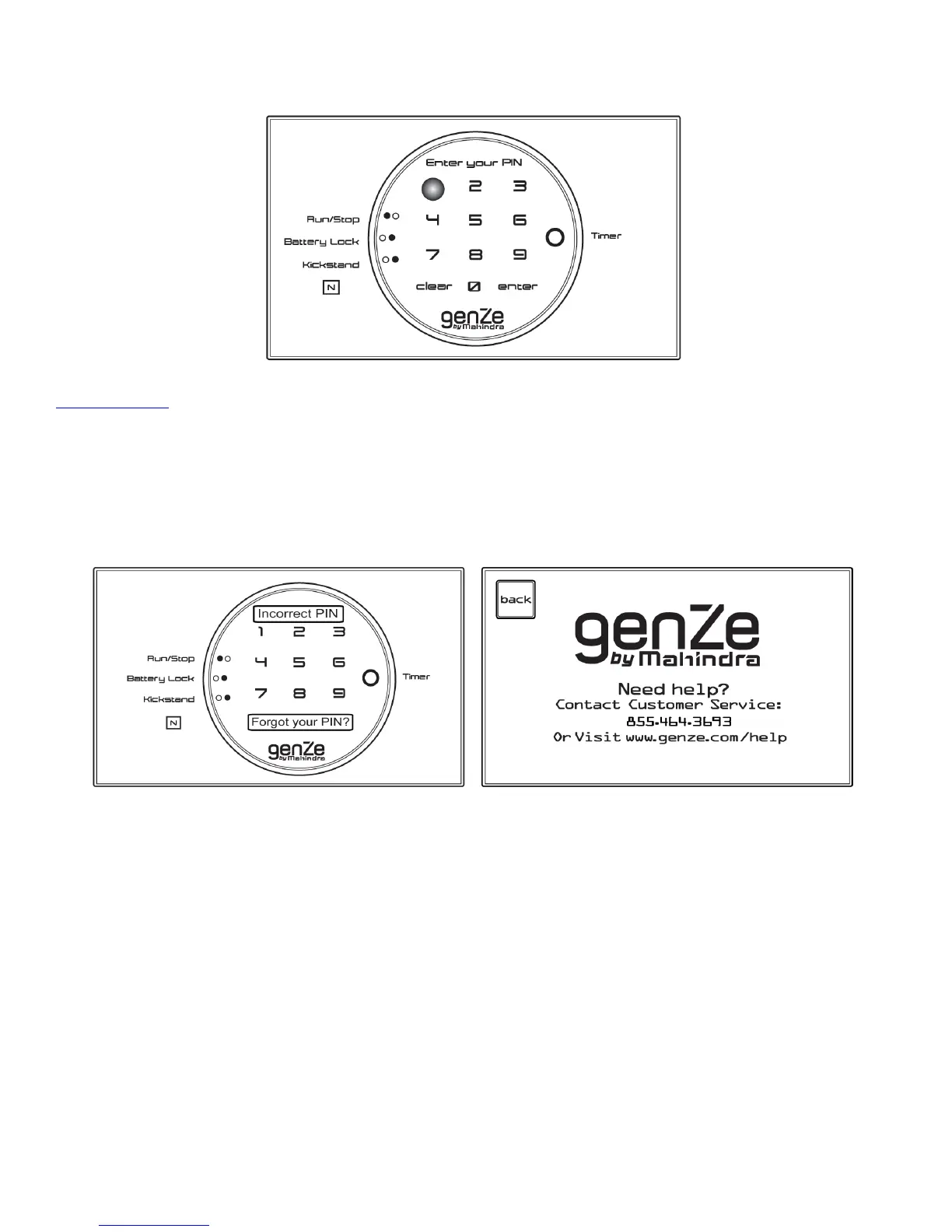
3. After entering your PIN, touch the Enter button. If you have entered your PIN incorrectly, the screen will
display an incorrect PIN message. You can now re-enter your PIN. You have 50 attempts before the system will
be locked. If the system is locked, you will need to contact GenZe for assistance. Pressing the Forgot Your PIN
button will take you to the GenZe help screen, which includes contact information for your assistance.
Changing Your PIN
Pressing this button on the menu screen will allow you to change your PIN.
To change your PIN:
1. Type in your current PIN.
!


 To Next Page