Prepay (prepayment meters only)
28
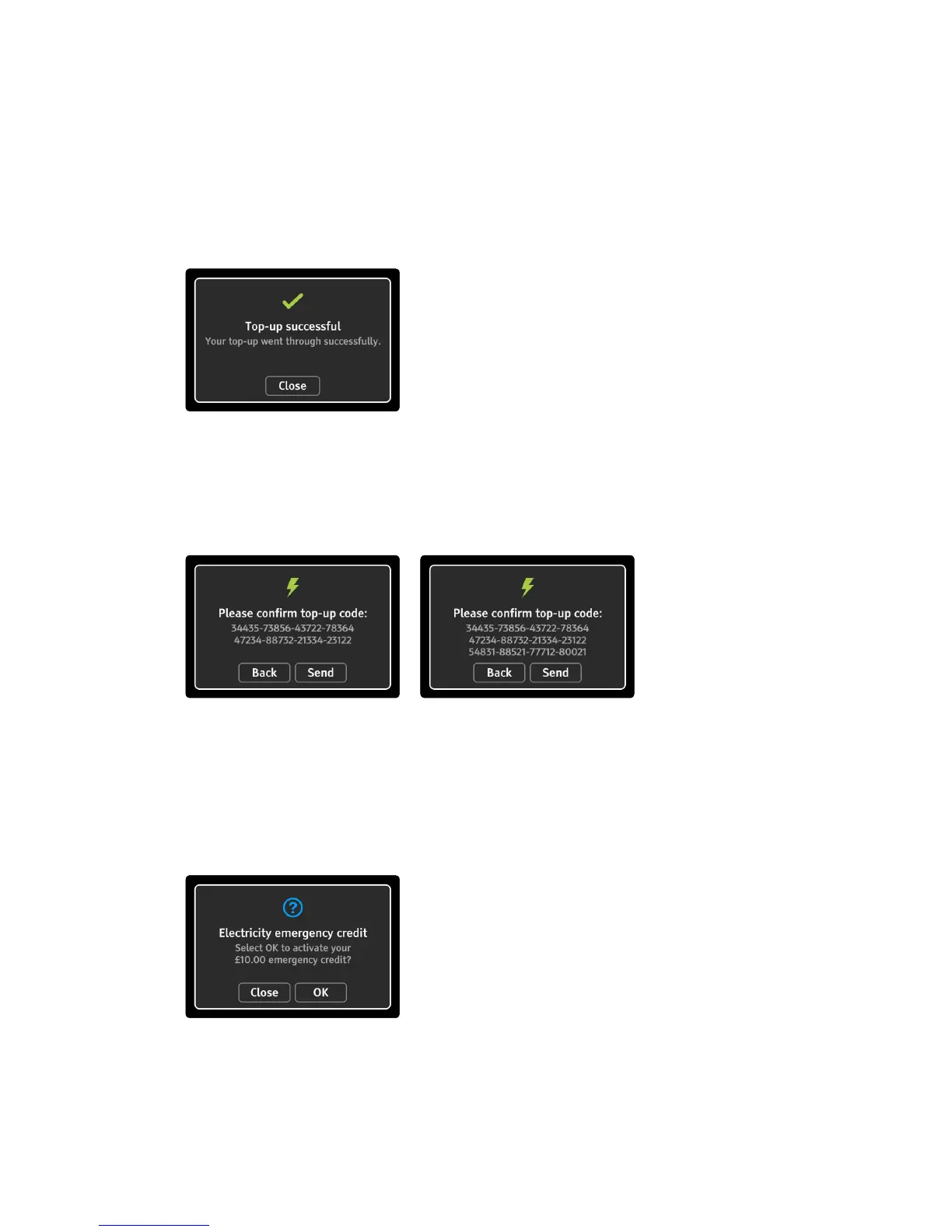
Once the code has accepted by the meter a conrmation will
be shown, as shown below; it may take up to 30 minutes for the
conrmation to appear. If the top-up is rejected the conrmation
will explain why it was rejected.
Top-up (40-digit and 60-digit codes)
For some meters it is possible to enter longer top-up codes, that help
congure your smart meter(s). As the code is very long, an additional
dialogue appears to help check the code is correct before sending.
You can top-up from the home screen prepayment tab by pressing
the fuel in prepayment mode - see “Prepayment screen” on page 15.
Emergency credit
If Emergency credit is available, it will appear in the Prepay menu. The
amount of emergency credit shown below is an example only.
You can also activate emergency credit from the home screen
prepayment tab, simply press the fuel in prepayment mode where
emergency credit is available - see “Prepayment screen” on page 15.



 To Next Page