10. Connect the field controller to the GNSS receiver through Bluetooth.
11. Measure the instrument height using the measuring tape. Refer to "2.6 The
Antenna Reference Plane, ARP" for information on the instrument height.
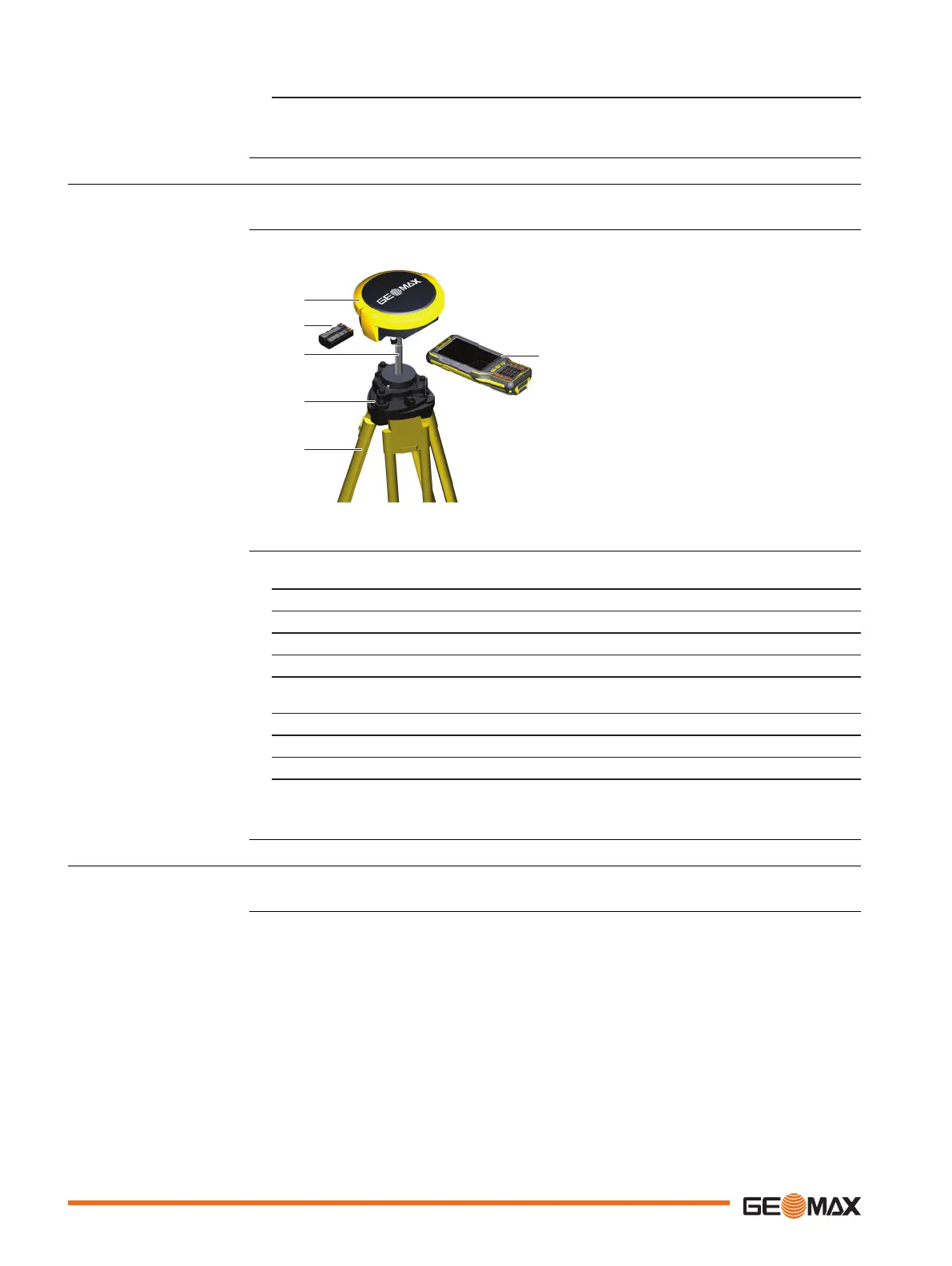
4.2.2 Setting up as a Post-Processing Base
The following equipment setup is used for static operations over markers.
a GNSS receiver
b Battery
c Carrier
d Tribrach
e Tripod
f Field controller
1. Set up the tripod.
2. Mount the tribrach on the tripod.
3. Ensure that the tribrach is over the marker.
4. Mount and level the carrier on the tribrach.
5. Insert the battery into the GNSS receiver.
6. Press the ON/OFF button on the GNSS receiver for 2 s to switch on the GNSS
receiver.
7. Screw the GNSS receiver onto the carrier.
8. Check that the tribrach and carrier are still level.
9. Connect the field controller to the GNSS receiver through Bluetooth.
10. Measure the instrument height using the measuring tape. Refer to "2.6 The
Antenna Reference Plane, ARP" for information on the instrument height.
4.2.3 Setting Up as a Real-Time Rover
The following equipment setup is used for real-time rover.
Use
Equipment setup
Equipment setup
step-by-step
Use
20 Operation


 To Next Page
 Loading...