4 - 5
Changing the Battery Pack
You can purchase an additional battery pack from your local dealer, so that you
can use it as a spare when traveling.
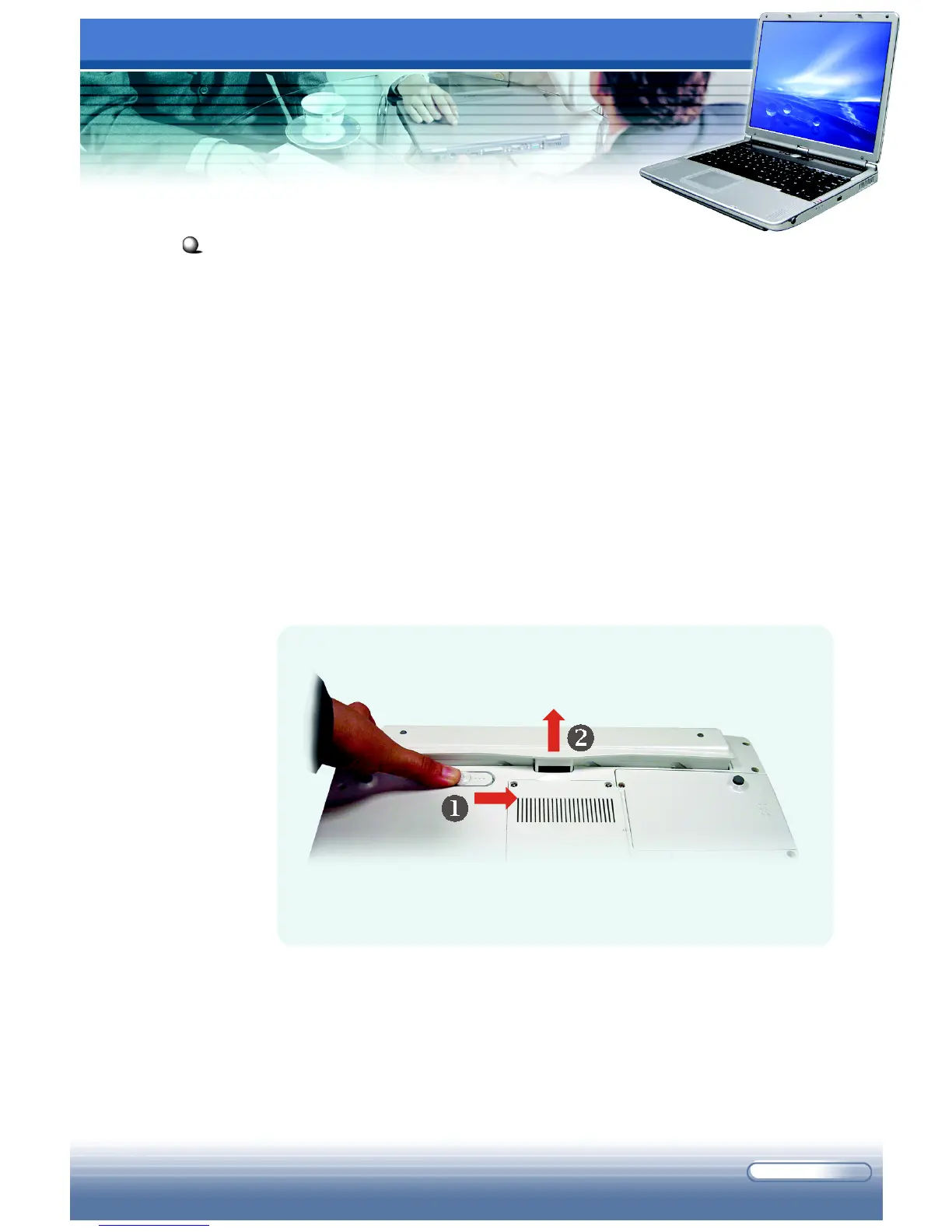
To remove the battery pack:
1. Confirm that the computer is turned off.
2. Place the computer upside down gently.
3. Locate the Battery Unlock Button on the bottom side of the
computer.
4. Press and hold the button, and then push it outwards (
n
). The
battery pack will bound upwards slightly (
o
).
5. Remove the battery pack from the compartment.
Removing the Battery Pack



 To Next Page