14
Ref
Component Description
a
None
Or can be one of the below components depending on your model:
b
Serial port Connects a serial device.
c RJ45 connector Connects the LAN cable.
d
USB 2.0 port Connects a USB device.
e
Barcode reader
lens
Scans and reads barcodes.
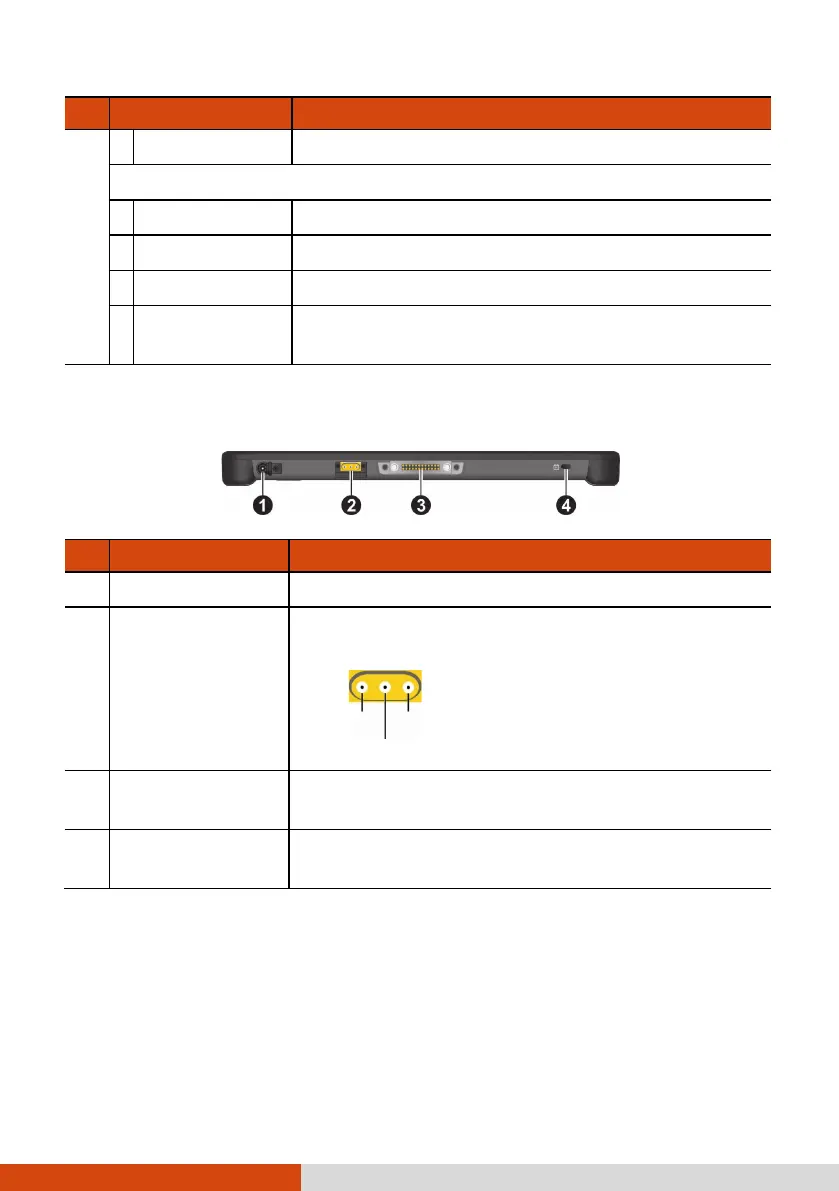
Bottom Components
Ref
Component Description
Power connector
Connects the AC adapter.
Antenna pass-
through
(optional)
Connects to the docking station for using
external GPS /WWAN/WLAN antenna.
Docking
connector
Connects to the docking station (available as an
option).
Kensington lock
Locks the Tablet PC to a stationary object for
security.



 To Next Page