45
Replacing the SSD (Optional)
1. Turn off the Tablet PC and disconnect the AC adapter.
2. Remove the battery packs.
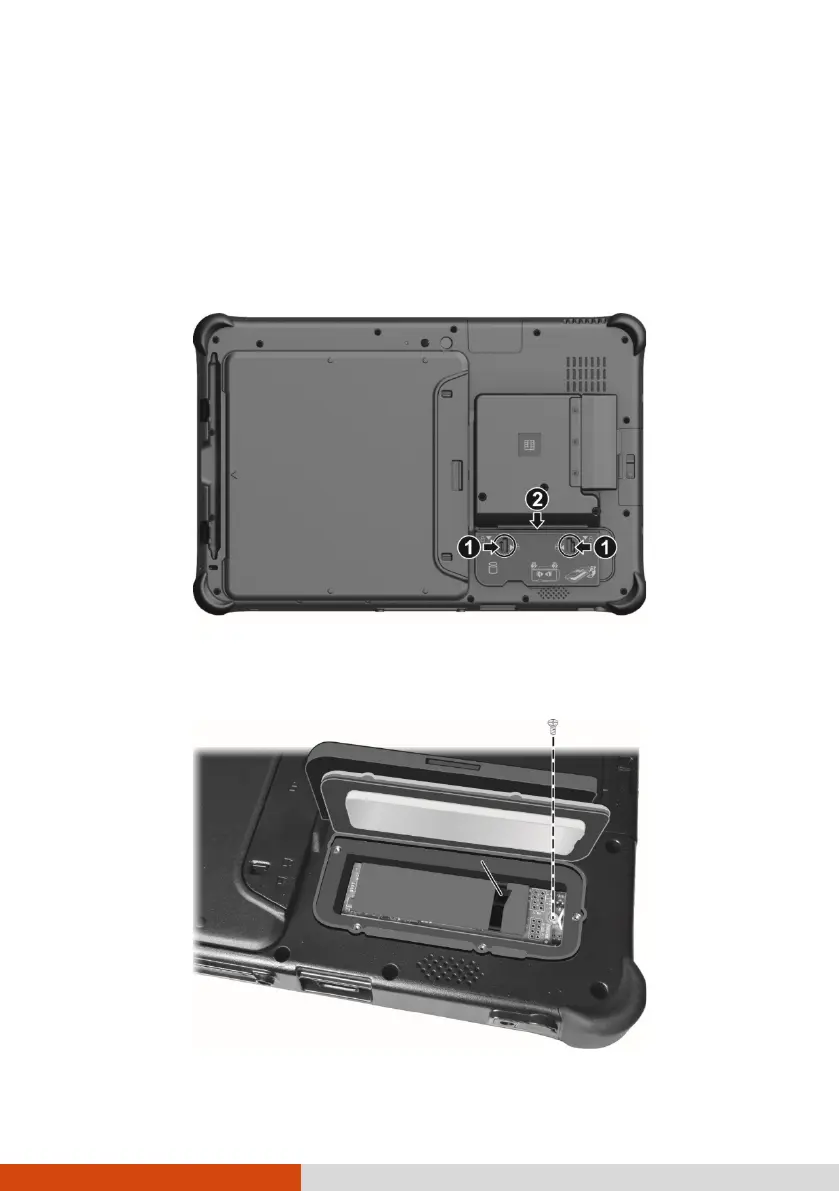
3. To open the SSD access door, push the two locks inwards to the unlocked
position (), slide the door downwards (), and then lift the door open.
4. Remove the screw. Carefully pull up the ribbon strip to lift the SSD and
then unplug it from the system board.



 To Next Page