41
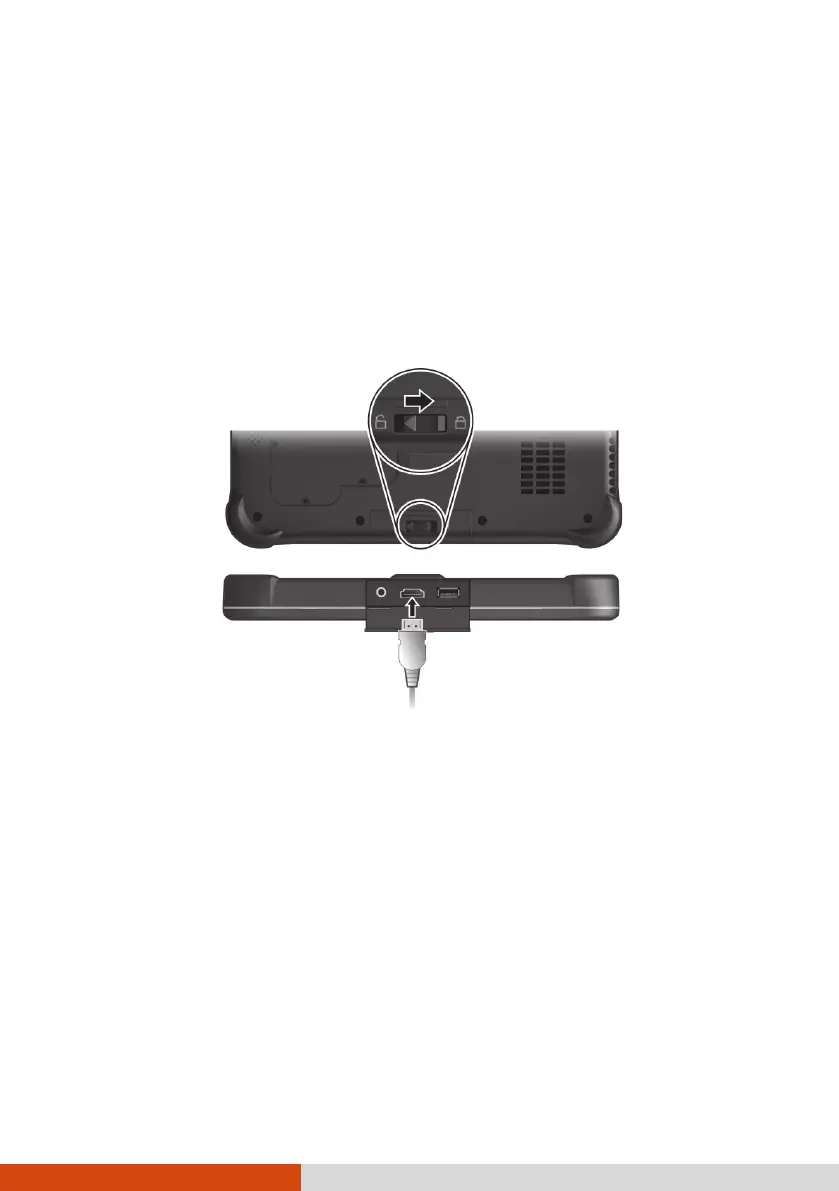
Connecting an HDMI Display
Monitor
If you want the benefits of a larger display screen with higher resolution,
you can connect an external display monitor to your Tablet PC.
Your Tablet PC has an HDMI connector. HDMI (High-Definition Multimedia
Interface) is an audio/video interface that transmits uncompressed digital
data and therefore delivers true HD quality.
To switch the display output, use Windows Control Panel or OSD Control
Panel.
To unlock the left-side cover:



 To Next Page