3
Installing the SIM Card (Optional) and
Battery Packs
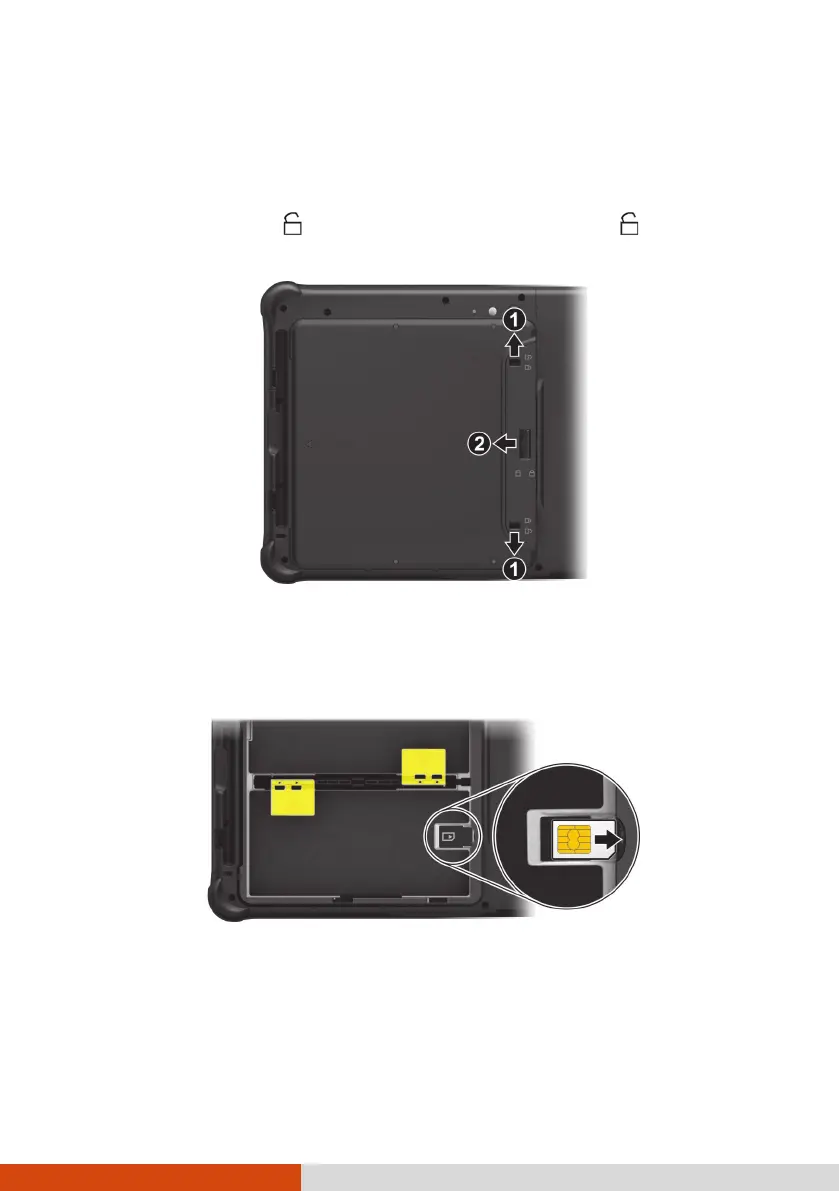
1. Locate the battery cover. Slide the two small locks outward to the
unlocked position ( ) (
) and then release the latch ( ) (
) to open
the battery cover.
2. Select models only:
With the SIM card’s chip side facing up and the beveled corner pointing
to the slot, insert the card all the way into the slot.
NOTE:
To remove the SIM card, just push in the SIM card to pop-out and
remove the card.
The slot still exists but cannot be used for models without the WWAN
module.



 To Next Page